
What is Cascading Closing?
Cascading Closing can be enabled for any Timed Auction (Online Only Auction), and when activated items will not begin to close until the item immediately preceding has closed even if the preceding item is auto-extended.
For example, if a Timed auction has Cascading Closing enabled:
Item 2 will not start to close until Item 1 has completely closed, including any auto extensions.
Once Item 2 has closed, item 3 will start to close.
Once Item 3 has closed, item 4 will start to close etc.
How to set up Cascade Close
When configuring your auction using Cascading Close, you will want to set the end time to be when you would like to close the first item (excluding your auto-extension).
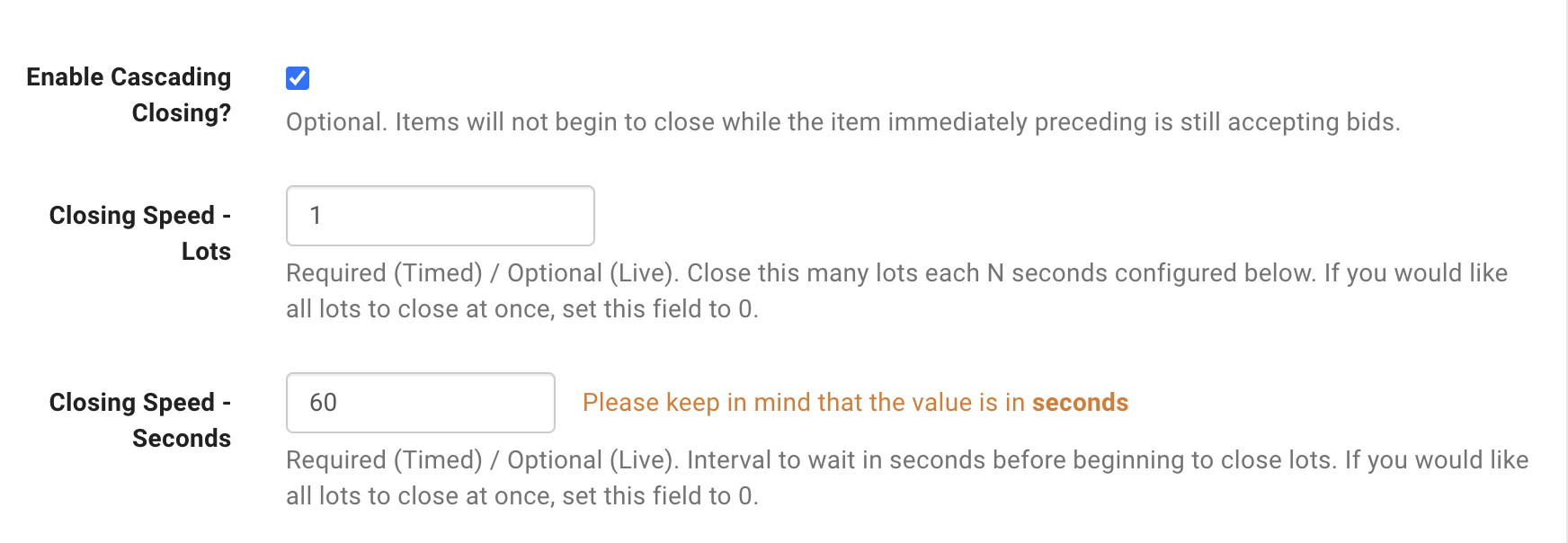
Also the Closing Speed - Lots must be set to 1 when using Cascading Closing and you will want to set the Closing Speed - Seconds to how much time you would like to wait between lot closures.
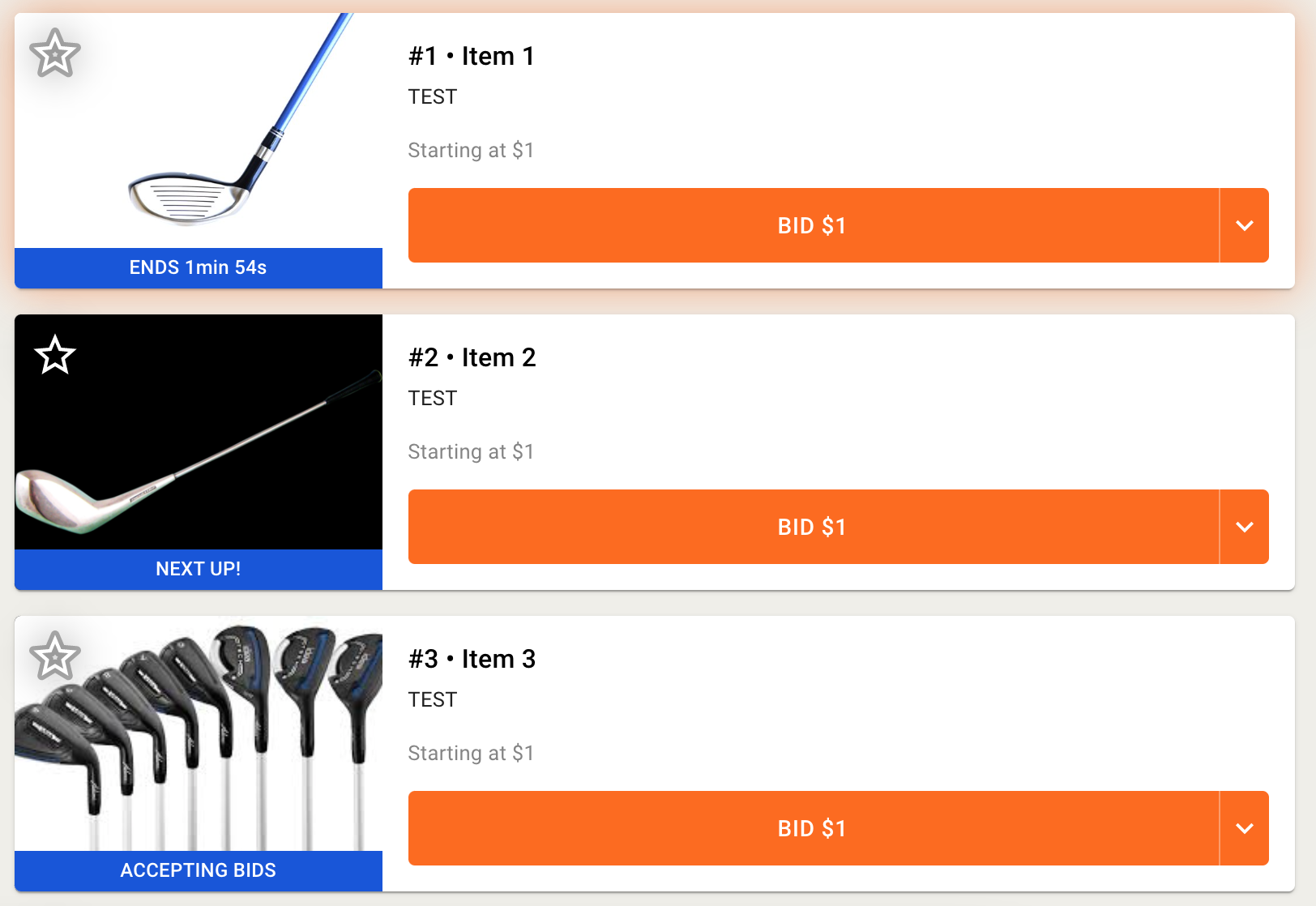
When using Cascading Close the First item to close will show a countdown timer. The Second item to close will show "Next Up". Third and all subsequent items to close will show "Accepting Bids" .
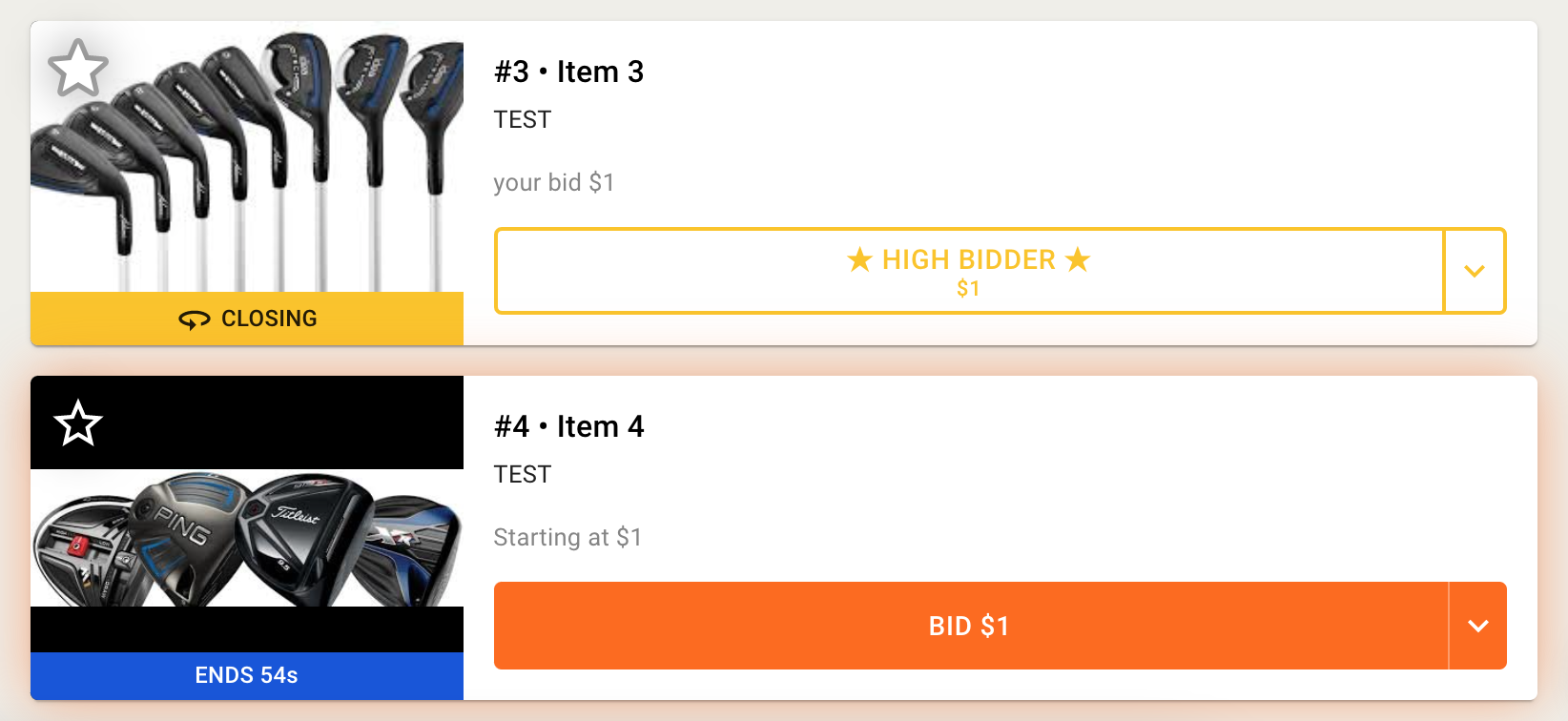
If you have an item with manual close. The auction will still move ahead to the next item, while the item setup with Manual Close will show as 'Closing'.
Best Practices to Set Up Cascading Closing Without Issues
Cascading Closing calculates a closing time for every lot from the lot order and the Closing Speed settings. Changes to the catalog after this calculation can put the shown closing times out of alignment. These practices keep the auction on schedule:
Turn on Cascading Closing last. Complete the catalog, the lot order, and the other auction settings first. Make Cascading Closing the last setting you change before the auction starts to close.
Reinitialize the auction after catalog changes. If you add lots, remove lots, or change lots to listings before the auction starts to close, reinitialize the auction. To reinitialize, move the auction end time up one minute, save, and then move it back. This aligns the closing times that bidders see with the actual closing times.
Do not add or publish lots after the auction starts to close. When a lot goes live in an auction with Cascading Closing, the next open lot can start its countdown too early and close as a no sale. If you must make a mid-auction change, examine the next open lots immediately after the change and reopen a lot that closed early.
FAQ
Can I use Cascading Closing for only part of my auction?
No. Cascading Closing applies to the whole auction. To close the first lots one at a time and the rest at a fixed pace, use variable closing speeds instead. See How to use variable closing speeds in an auction.
What happens if I pause my cascading auction?
You can pause an auction as is closes and resume it. A lot that you pause and resume closes in its scheduled slot. BidWrangler corrected the closing time of resumed lots in the September 15, 2026 release.
Can I add lots after my cascading auction starts to close?
Add all lots before the auction starts to close. A lot that you add mid-auction waits for its scheduled time before it shows a closing countdown. A mid-auction addition can also cause the next open lot to close early, so follow the best practices above.
Can I change an item's quantity during a cascading auction?
Yes, until the lot has bids. You can change the quantity on a lot in a live timed auction while the lot has no bids.
What do bidders see while the lots cascade?
The first lot to close shows a countdown timer. The second lot shows Next Up. The third lot and all later lots show Accepting Bids.
What happens to a lot set to Manual Close?
The auction continues to the next lot. The Manual Close lot shows Closing while it waits for the clerk.
Which Closing Speed settings does Cascading Closing need?
Set Closing Speed - Lots to 1. Set Closing Speed - Seconds to the wait time you want between lot closures.