How can I pause my auction?
Running a timed online auction means juggling a lot of moving parts, and sometimes unexpected situations require you to temporarily hit the brakes. Whether you need to resolve a technical hiccup, address questions from bidders, or manage an inventory change, pausing your auction gives you full control of the timeline without compromising results.
Pausing an Item
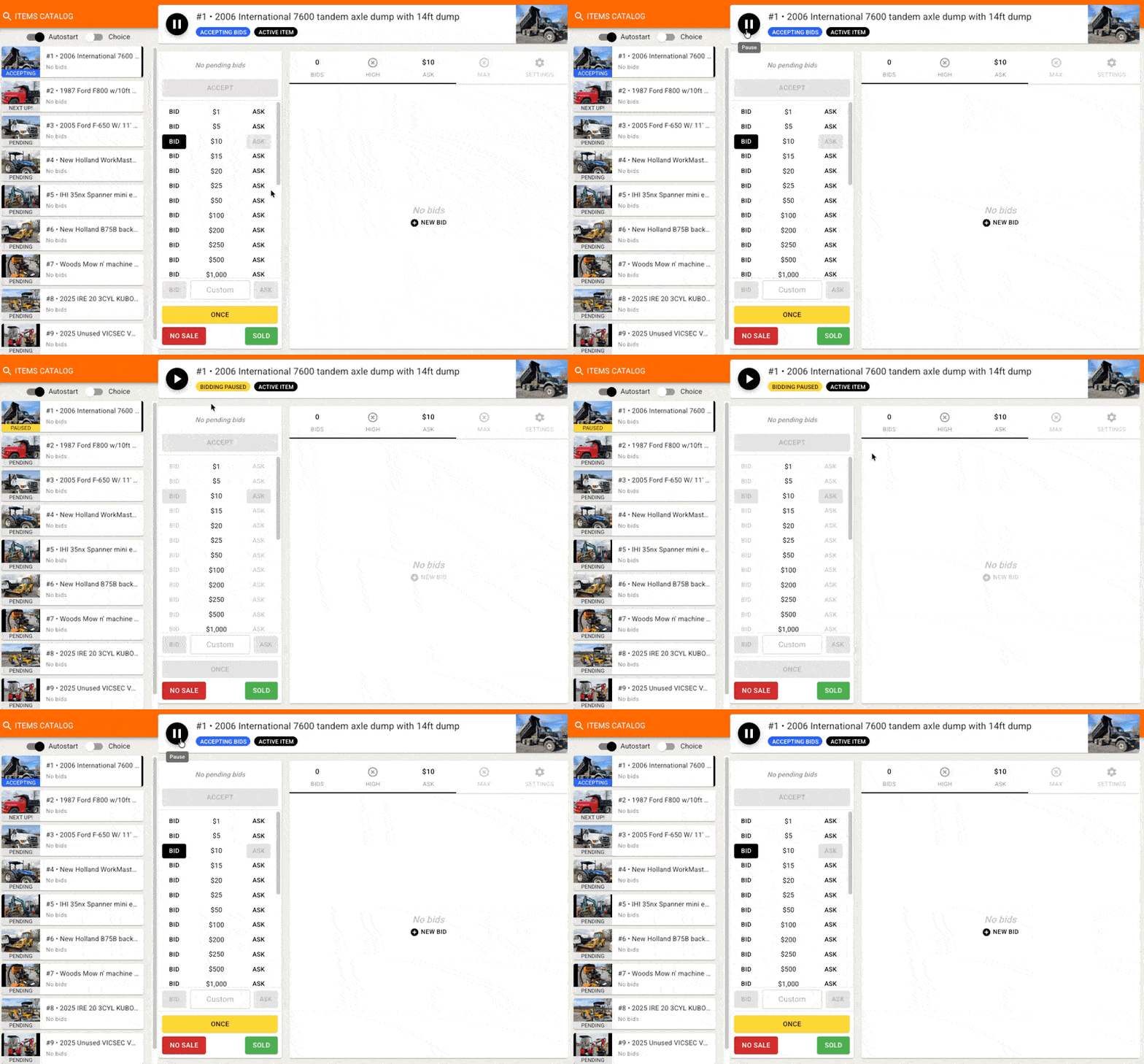
The pause feature can be accessed from the Online Clerking Panel. At the top of the screen, you'll see a Pause icon next to the item name.
You can select a specific item by clicking on the desired lot from the catalog on the left-hand side and choose 'Manage Item' - the item name will display at the top of the screen.
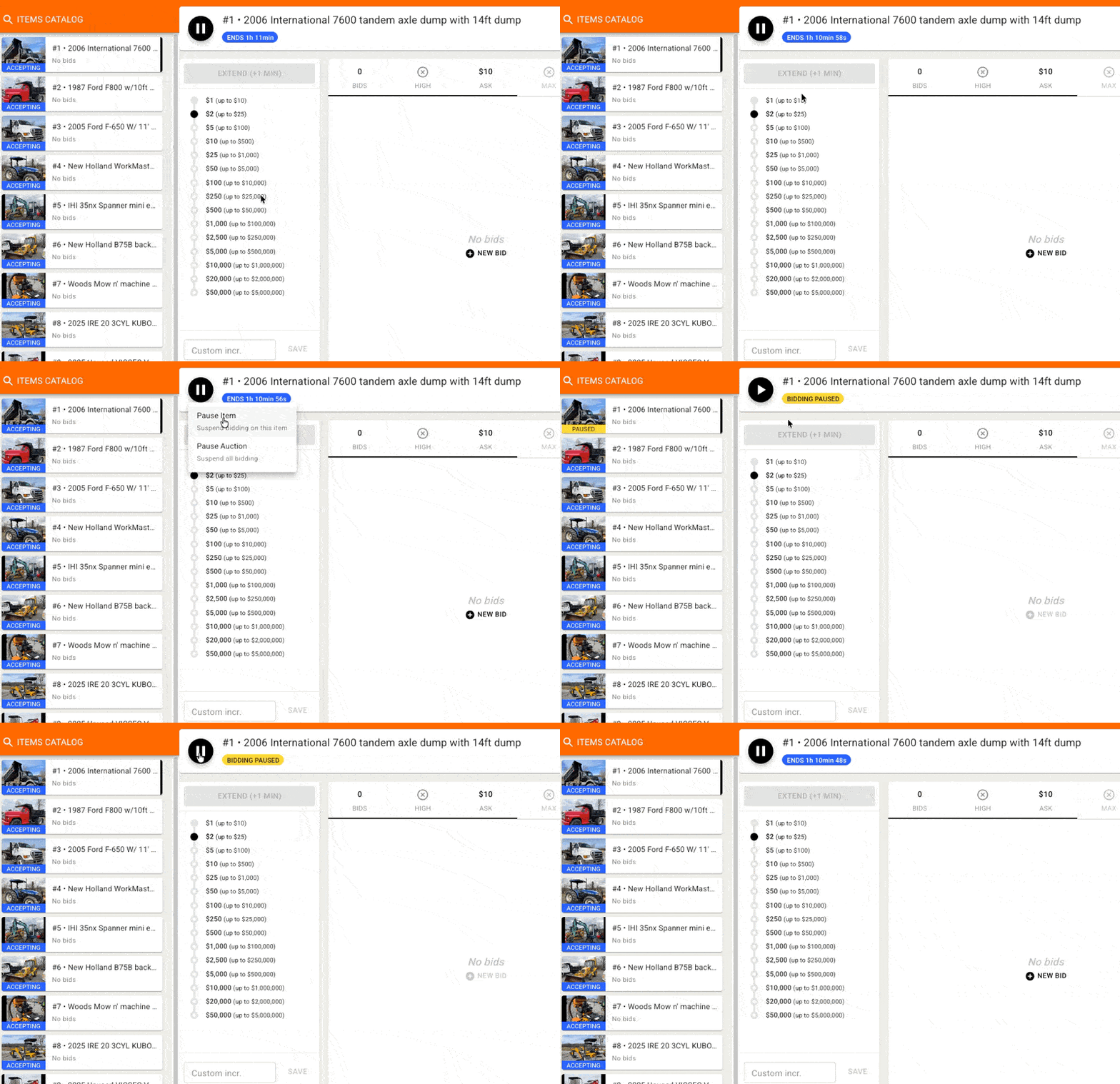
Clicking the pause button will give you a drop-down with the option to pause the item or the auction. Clicking Pause Item will update the item's status to 'Paused' for bidders, and temporarily disable bidding on that item.
You can un-pause the item by clicking the button again, which will now show as a 'Play' icon.
Pausing the whole Auction
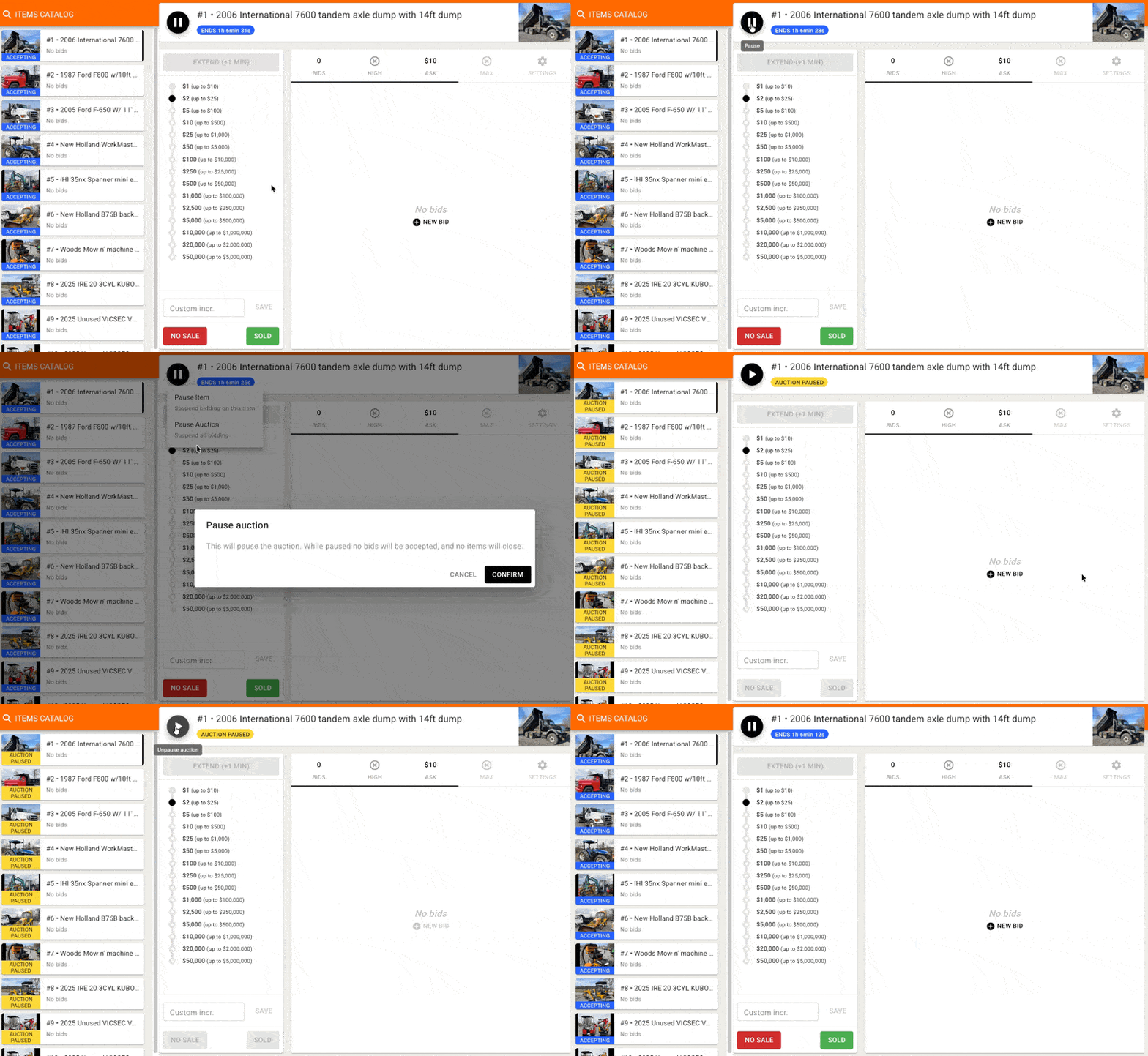
To pause the whole auction, click the Pause button on any item. This will give you a drop-down with the option to pause the item or the auction. If you select Pause Auction you'll receive a prompt to Confirm the action. Pausing the auction will update the status on all items to 'Paused' for bidders, and temporarily disable bidding on all items.
You can un-pause the auction by clicking the button again, which will now show as a 'Play' icon. This will work on any item.
Note that if you pause the auction, clicking play will re-open the whole auction - it's not possible to re-open only specific items in this way and would instead be managed by pausing individual items.
Note on Live Auctions
The option to pause items or the whole auction is also available in the clerking panel during live auctions - though pausing the active item effectively pauses the sale since there is typically only one item open for bidding.
Note that pausing the auction during a live sale will also temporarily disable Pre-bidding (placing maxbids) on the pending or upcoming items, whereas pausing a single item would still allow pre-bidding on the other items.