
How to Declare Your Trader Status in Google Play Console for Your BidWrangler App
Google Play requires each developer account to declare a trader status or a non-trader status in Google Play Console by February 1, 2027. If you do not declare by that date, we cannot submit app updates on your behalf, and Google removes your developer profile and all apps from Google Play. BidWrangler cannot make this declaration for you, because your company owns the developer account. First, set the countries where your app is available. Then, declare the status that matches those countries.
Should I Declare as a Trader or a Non-Trader on Google Play?
Google says that a trader is a person or a company that acts for a trade, a business, a craft, or a profession. Google also says that you can declare as a non-trader if you do not distribute apps in two areas. These areas are the European Economic Area (EEA) and the United Kingdom (UK). BidWrangler recommends that you choose the status that matches the location of your bidders.
Your bidders are in the United States and Canada: Remove all other countries from your app, then declare as a non-trader. This option is correct for most BidWrangler clients.
Your bidders are in other countries, but not in the EEA or the UK: Keep those countries and remove the EEA and UK countries. Then declare as a non-trader.
Your bidders are in the EEA or the UK: Keep those countries and declare as a trader. Then add your Terms of Service link to your app (further instructions below).
Keep a country only if you know that your bidders use your app in that country. Each country can add more tasks in Google Play Console.
CAUTION: Remove the EEA and UK countries before you declare as a non-trader. Google can suspend your account or remove your apps if your declared status is false.
What Google Shows on Google Play if You Declare as a Trader
When you declare as a trader, you certify that you only offer products or services that comply with applicable laws. Starting March 1, 2027, Google shows your contact details and your D-U-N-S number on Google Play. If you have a personal developer account, Google also shows your phone number and your address.
What You Need Before You Sign In to Google Play Console
The Google account that owns your developer account. Google sent the trader status email to that address.
The password for that Google account. If you do not know the password, reset it at https://accounts.google.com/signin/recovery.
If you declare as a trader, the address of the terms page on your bidding platform. The format is [your subdomain].bidwrangler.com/terms.
For example. If my bidding platform was auctioncompany.bidwrangler.com, or bid.auctioncompany.com, then my terms page will be: auctioncompany.bidwrangler.com/terms or bid.auctioncompany.com/terms.
If BidWrangler created the developer account and you do not have the login, contact helpdesk@bidwrangler.com.
How to Remove Countries From Your App in Google Play Console
If you declare as a trader and you want your app to stay available in all of its current countries, go to the next section.
Sign in with the Google account that owns your developer account.
Select your app on the home page.
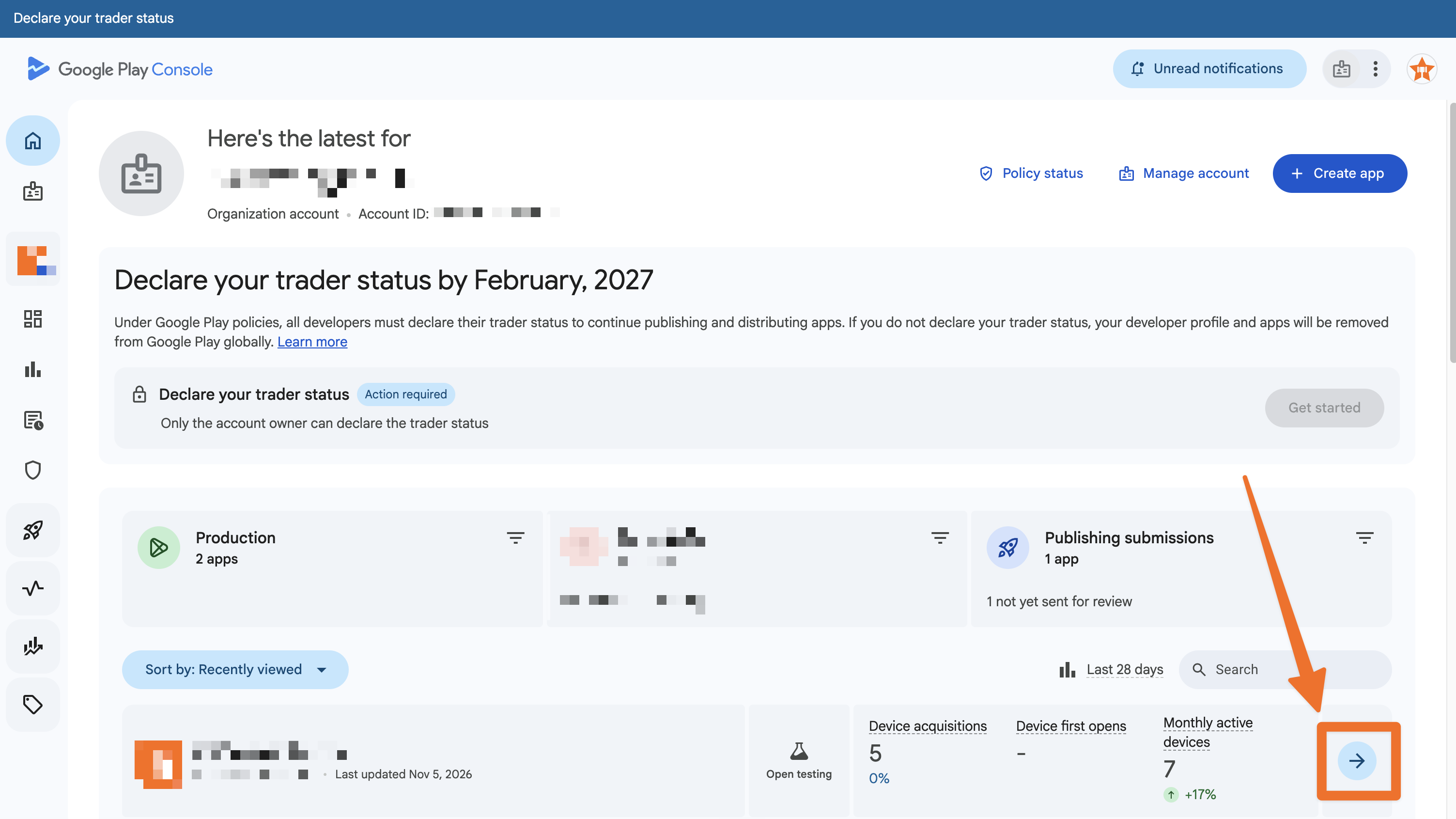
Go to Test and release.
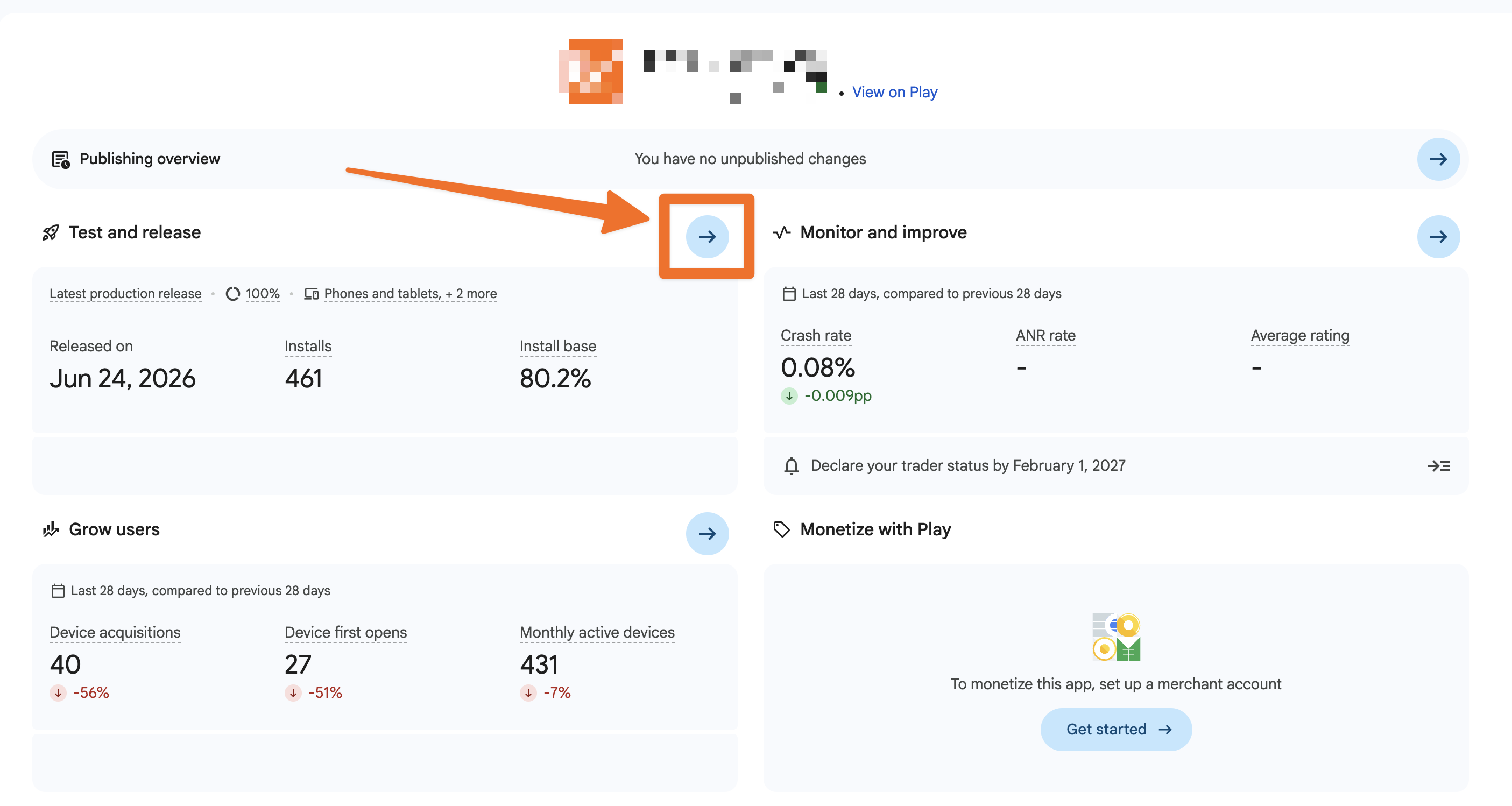
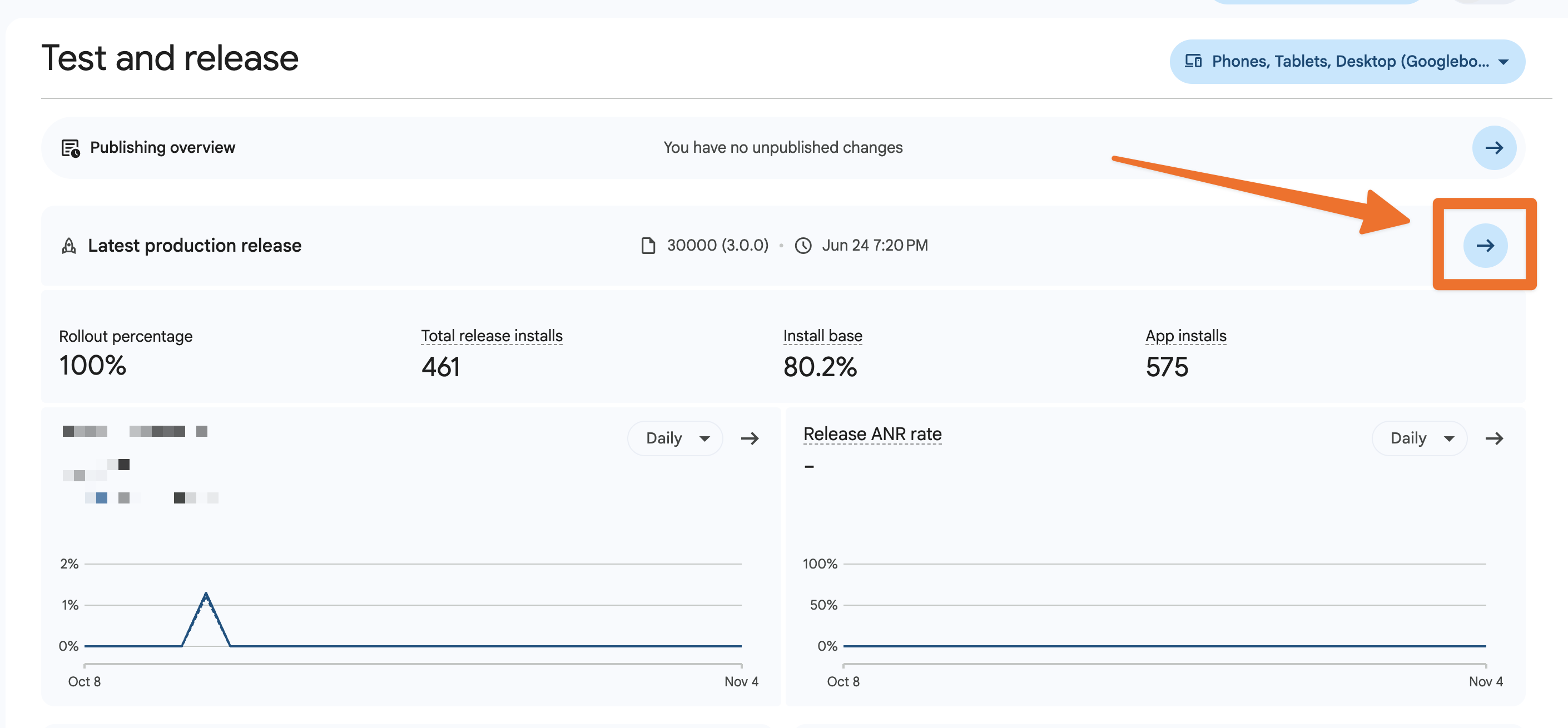
Go to the Production page.
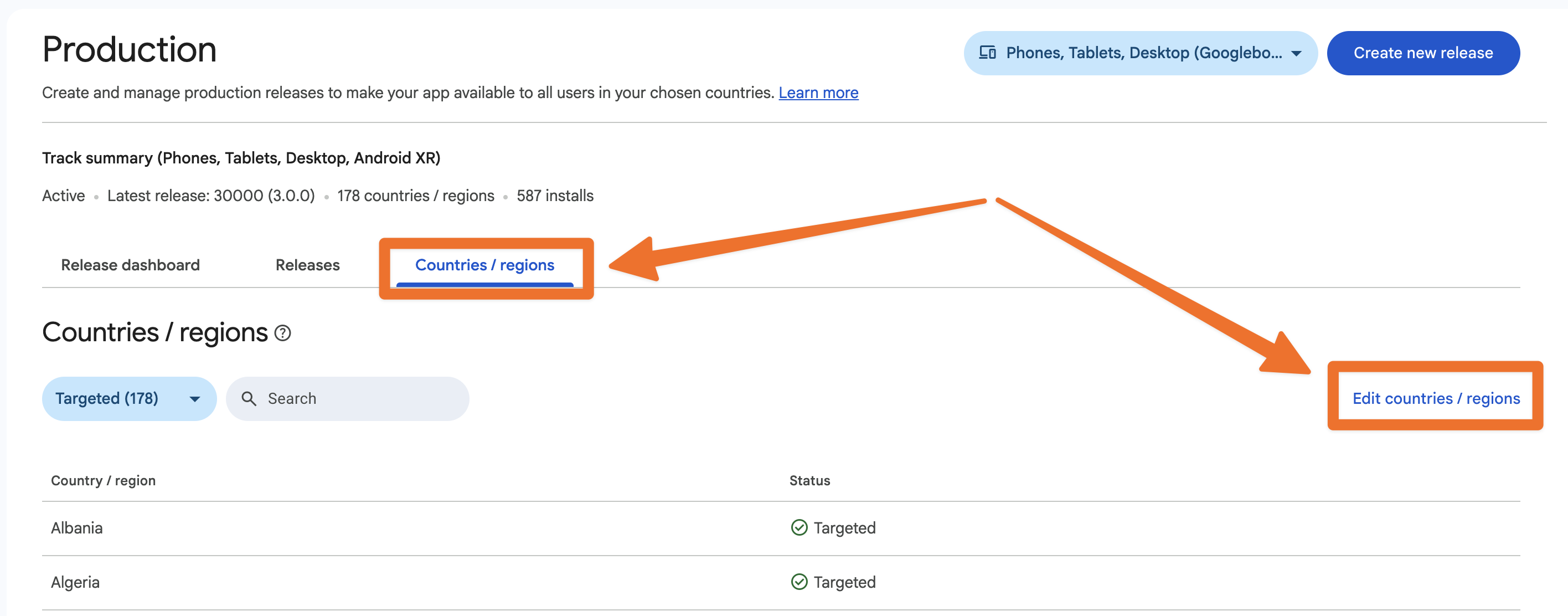
Select the Countries/regions tab and click Edit countries/region.
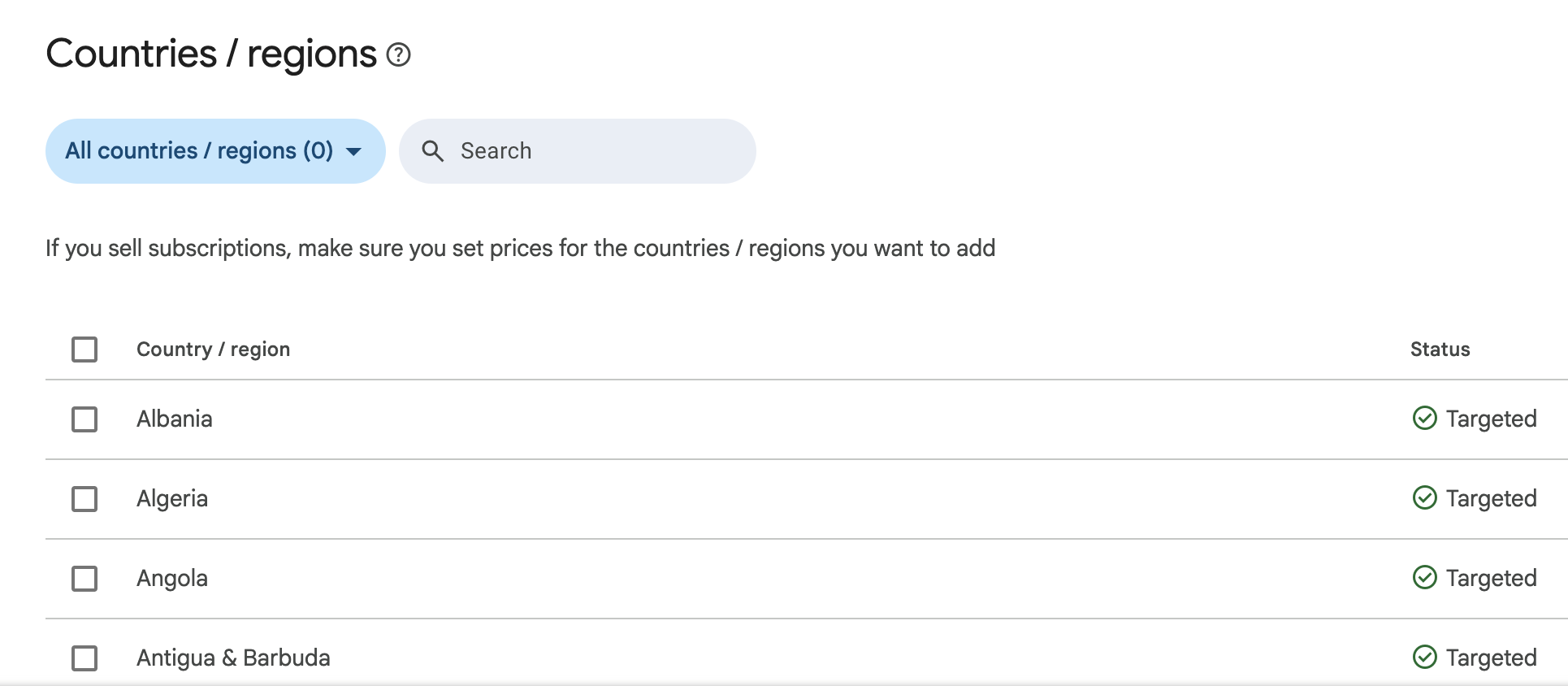
Remove all countries/regions via the top-most checkbox.
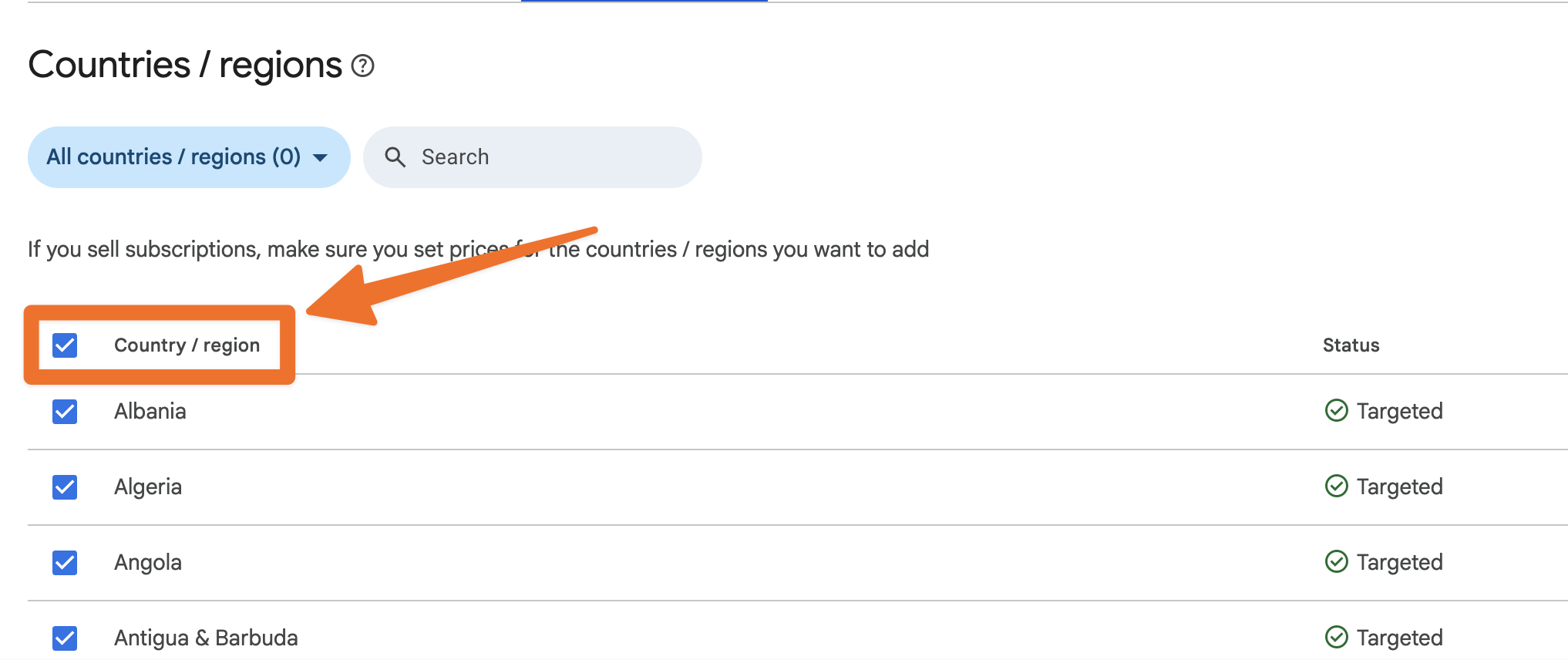
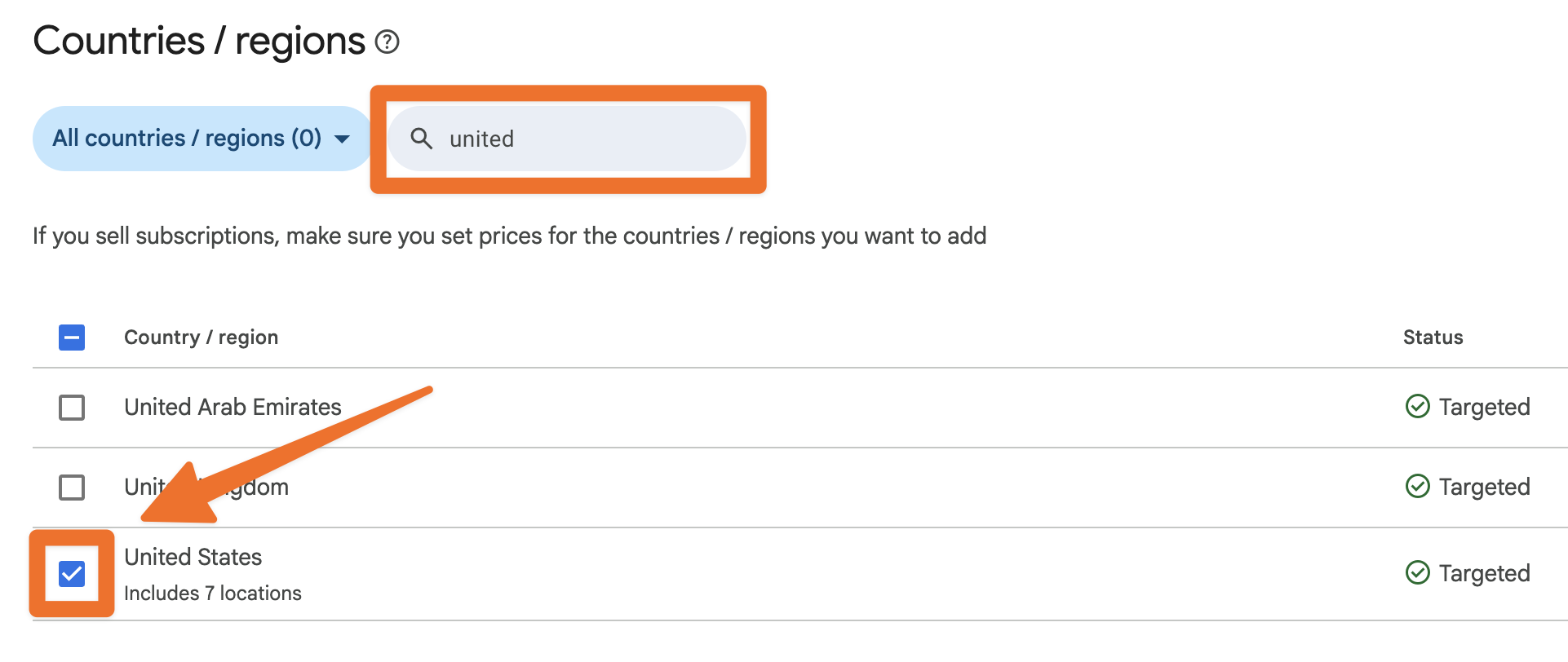
Select all countries that your bidders do not use. Feel free to use the search bar to find and select Canada and United States.
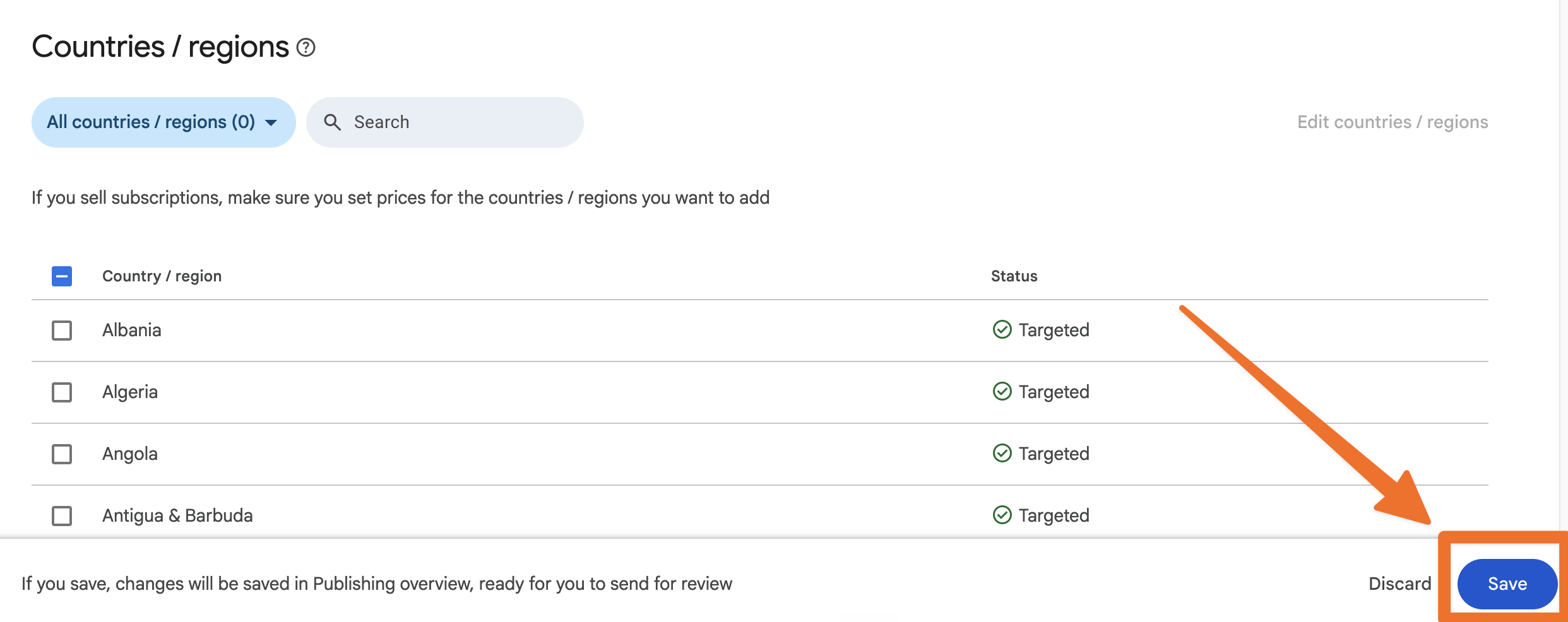
Click Save.
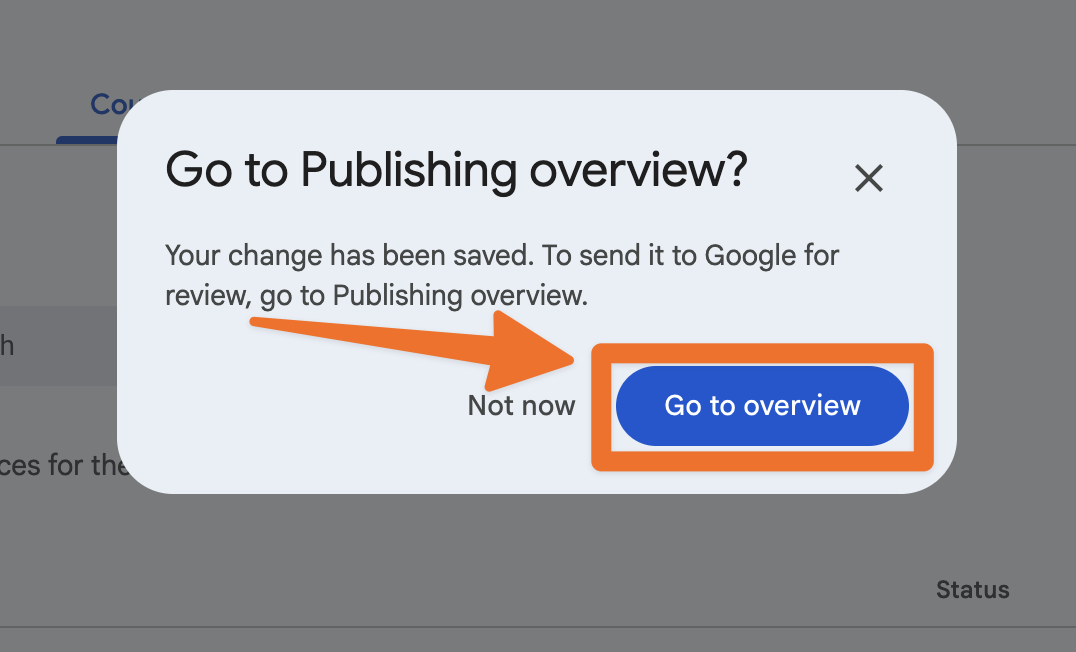
Select Go to overview on the pop-up.
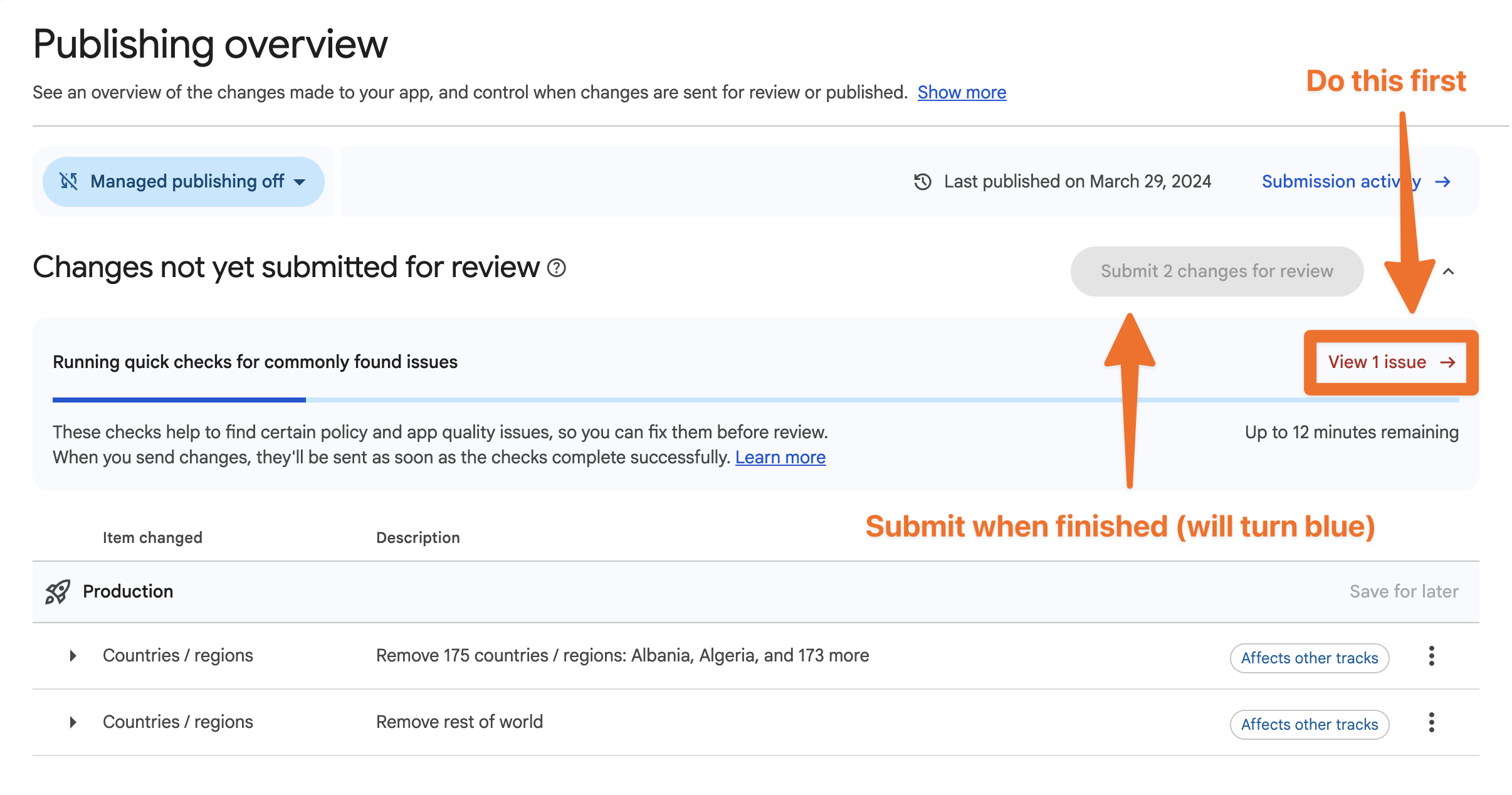
Submit 2 changes for review
You may have other declarations to make before submitting for review. If so, see the next paragraph for guidance.
What to Do if Google Asks About Health or Finance Features
Google Play Console can show more questions about health features and finance features under App content. If you see these questions, select the bottom option for each question. For a BidWrangler app, the bottom option is the "no" or "not applicable" answer. If Google asks about advertising ID, select the "no" answer.
How to Declare Your Trader Status for Your Google Play Account
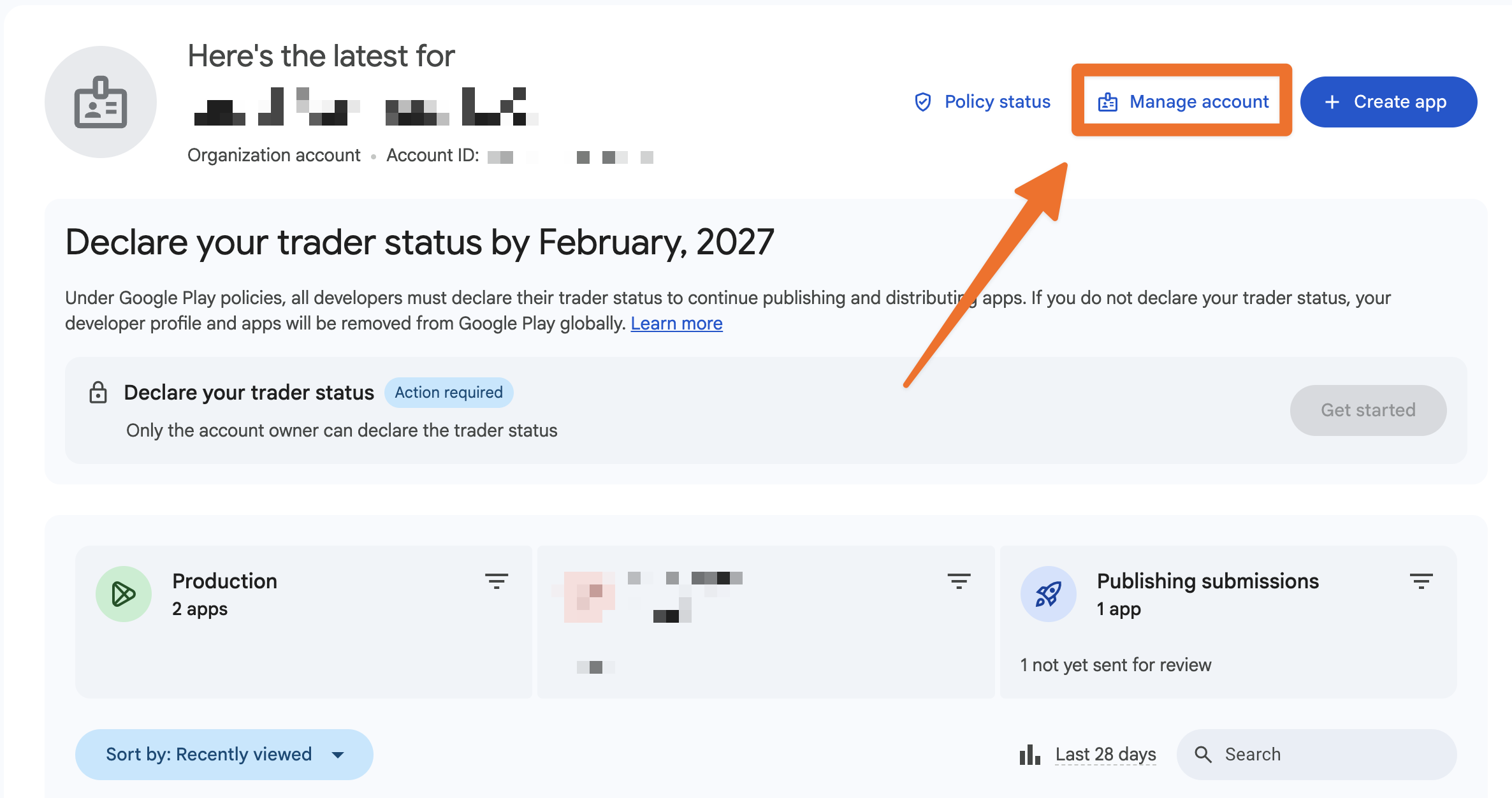
In Google Play Console, go to Manage account.
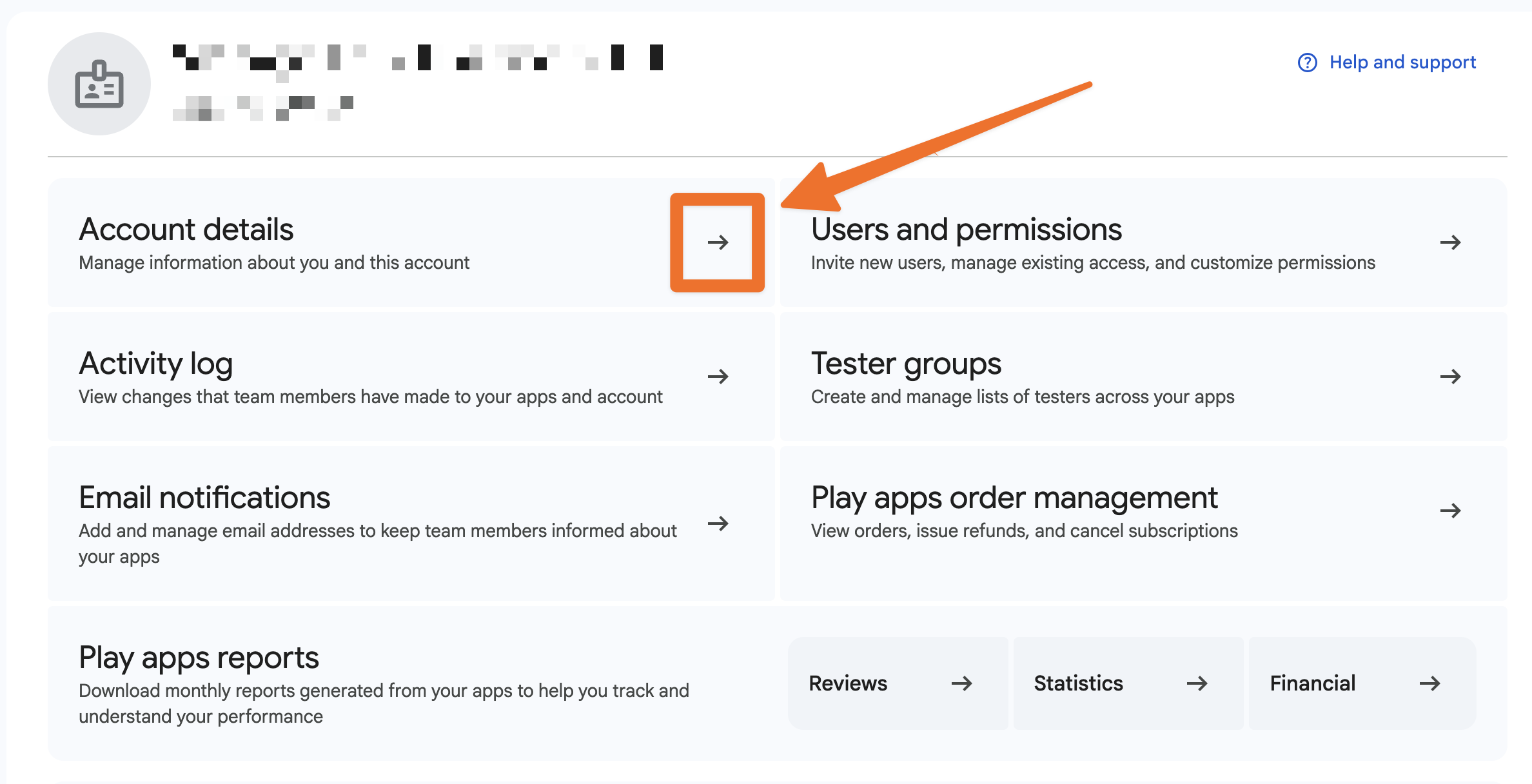
Select Account details.
Open the About you section.
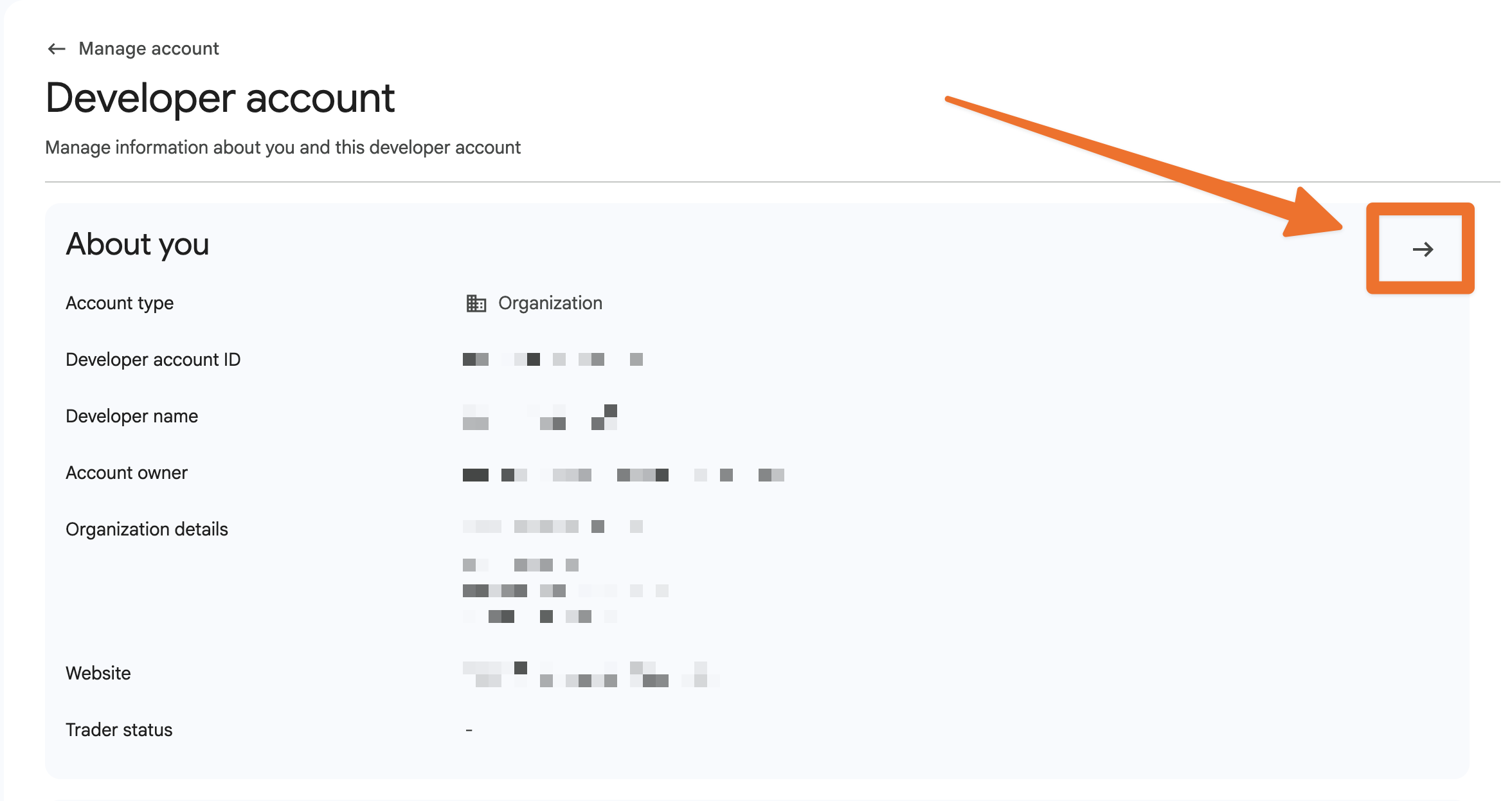
Under Trader status, select Declare status.
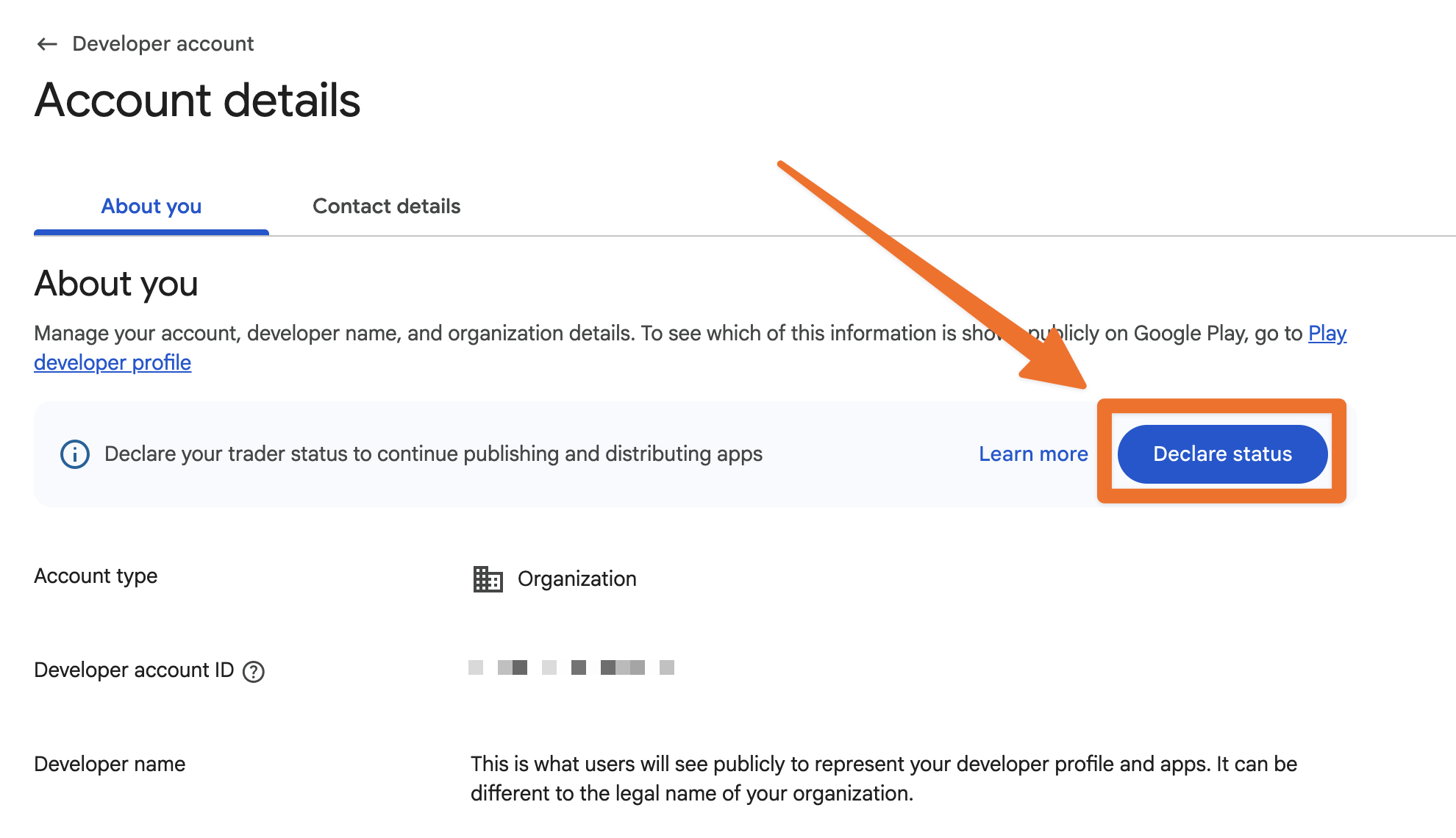
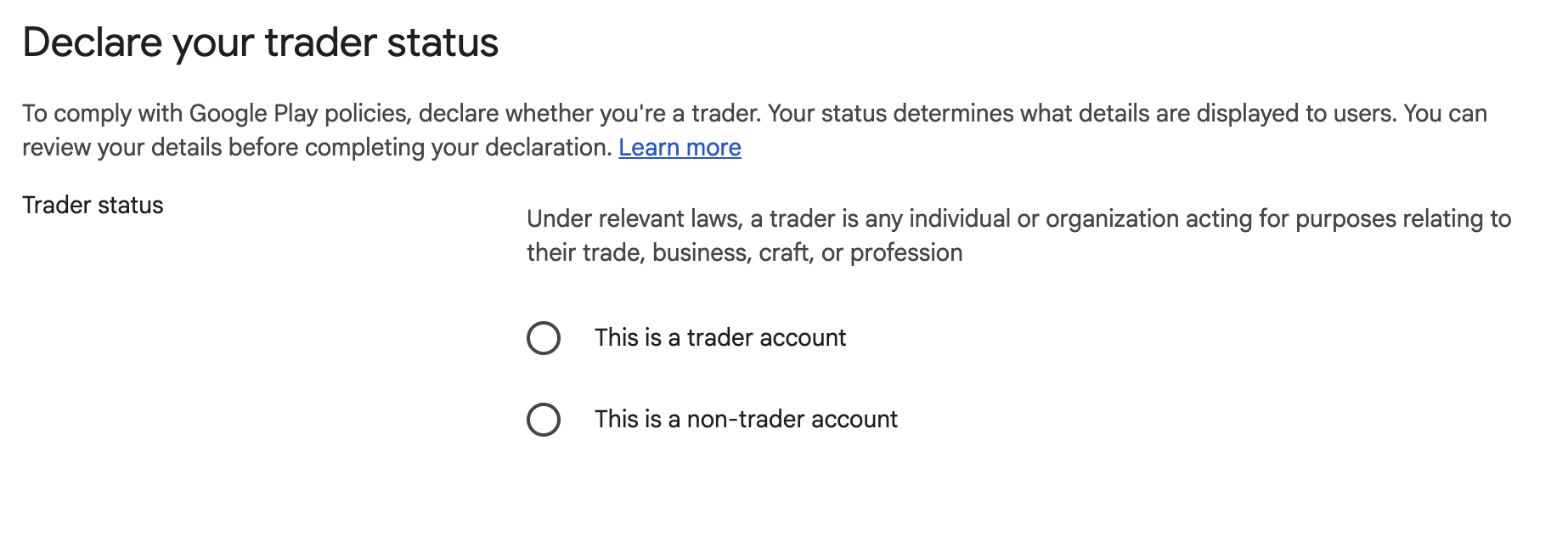
Select trader or non-trader. If you have a personal developer account and you declare as a trader, give and verify a public phone number.
If you declare as a non-trader, complete the Acknowledgement.
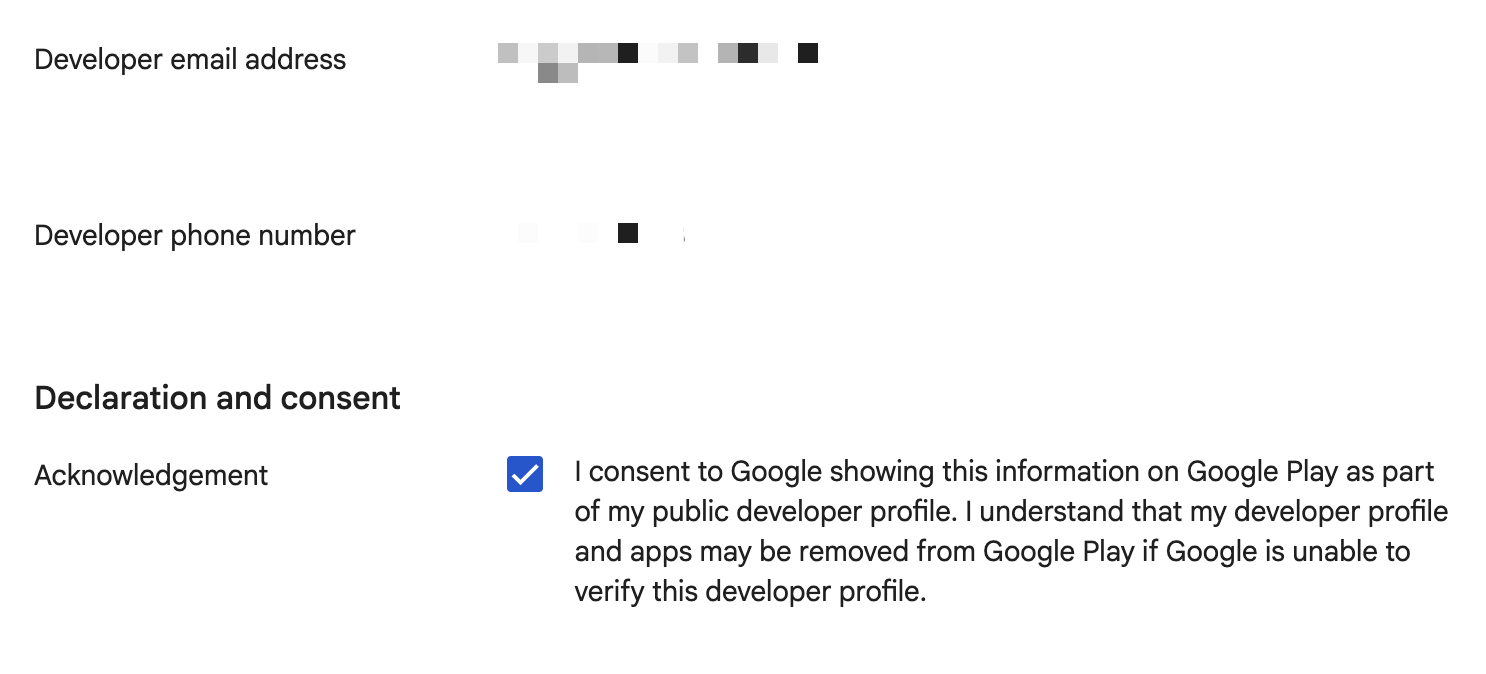
If you declare as a trader, complete the Acknowledgement and Self-certification.
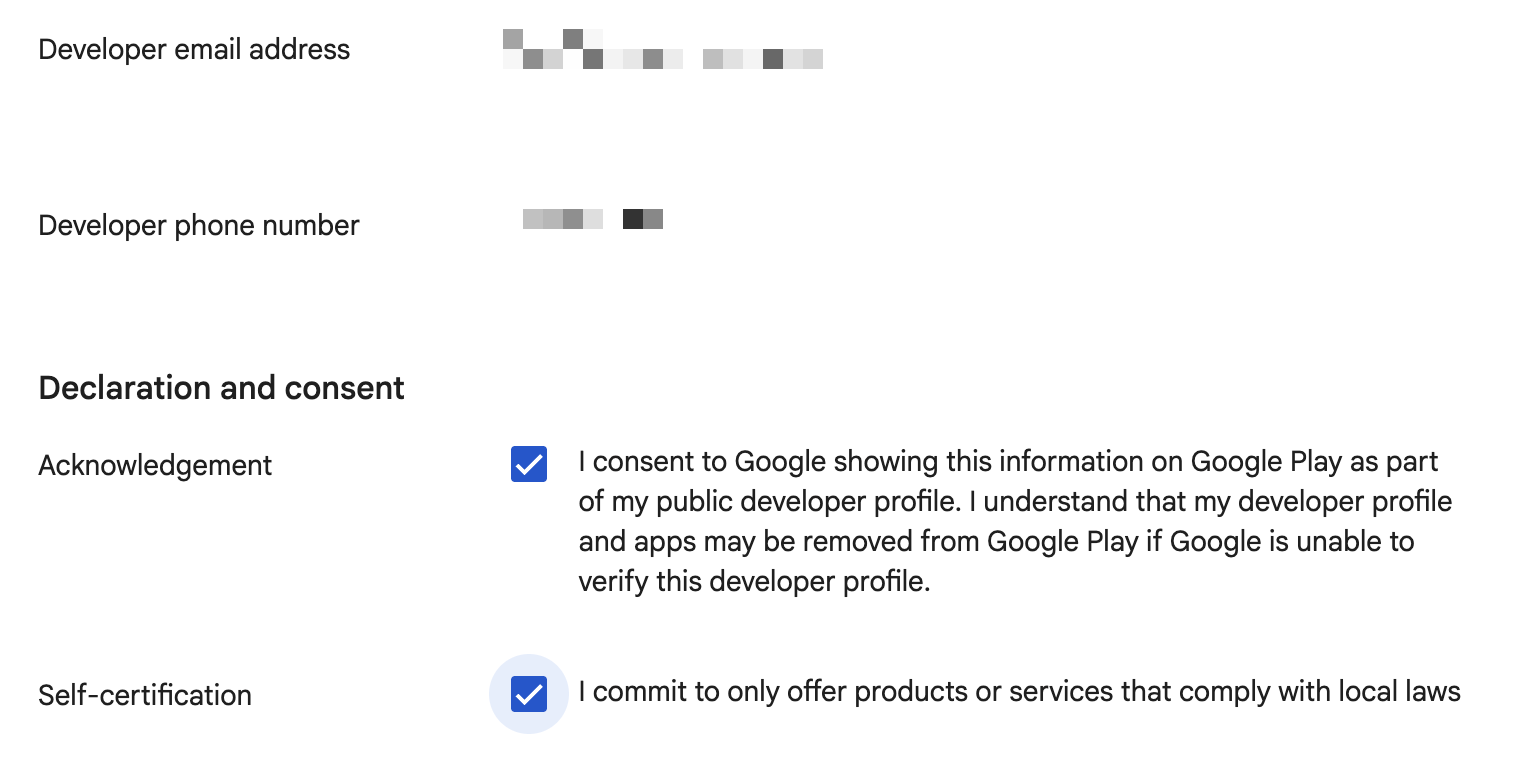
Review your profile details and click Save.
How to Confirm Trader Status for Your App and Add Your Terms Link
Do these steps only if you declare as a trader.
In Google Play Console, select your app on the home page.
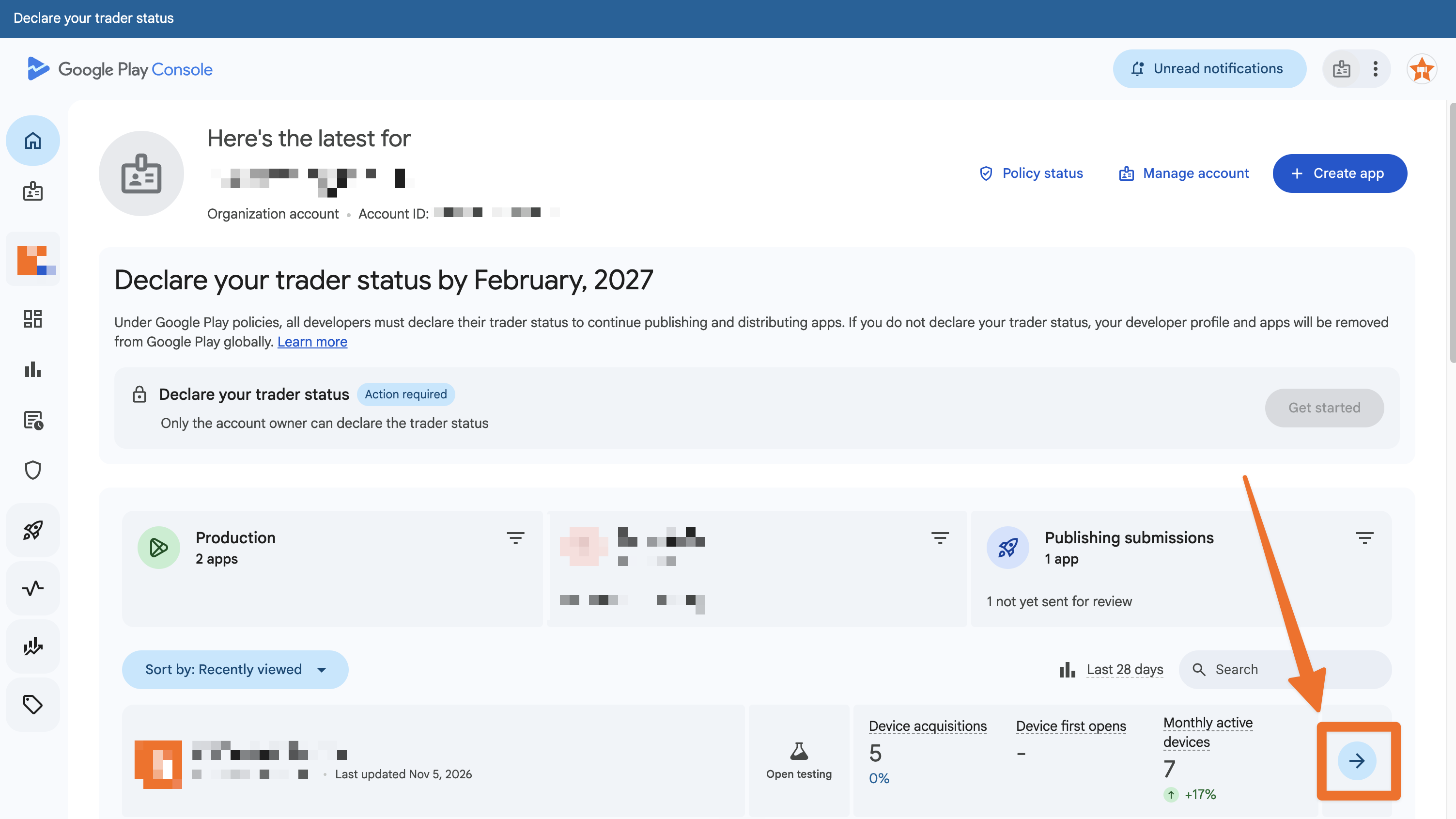
On the left hand side menu, select the Monitor and improve icon
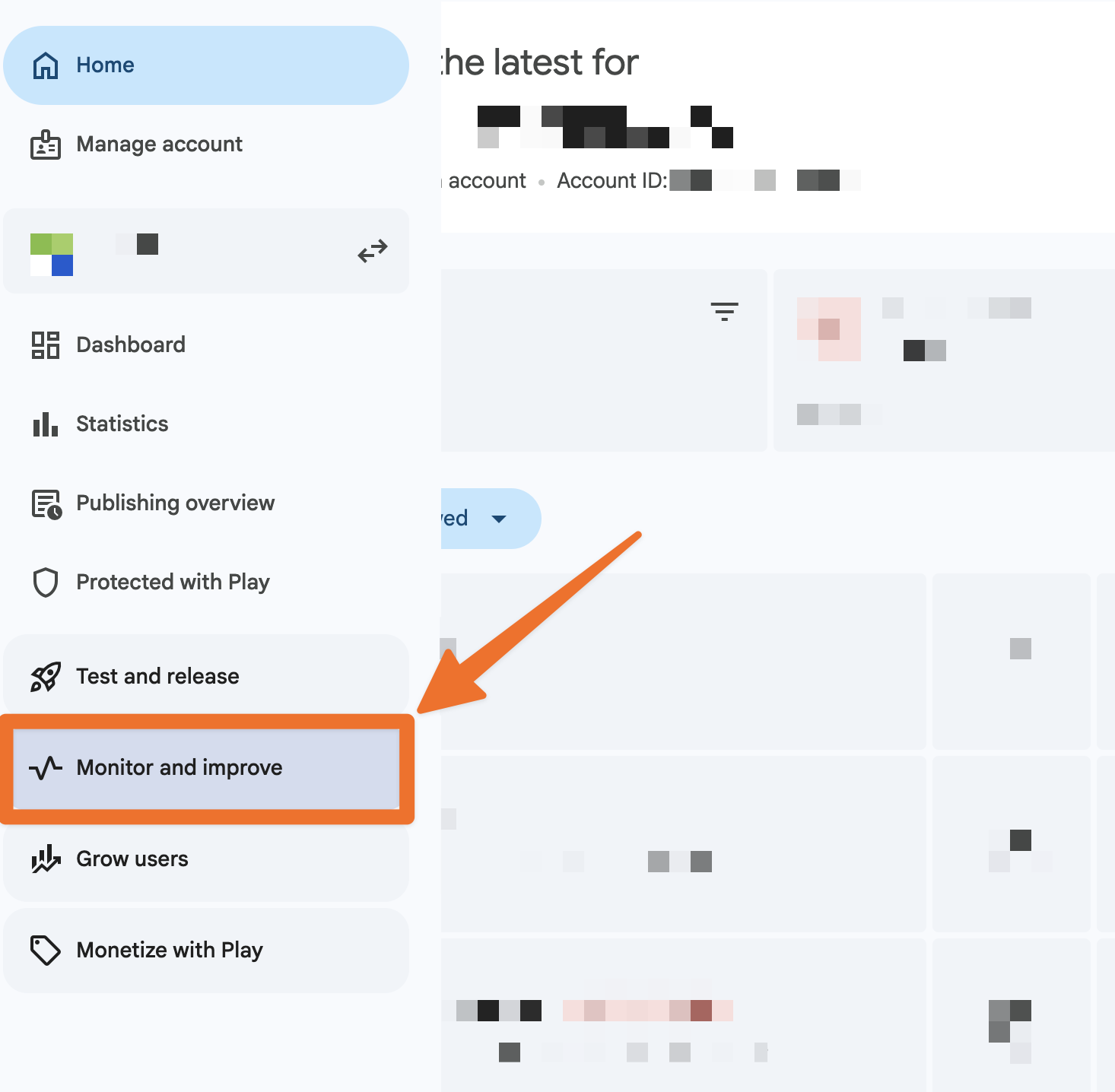
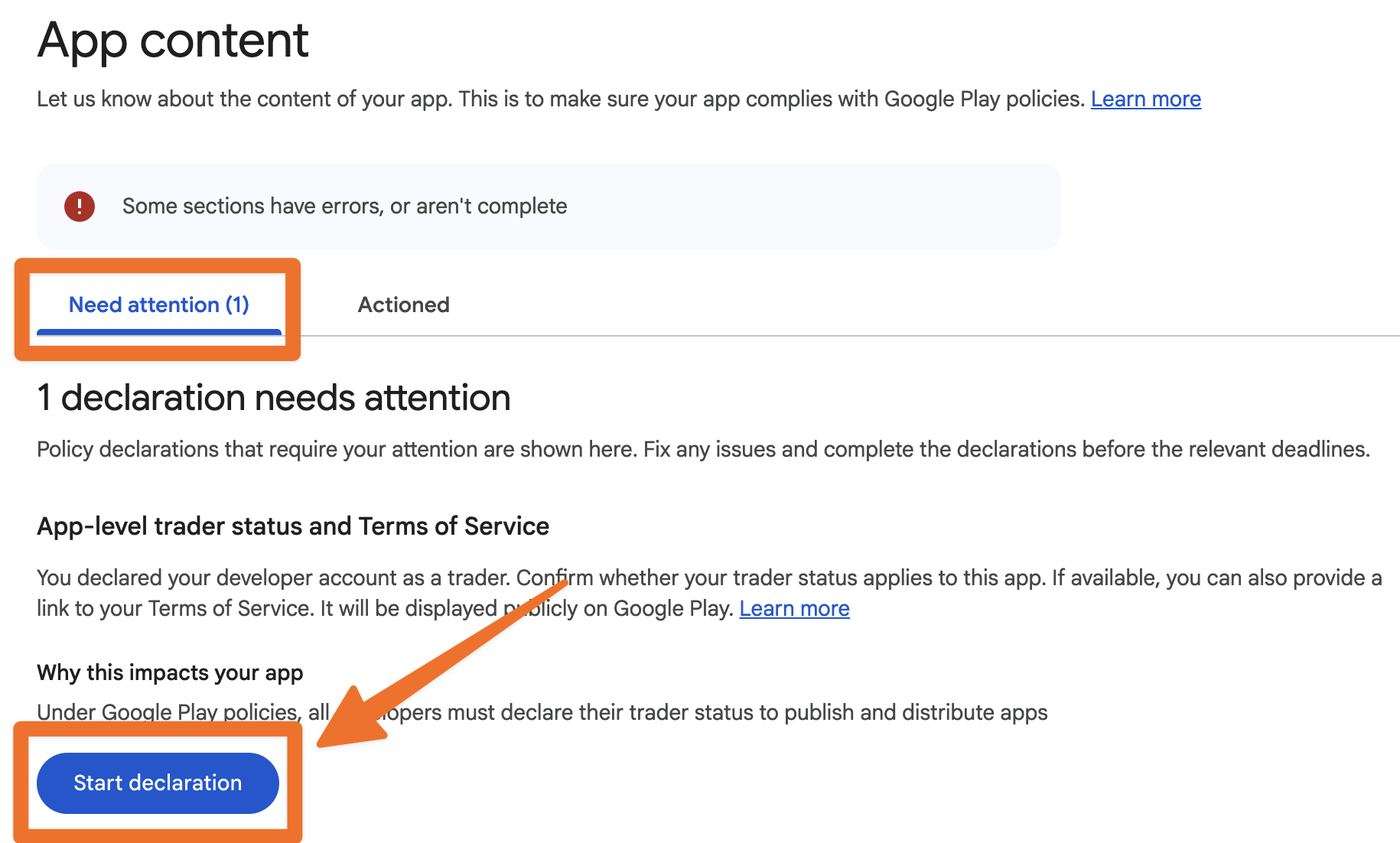
Choose Policy and programs, then App content.
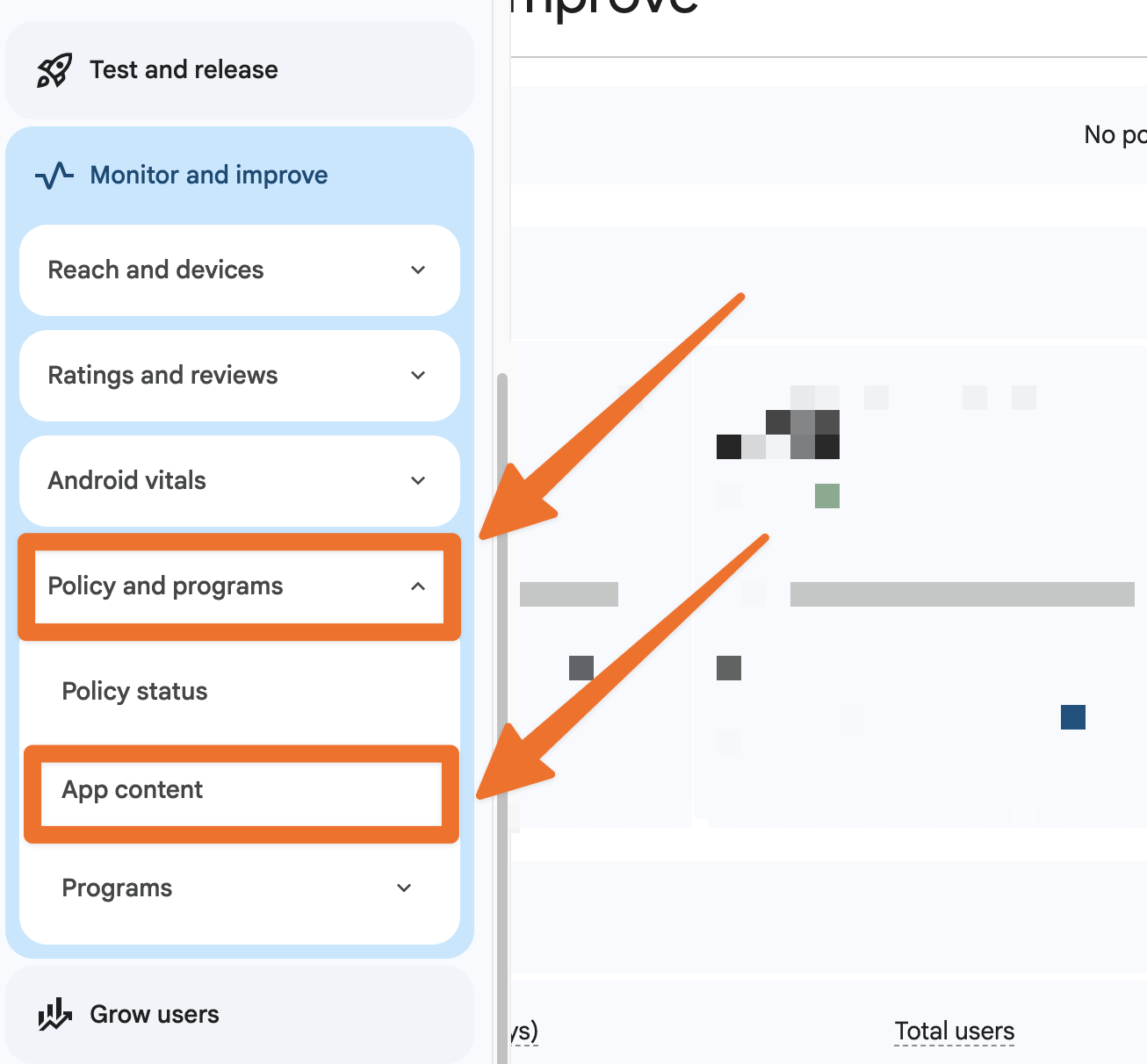
Under Need attention, complete the trader status declaration.
Select Yes and add the link to your Terms of Service.
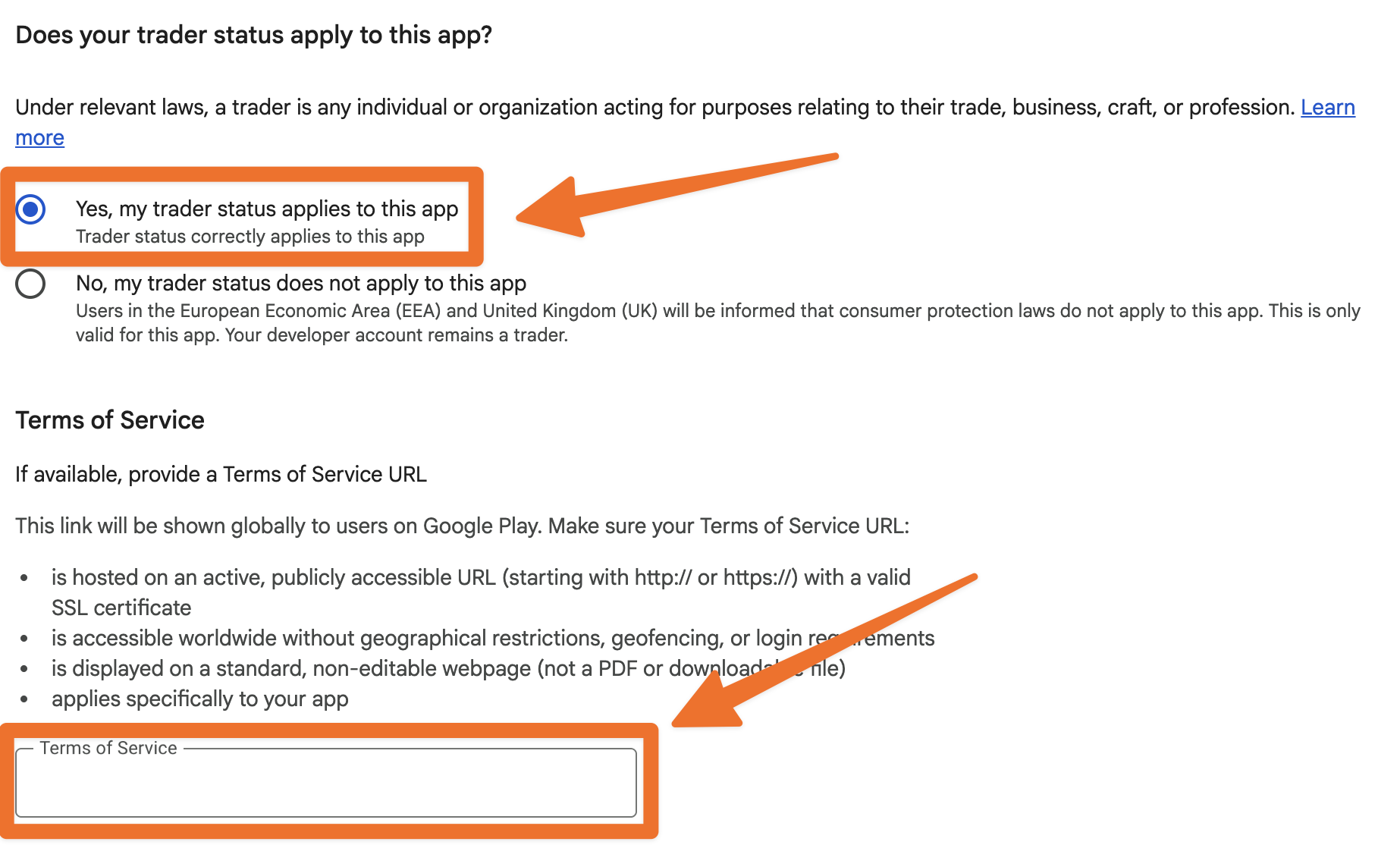
Select Save and select Go to overview on the pop-up.
Submit changes for review.
If you have multiple bidding apps, you'll need to repeat these steps for each app.
FAQ
What happens if I don't declare my trader status by February 1, 2027?
You cannot submit app updates. Google also removes your developer profile and all apps on your account from Google Play globally.
Can BidWrangler declare my trader status for me?
No. Your company owns the Google Play developer account, and Google makes the account owner responsible for the trader status. BidWrangler can help you with the steps by email or by phone.
Can I change my trader status later?
Yes. If your distribution changes, you can update your declaration in Google Play Console at any time. If you add a country in the EEA or the UK, you must declare as a trader.
I already declared as a trader. Do I need to change it?
No. Your trader status stays valid if you keep it. You can change to non-trader if your app is not available in the EEA or the UK. The choice is yours.
Why don't I see Trader status in Google Play Console?
Google makes this option available to accounts during November 2026. If you do not see Trader status, examine the About you page again in one week.
What link do I use for my Terms of Service?
Use the terms page on your bidding platform. The format is your subdomain, then ".bidwrangler.com/terms." For example, a company with the subdomain "mycompany" uses mycompany.bidwrangler.com/terms.
Does the trader status affect my iOS app?
No. The trader status declaration in this article is a Google Play requirement. Your iOS app uses a separate Apple Developer Program membership.
Related Articles
If you have questions about your app or your developer account, please contact us at helpdesk@bidwrangler.com. We are glad to help.