
How to Search Lots by Private Notes on the Auction Review Screen
Admins can search lots by their private notes directly from the Auction Review screen in the BidWrangler Admin Portal. Type text from a lot's private notes into the search on Auction Review and the lot list narrows to matching items, which turns private notes into searchable internal tags for your team.
Why Search Private Notes During Auction Review
Every item in BidWrangler has a notes field that is private, meaning it is never visible to bidders. Teams use it for internal flags like "needs title," "reserve pending," "back room," or a consignor reference. Searching those notes from Auction Review lets you pull up every flagged lot in seconds while you are reviewing a catalog, instead of scrolling the full item list or exporting to a spreadsheet.
Adding Private Notes to Your Lots First
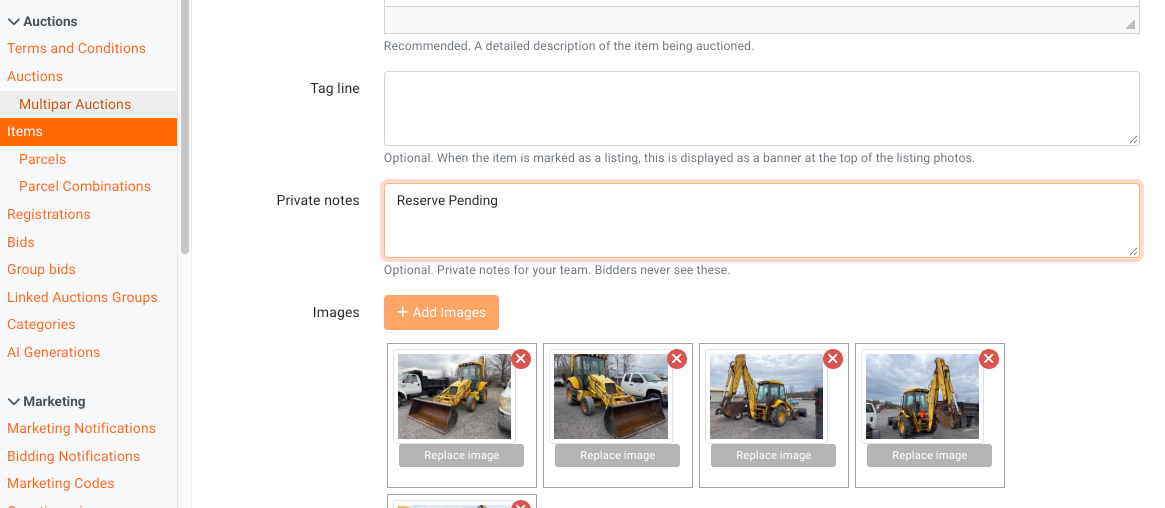
The search can only find what your team has entered. Private notes can be added:
On the item screen in the Admin Portal when creating or editing a lot.
In bulk through an items import, using the Notes column ("Private notes, not visible to bidders" in the Item Import Template).
Searching Lots by Private Notes
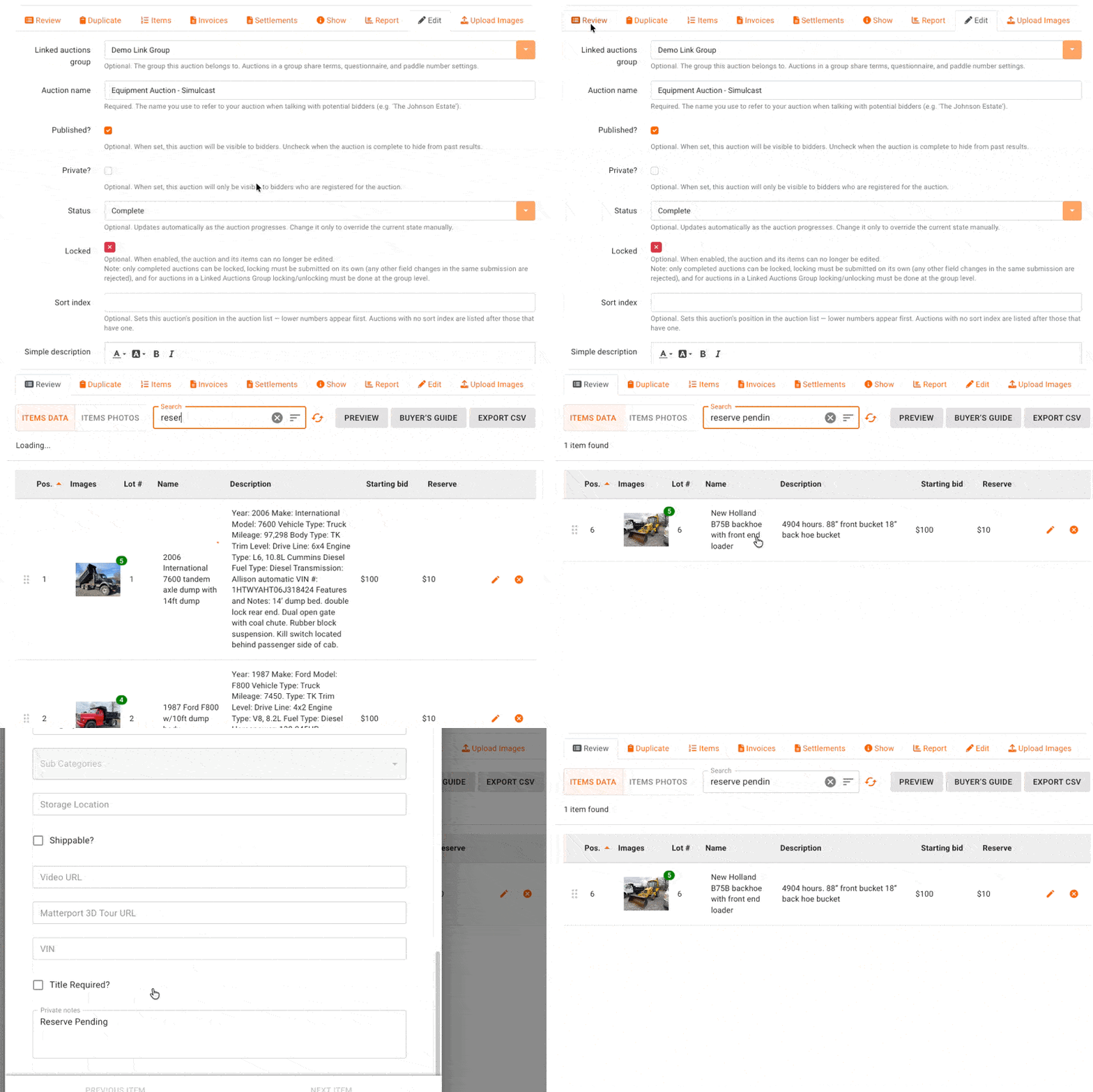
In the BidWrangler Admin Portal, open the auction and click its Auction Review icon (the "Review" button) to open the Auction Review page.
Enter text from the private notes you are looking for into the search on the Auction Review screen.
The lot list narrows to lots whose private notes match your search.
Click a lot to open its cataloging window and make any updates, then click "SAVE."
FAQ
Can bidders ever see private notes?
No. Private notes are internal only. They do not appear in the app, on your website, or on any bidder-facing screen, so your team can use them freely for internal flags.
Can I search private notes anywhere besides Auction Review?
Yes, for statements. The Invoices and Settlements list views also have a Private Notes column and search filter, so notes work as searchable tags on both your catalog and your closeout paperwork. The Auction Review search covers lots specifically.
How do I add the same private note to many lots at once?
Include a Notes column in an items import spreadsheet, or update items in bulk from the items list. This makes it practical to tag a whole consignment with one searchable phrase.
What is the Auction Review screen used for besides this search?
Auction Review is the per-auction review interface where you can look over the catalog, open a lot's cataloging window to edit fields like the Seller, and generate a shareable auction preview link.
Related Articles
Questions about private notes or Auction Review? Reach out to helpdesk@bidwrangler.com and our team will be happy to help.