
Global Item Search in BidWrangler: How to Search Items Across Active Auctions
Global Item Search gives bidders one place to find what they're looking for across your entire lineup of live and upcoming auctions at once. Rather than opening each auction individually and repeating the same search, bidders enter a single keyword and see every matching item from all active auctions at once. Please note that Global Item Search does not currently search items in past or closed auctions.
This feature also serves as the foundation for the Global Watchlist feature, which will let bidders keep all of their starred or favorited items together in one place across every auction. For more info on that feature, check out Global Watchlist (My Items) in BidWrangler: Track Saved Items Across Every Auction.
How does Global Item Search work?
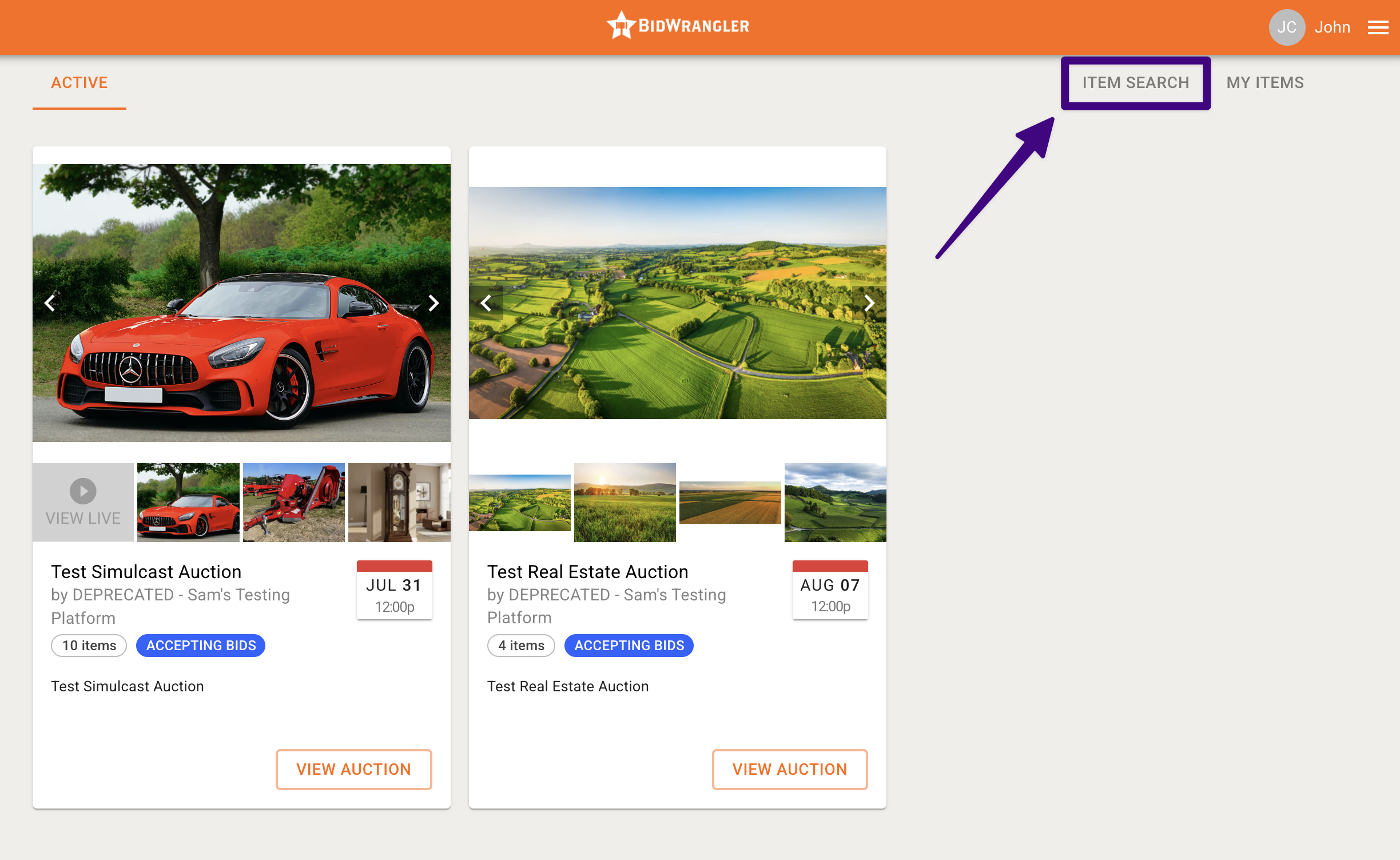
At the top of the screen, bidders can click Item Search to find a search bar where they can type keywords to find specific items. To keep results fast and practical, the search runs within a few specific parameters:
Text fields: The search looks for keywords only within the title and description fields of each item.
Active status: Results are limited to items located in upcoming or currently active, published auctions.
Because the search reads item titles and descriptions, clear and descriptive item listings help bidders find the right lots more easily.
How do I sort and filter Global Item Search results?
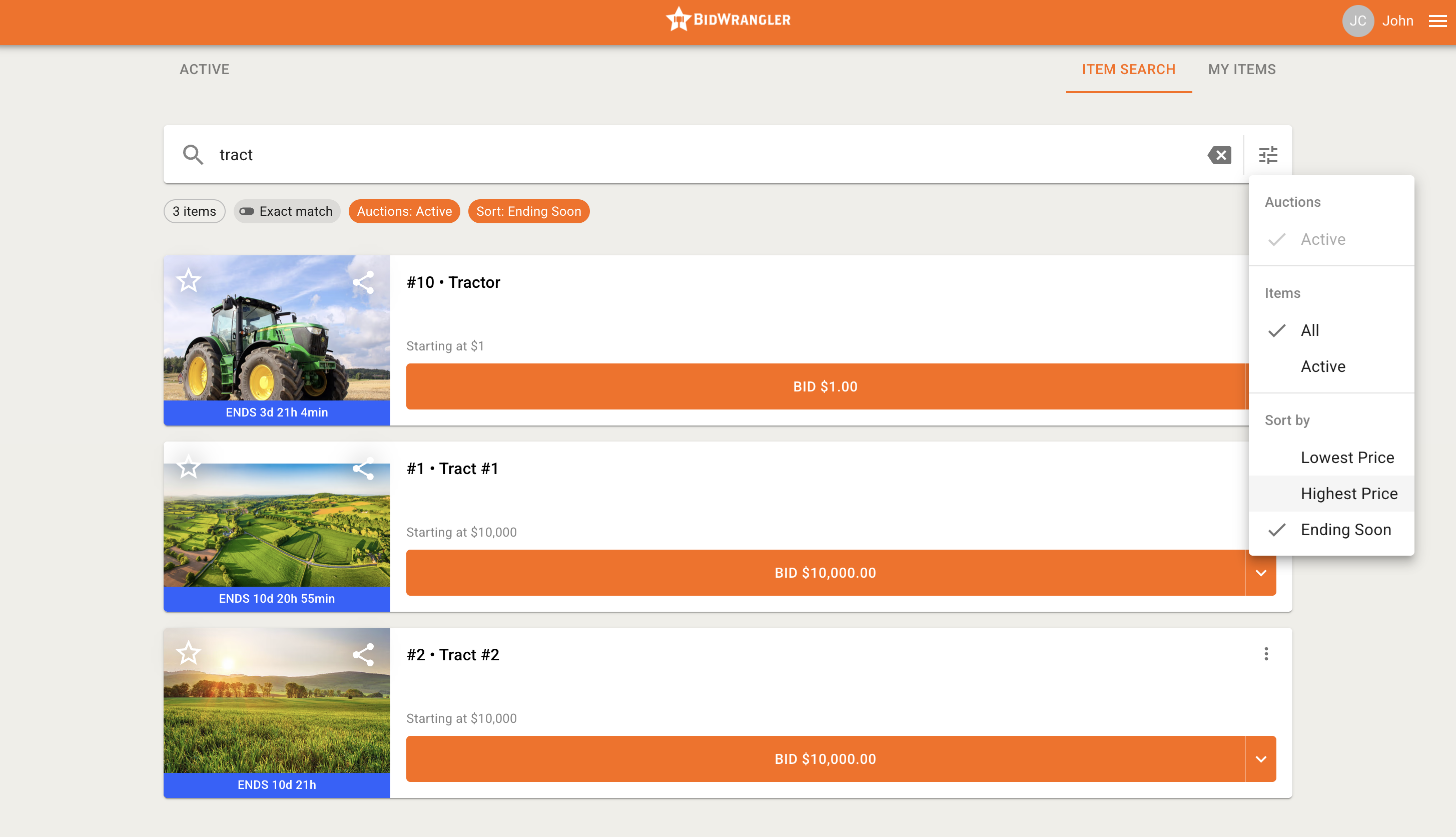
Bidders can customize how they view their results using the sorting and filtering options on the search page.
Sort By:
Option | What it does |
|---|---|
Ending Soon (default) | Sorts results so the soonest-closing items appear at the top |
Lowest Price | Sorts by current high bid in ascending order |
Highest Price | Sorts by current high bid in descending order |
Item Filters:
Filter | What it includes |
|---|---|
All (default) | All items within active auctions, including those already sold and clerked |
Active | Only items that have not yet closed |
Exact Match:
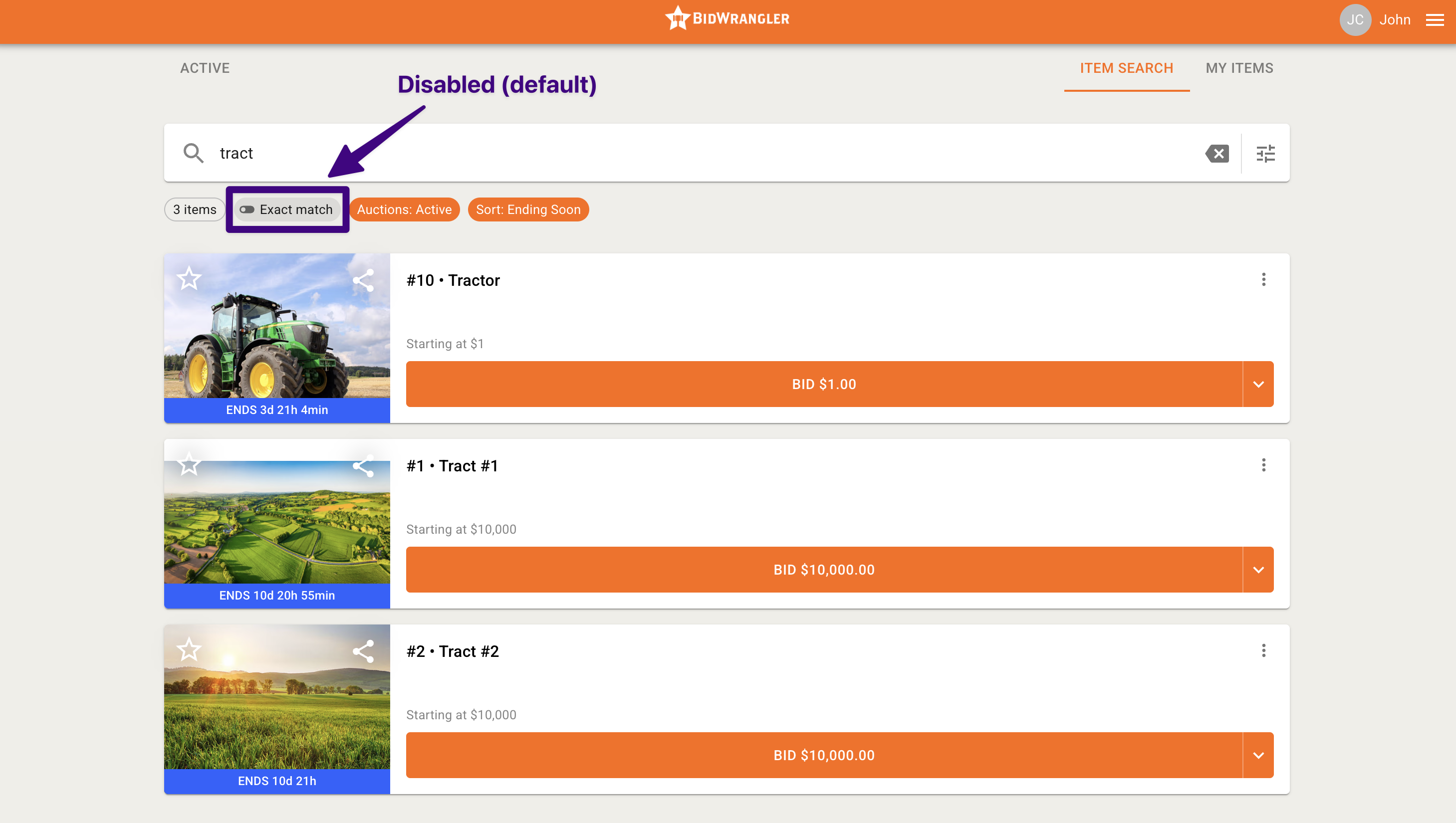
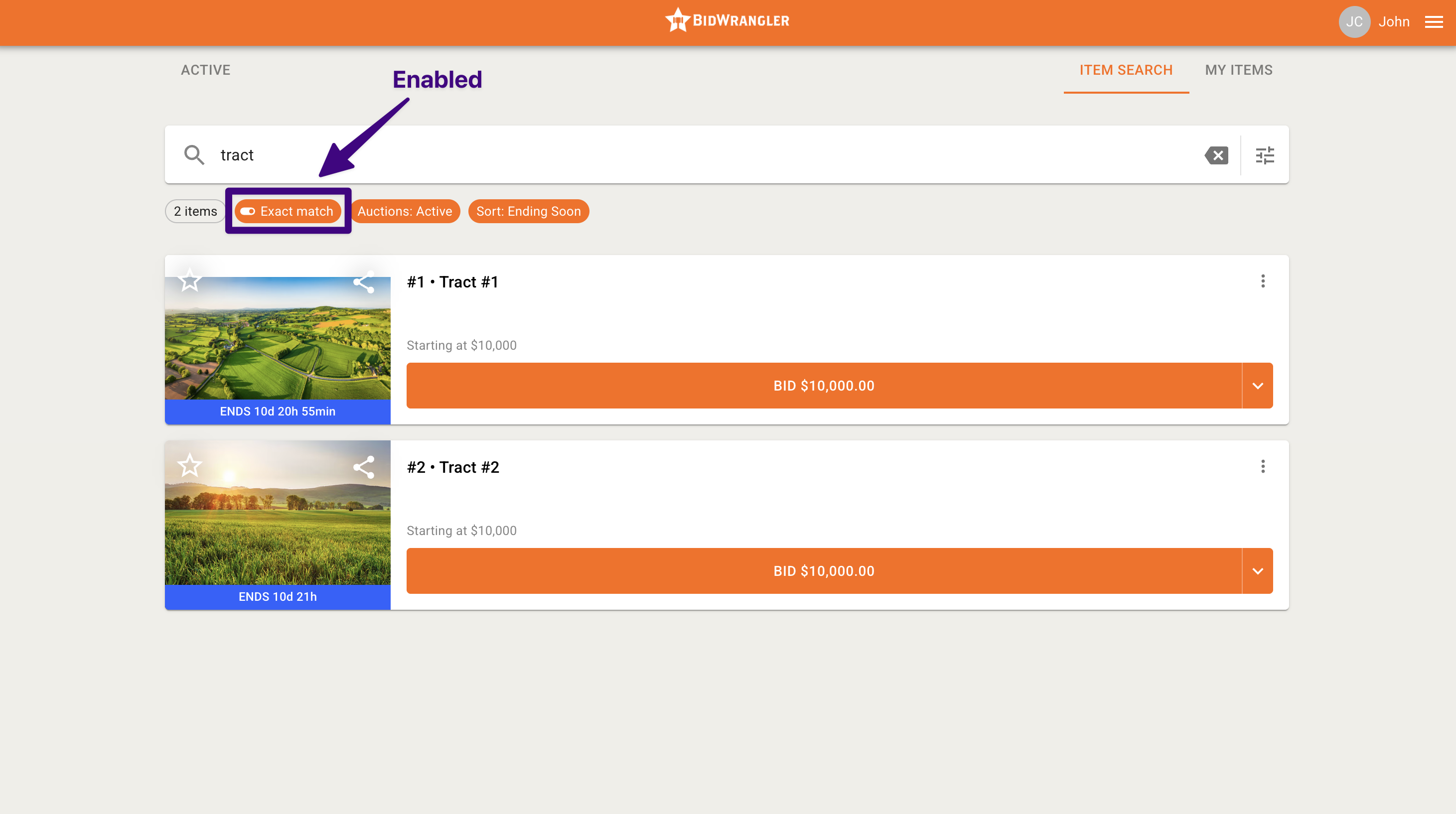
Exact Match narrows the search to look only for the exact text typed into the search bar. This option can be toggled on/off under the search bar.
What can bidders do from the search results?
Global Item Search lets bidders interact with items directly from the results page, without opening each auction separately.
Sharing and starring: Any logged-in bidder can share an item or star it to add it to their My Items list.
Viewing details: Clicking or tapping an item's image or title takes the bidder straight to that item's Item Detail page.
Registered bidders: If a bidder is already registered for an item's auction, they can bid, prebid, or place a maxbid right from the search results.
Unregistered bidders: If a bidder has not yet registered for the auction an item belongs to, the bid button displays Register to Bid. Clicking it guides them through the standard registration process for that auction.
Frequently Asked Questions
How do I turn on Global Item Search for my platform?
Global Item Search is not enabled automatically. If you'd like it turned on for your platform, reach out to the BidWrangler support team and let us know.
Where do I find Global Item Search on my bidding app?
Global Item Search is found on the right side of the bottom menu in your apps. If you don't see it, either the feature is not yet enabled, or your menu colors need an adjustment for improvement visibility. Please reach out to the BidWrangler Support in both instances.
Does Global Item Search include past auctions?
No. Global Item Search currently returns items only from upcoming or currently active, published auctions. Items in past auctions are not included in results.
What fields does the search look at?
The search scans the title and description fields of each item. Keywords that don't appear in either field won't return that item, so detailed descriptions can help bidders find lots more reliably.
Can bidders bid directly from the search results?
Yes, if they're registered for the item's auction. Registered bidders can bid, prebid, or place a maxbid right from the results page. Bidders who aren't yet registered will see a Register to Bid button that walks them through registration for that auction.
How is Global Item Search related to the Global Watchlist?
Global Item Search is the foundation for the Global Watchlist feature, which will let bidders keep all of their starred or favorited items in one place across every auction. For more information, see our article on this feature: Global Watchlist (My Items) in BidWrangler: Track Saved Items Across Every Auction
Have questions about enabling or using Global Item Search? Contact the BidWrangler support team at helpdesk@bidwrangler.com.