
Supported Formatting in Auction and Item Descriptions
Overview
BidWrangler’s editor allows you to format content using a wide range of standard rich-text and HTML features. This applies to:
Auction descriptions
Item descriptions
Marketing notifications
Bidding notifications
This article outlines what formatting is supported, what is restricted, and common issues you may encounter when saving content.
Supported Formatting Features
Text Styling
The editor supports standard text formatting, including:
Bold, italics, and underline
Subscript and superscript
Text color and background color
Font selection and text size (within editor options)
Layout Options
You can use:
Left, center, right, and justified alignment
Block quotes
Horizontal lines
Tables (simple table structures)
Lists & Structure
Bulleted lists
Numbered lists
Nested lists
Indentation
Paragraph spacing
Media & Links
Insert images
Insert hyperlinks
Anchors (jump links within the same page)
Basic iFrames (limited compatibility depending on the content source)
HTML Source Editing
You can open the HTML source view to directly edit supported HTML elements.
Most standard formatting tags (e.g., <strong>, <em>, <p>, <ul>, <table>) are supported.
Safe Symbols & Emojis
While most modern emojis aren’t supported, a handful of symbols can be safely used for emphasis or visual cues. These save and display reliably in descriptions:
⚠️ (Warning)
✅ (Check mark)
❌ (Cross mark)
❗ / ❕ (Exclamation marks)
✨ (Sparkles / highlight)
➤ / ➔ (Arrows / bullets)
• (Bullet)
– / — (Dashes)
Use these symbols to highlight important details, steps, or warnings in your auction and item descriptions.
Restricted or Unsupported Content Types
To maintain stability, security, and consistent rendering across devices, the following content is not supported:
Most emojis, including Unicode emoji characters outside the safe list above
Complex or script-based HTML (e.g., <script>, embedded JavaScript)
Inline styles that overwrite global site CSS
Certain external embeds that rely on blocked on insecure scripts
Large or malformed iFrames
Raw paste of content containing hidden formatting from Word/Google Docs
Why emojis aren't supported
Most emojis can break parsing in certain fields, cause character-encoding issues, or display inconsistently across platforms.
The development team is aware of client interest in emoji support and may revisit this in the future.
Tips for Adding Custom Formatting
Use the built-in formatting toolbar whenever possible.
If you prefer working in HTML, keep tags simple and avoid custom scripts.
When pasting content from Word, Google Docs, or other rich text editors, use Paste as Plain Text to avoid hidden formatting.
Stick to the safe emoji/symbols listed above to prevent save errors.
Error Examples
Here are a couple examples of what will show when trying to save an auction with one or more incompatible emojis:

A common error message you may get when trying to incorporate invalid emojis: "We're Sorry. Something happened that prevented us from being able to complete your request. Don't worry our dedicated team is looking into the problem."
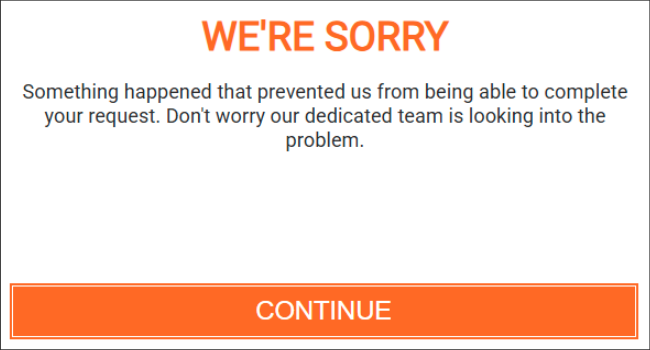
When this happens, review your Simple Description, Description, or Notification message fields and remove any special characters and/or emojis, then try saving again.
If you continue to have issues or have any questions, please reach out to us at helpdesk@bidwrangler.com.