
For Bidders: How to Reset Your BidWrangler Password Using the "Forgot Your Password?" Link
As a bidder, if you need to change your password, you can easily initiate a password reset yourself directly from the sign-in or registration window. This process allows you to maintain control over your account security without needing assistance from the auction company.
Step-by-Step Instructions for Resetting Your Bidding Account Password
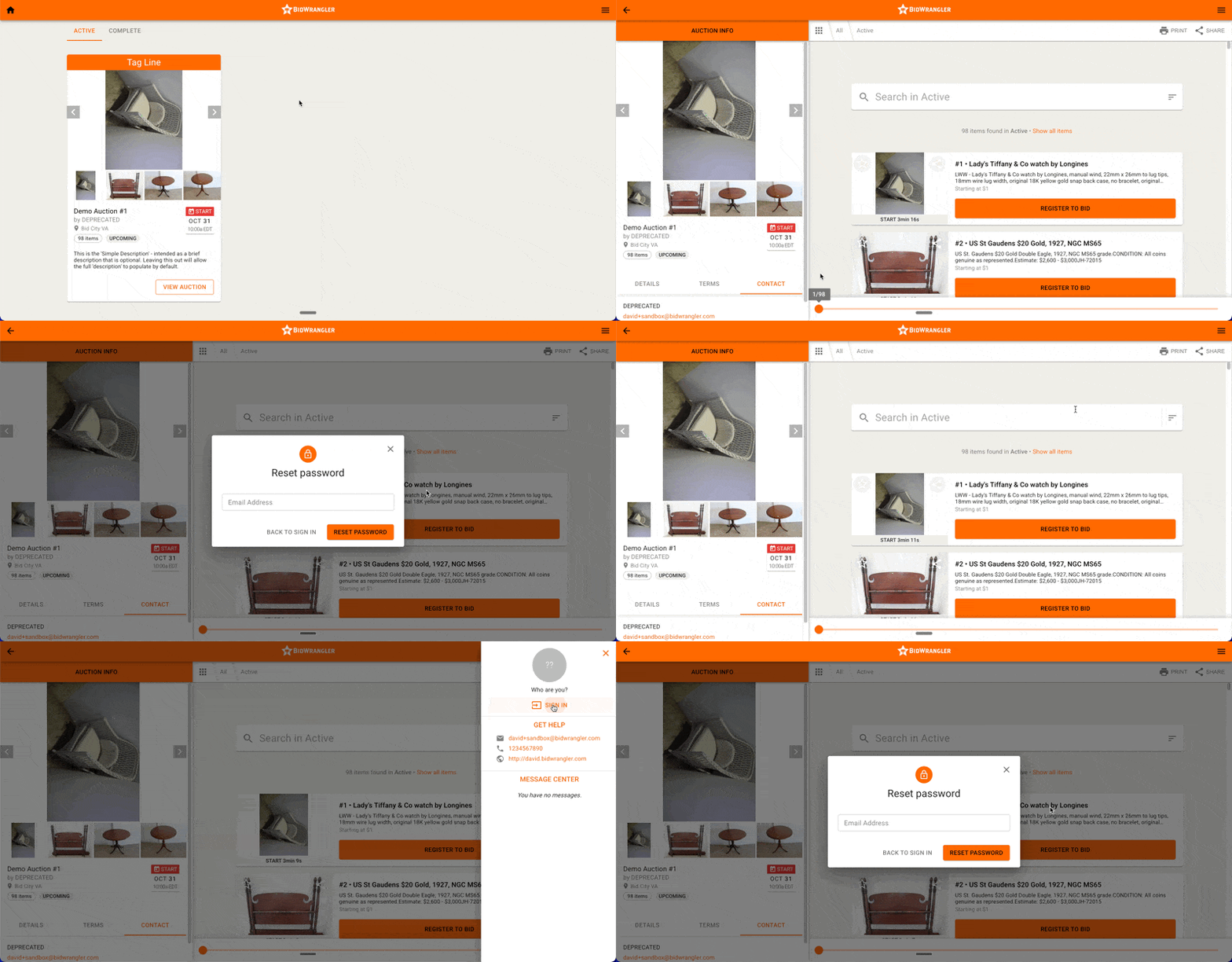
Navigate to the Sign-In Window: Go to the sign-in page for the auction or auction company bidding platform you are attempting to access.
Locate the Reset Link: You will find the "Forgot your password?" link on the sign-in screen where you would normally enter your credentials. This link is located in between the "Password" entry-field and the "Remember me..." checkbox.
Send the Reset Link: Click the "Forgot your password?" link to request a password reset link be sent to your registered email address. Enter the email address associated with your bidder account, then click "Reset Password."
Check Your Inbox: A password reset link will be sent to your email inbox.
Troubleshooting (If Link Not Received): If you do not receive the expected password reset link in your inbox, check your spam folder. Make sure you are sending the link to the email associated with your bidder account.
Further Assistance
If you have completed the steps above (clicked the link, used the correct email, checked your inbox, and checked your spam folder) but still have not received the reset link, you should reach out to the auction company you are looking to log in with for further assistance.
Note: Admins for auction companies have a separate process for manually resetting a password for a user via the admin portal {admins can refer to this article: https://support.bidwrangler.com/en/articles/2678976}, but users/bidders can always reset their own passwords using the "Forgot your password" link at the sign-in windo