How do I change my default payment type on invoices and settlements?
When clicking 'Add Payment' the payment type-drop down by default always lands on 'Credit Card' on invoices, or 'Cash' for settlements. If you typically primarily have cash or check payments this adds a few clicks on each payment recorded.
To speed things up, you can update your default payment type to help speed up your checkout process.
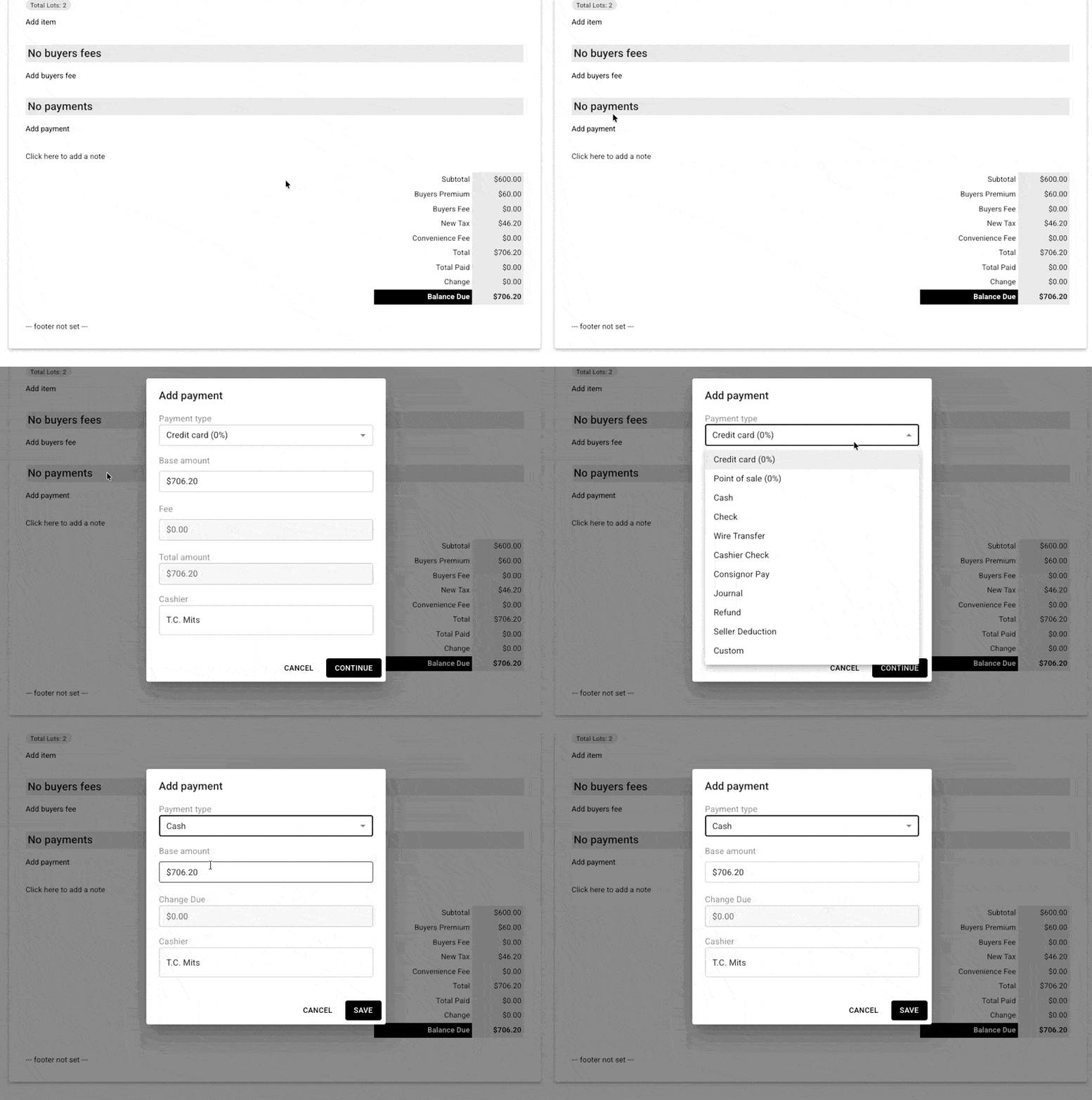
Default example
By default, clicking 'Add Payment' sets the payment type to Credit Card. To select a different payment type, you need to choose the appropriate option from the drop down on every invoice:
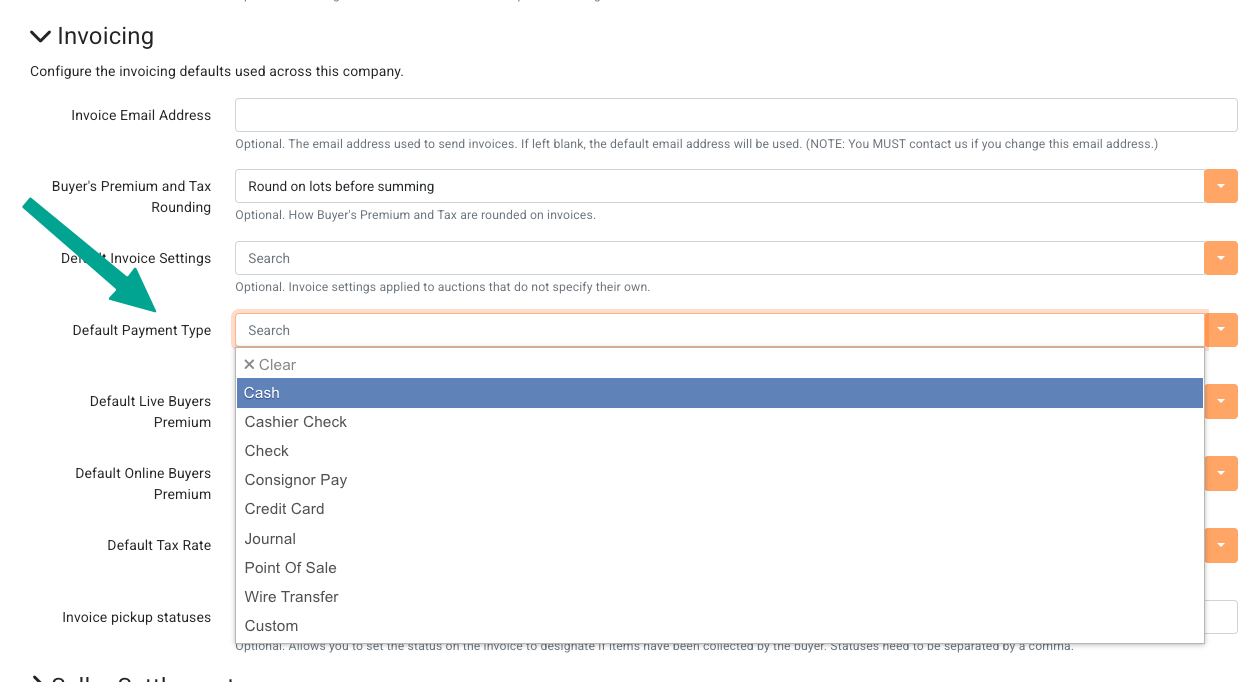
How to change this behavior
In your Company Settings, navigate to Invoicing and find the Default Payment Type drop-down. You can choose your preferred primary method from this list, then save.
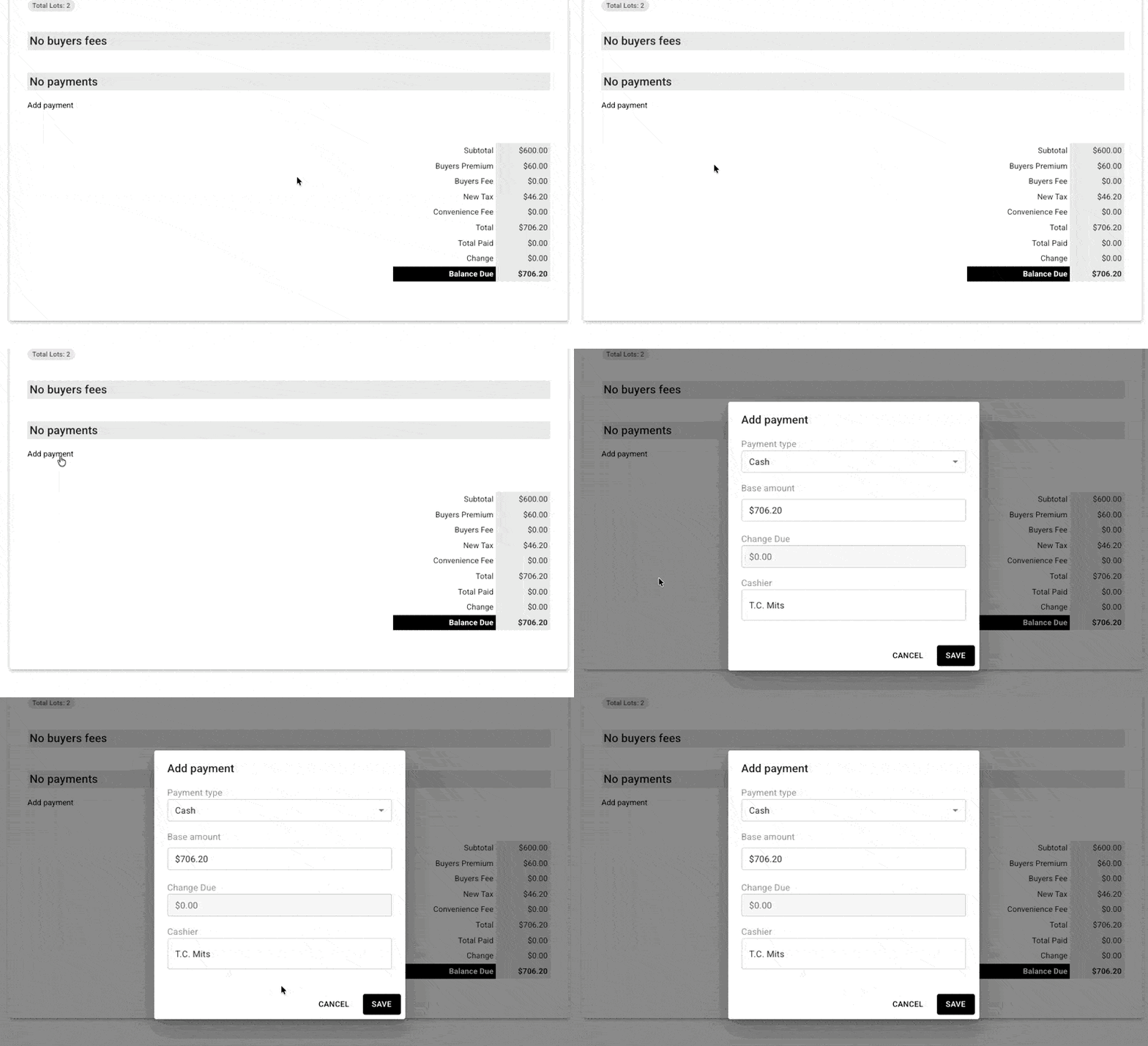
Example with the new default
With the new default applied, 'add payment' will already be set and save you several clicks:
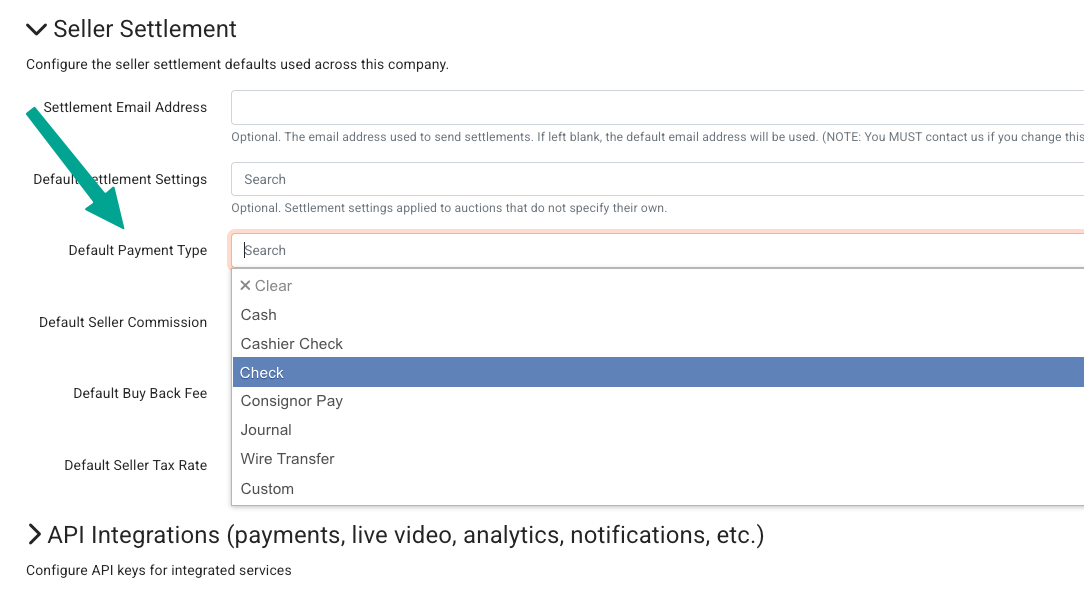
Change the default for settlement payments
This feature is also available for settlement payments. In your Company Settings, navigate to Seller Settlement and find the Default Payment Type drop-down. You can choose your preferred primary method from this list, then save.