
First Bid Message
A First Bid Message is a customizable popup shown to bidders after they place their first bid. Use it to share important reminders that bidders should see before continuing to bid.
For example, you may use a First Bid Message to remind bidders about pickup details, per-acre pricing, shipping availability, or other item-specific terms.
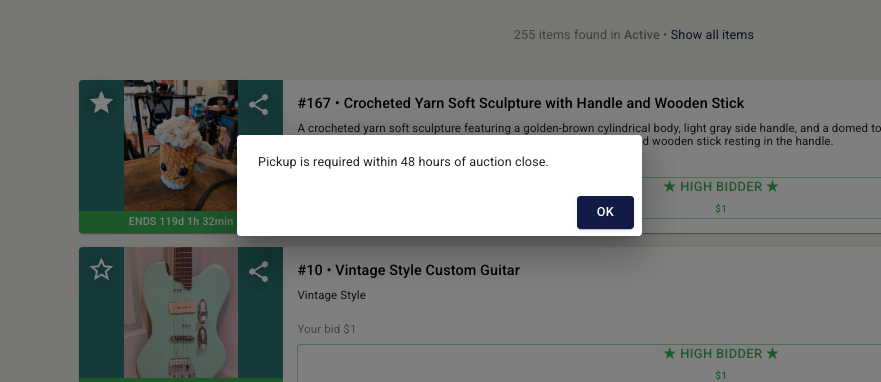
Where to set it
You can add a First Bid Message in two places:
Auction settings → Customization: Use this when the same message should apply to a bidder's first bid on any item in the auction.
Item settings → Suggested Fields: Use this when the message applies only to a particular item.
If you are importing items with a CSV file, the First Bid Message applies to items only. It cannot be imported as an auction-level setting.
Import format
Add a First Bid Message column to your item import CSV and enter the message as text.
The message must be 500 characters or fewer.
Example:
REMEMBER: Pick-up is 3/15 between 4 and 6pm.
Example uses
Bids are per acre, not per parcel.Shipping is available for this item. Contact us for a quote before bidding.Pickup is required within 48 hours of auction close.Buyer is responsible for loading and removal.Please review the item description and inspection details before bidding.This item is located off-site. Appointment required for pickup.Payment is due before pickup.This item sells by the unit; bid amount does not include applicable taxes or fees.
Keep the message clear and brief so bidders can quickly understand the most important information before placing additional bids.
If you have any questions, please send us an email at helpdesk@bidwrangler.com