
How do I download the first photo from each item?
Edited
You can quickly download only the first image from each of your lots from the auction's review tab.
Open your auction in the Admin Portal
Navigate to the Review tab along the top
From the review screen, click Items Photos to view all of your item photos
On the right-hand side of the screen, you'll see the option to Export Photos
Click here, and you'll see the option to Export All Photos, or Export 1st Images
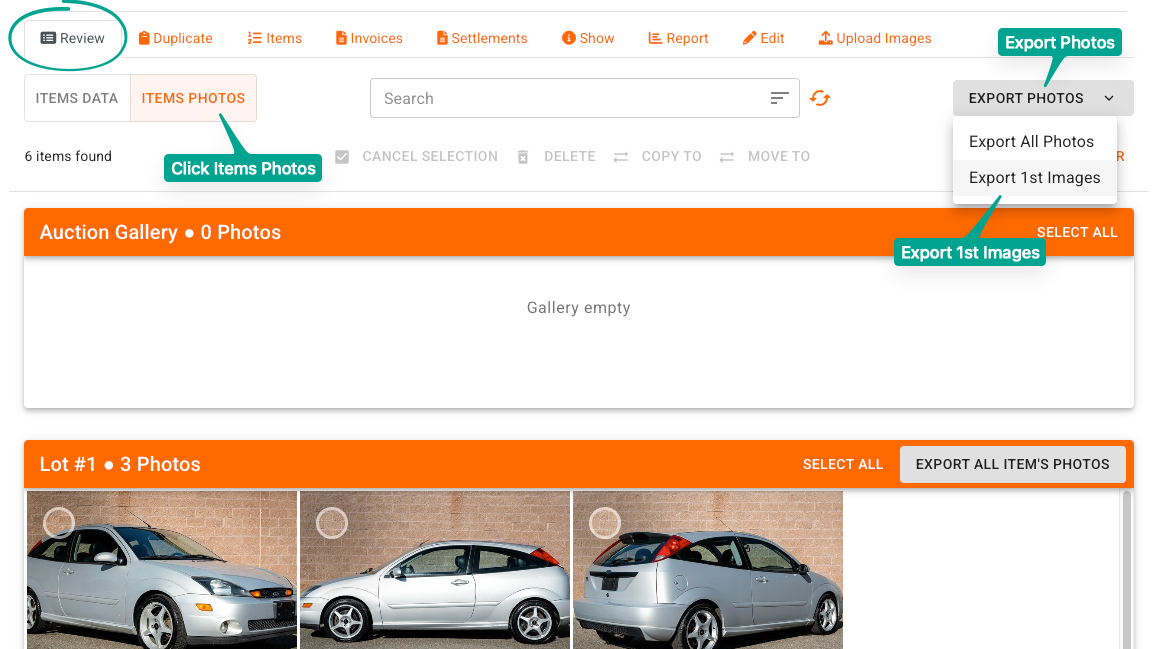
This will download the photos into a zipped folder to your computer. The image files will also be named with the convention 'Lot ID - 1', so 1-1, 2-1, 3-1, 4-1, etc.
For more details on the other capabilities of the Photo Manager screen, please review this article.