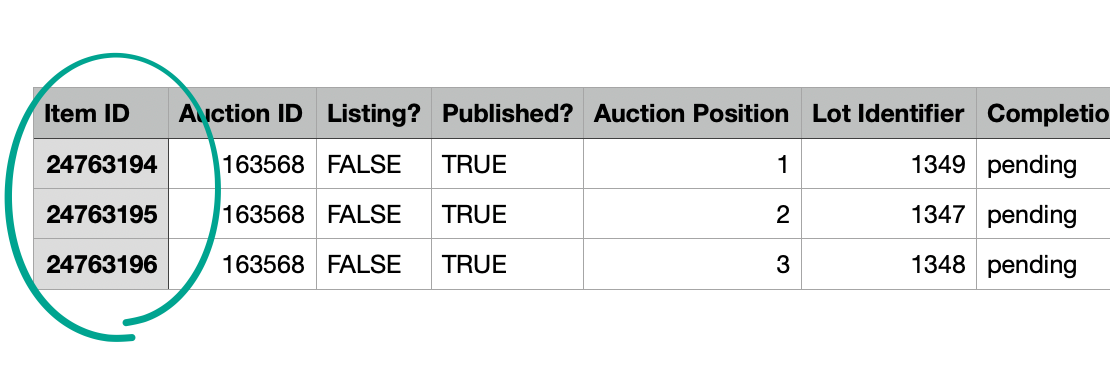
How do I find the Item ID number?
Item ID is the 8-digit unique identification number referencing a specific item in the BidWrangler platform. It is helpful for filtering results when searching within the platform, and also for providing to BidWrangler's Support team to reference an item or listing you need assistance with.
Note: If you would like to find an Auction ID, click here for info.
Edit Item
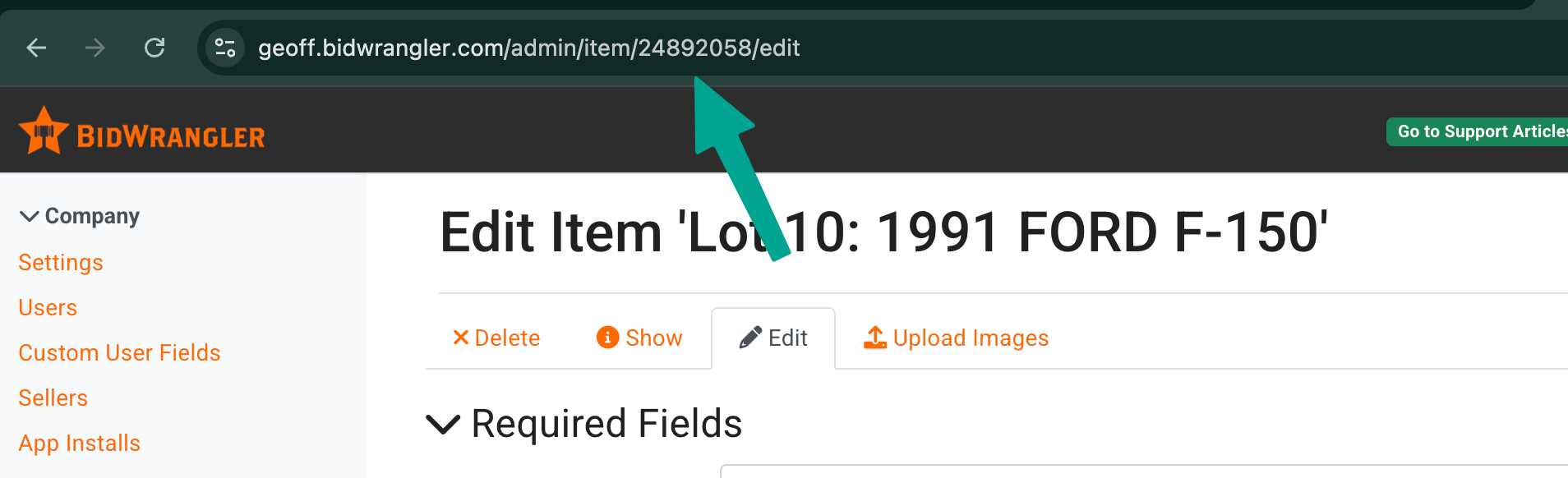
From the Admin Portal you can find the auction ID from the browser URL when working in a specific item. The URL will follow the following conventions where '########' is the item ID number:
https://companyname.bidwrangler.com/admin/item/########
https://companyname.bidwrangler.com/admin/item/########/edit
https://bid.companyname.com/admin/item/########
For example, this item ID number is 24892058
Bidding Platform
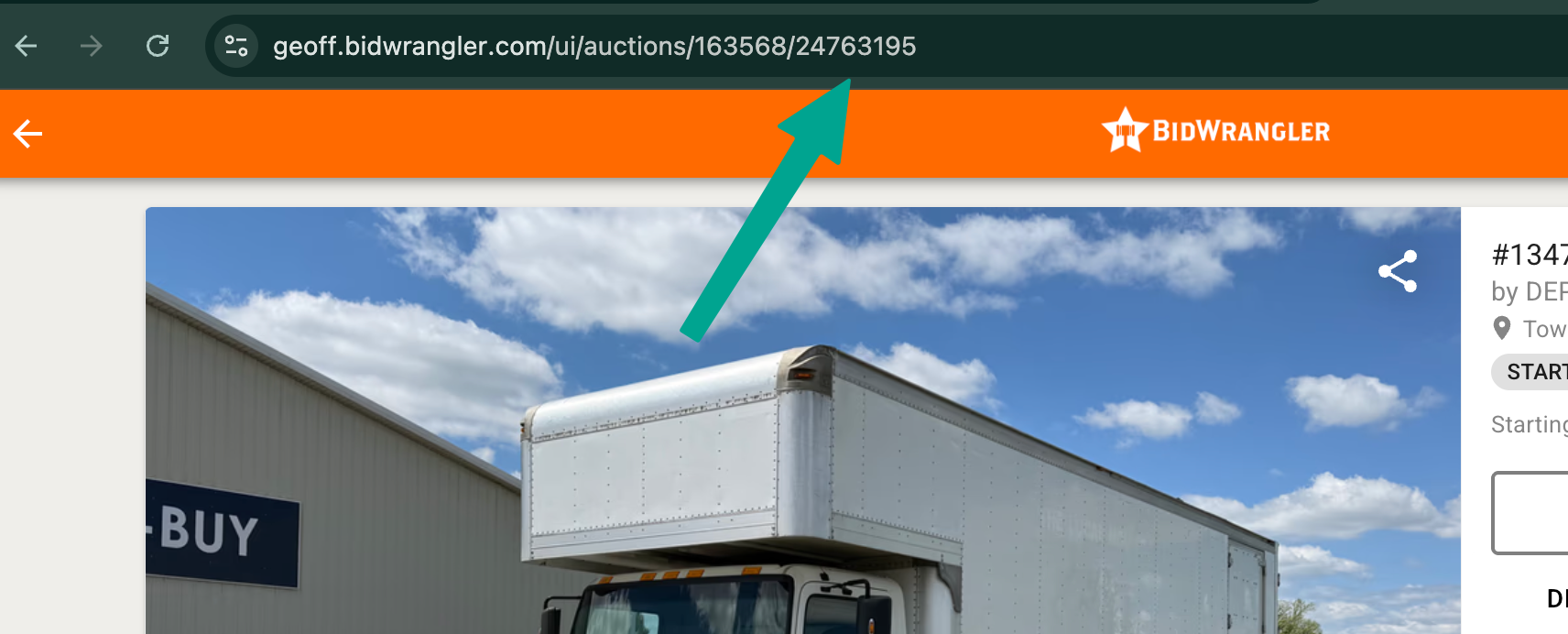
From the Bidding Platform you can find the auction ID from the browser URL when viewing a specific item. The URL will follow the following convention where 'xxxxxx' is the auction ID and '########' is the item ID number:
https://companyname.bidwrangler.com/ui/auctions/xxxxxx/########
For example, this auction's ID number is 24763195
Clerking Panel
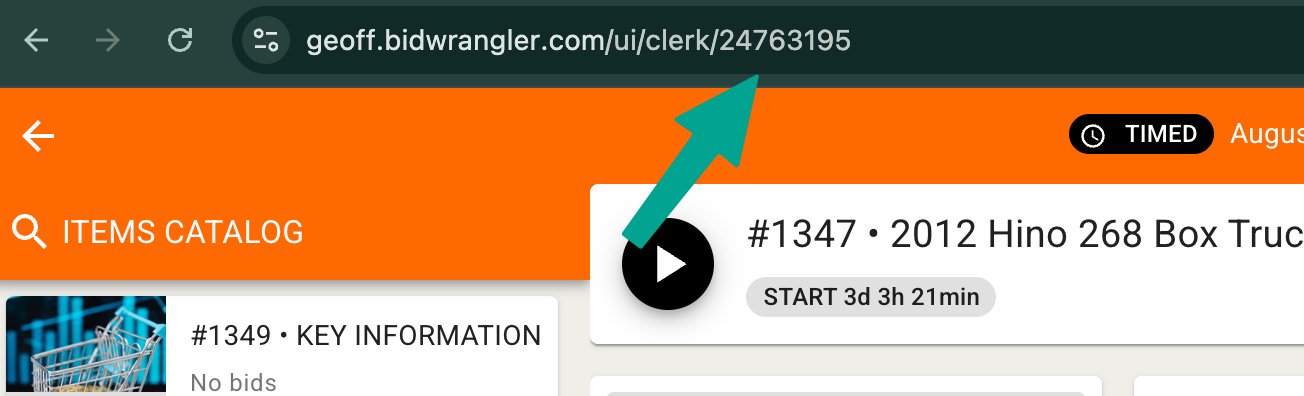
From the clerking panel, the item ID will display in the URL for the current item you are actively managing, following the convention where '########' is the item ID number:
https://companyname.bidwrangler.com/ui/clerk/########
For example, this item's ID number is 24763195
Exports
Item ID is also available as an optional field on various .csv exports from the platform: