
How can I see when Invoices were emailed?
Emailed at
The 'Emailed at' column is available in the Administer Invoices screen and displays a timestamp of when the most recent email was sent. This column follows Pickup Status, Amount Due, and # of Lots so is often not immediately visible on most displays.
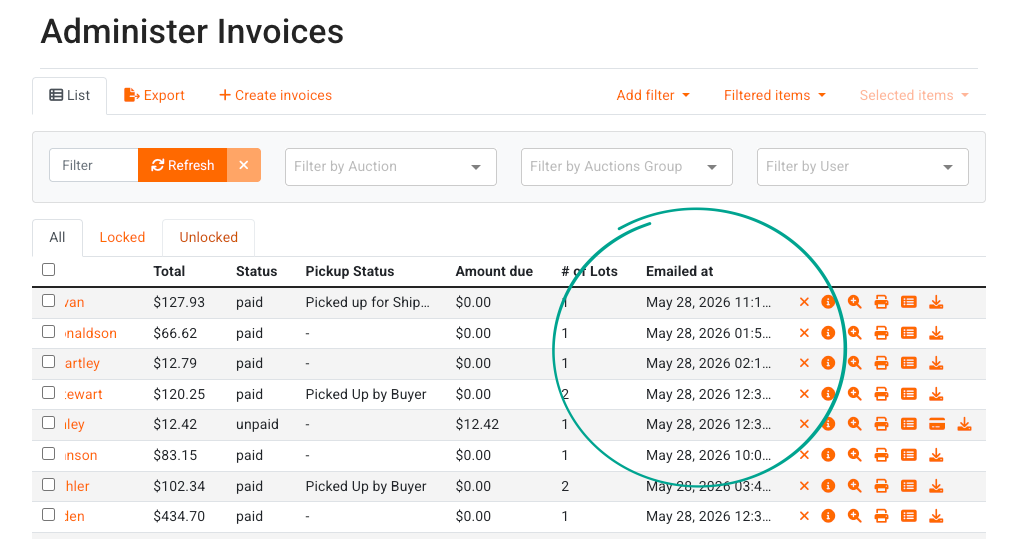
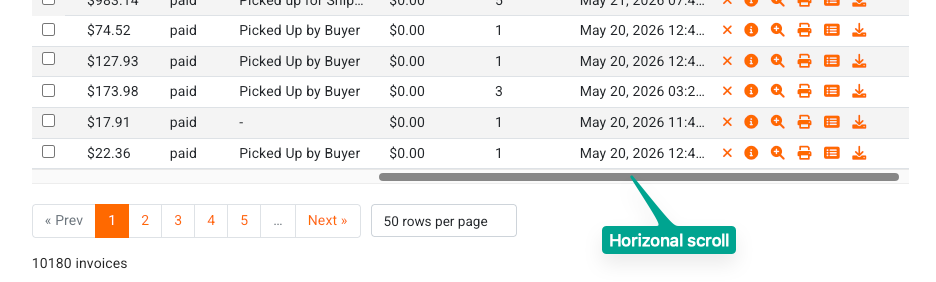
You can scroll to the right in the Administer Invoices screen either by scrolling to the bottom of the screen and finding the horizontal scroll bar, or by holding the Shift key on your keyboard while scrolling with your mouse wheel.
Export a Report
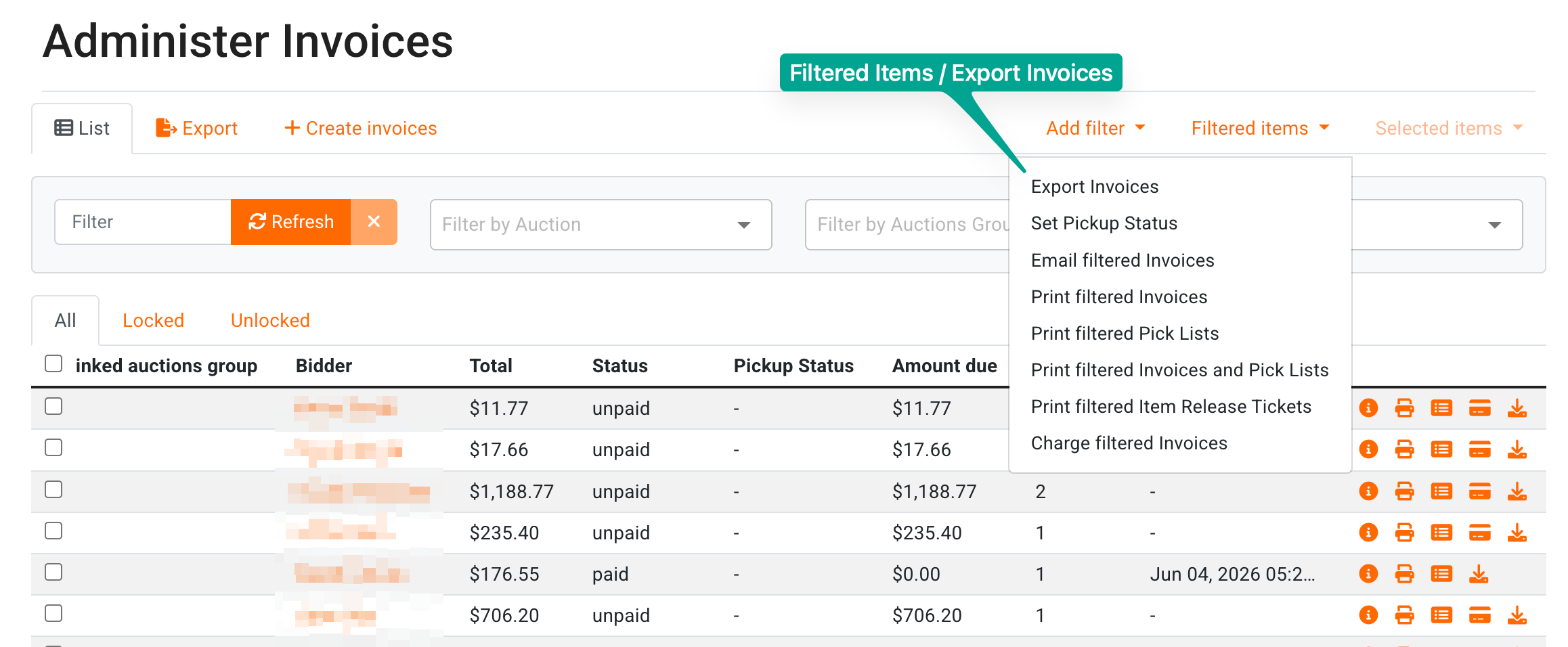
It is also possible to export this information to a .csv file under 'Filtered Items' and 'Export Invoices':
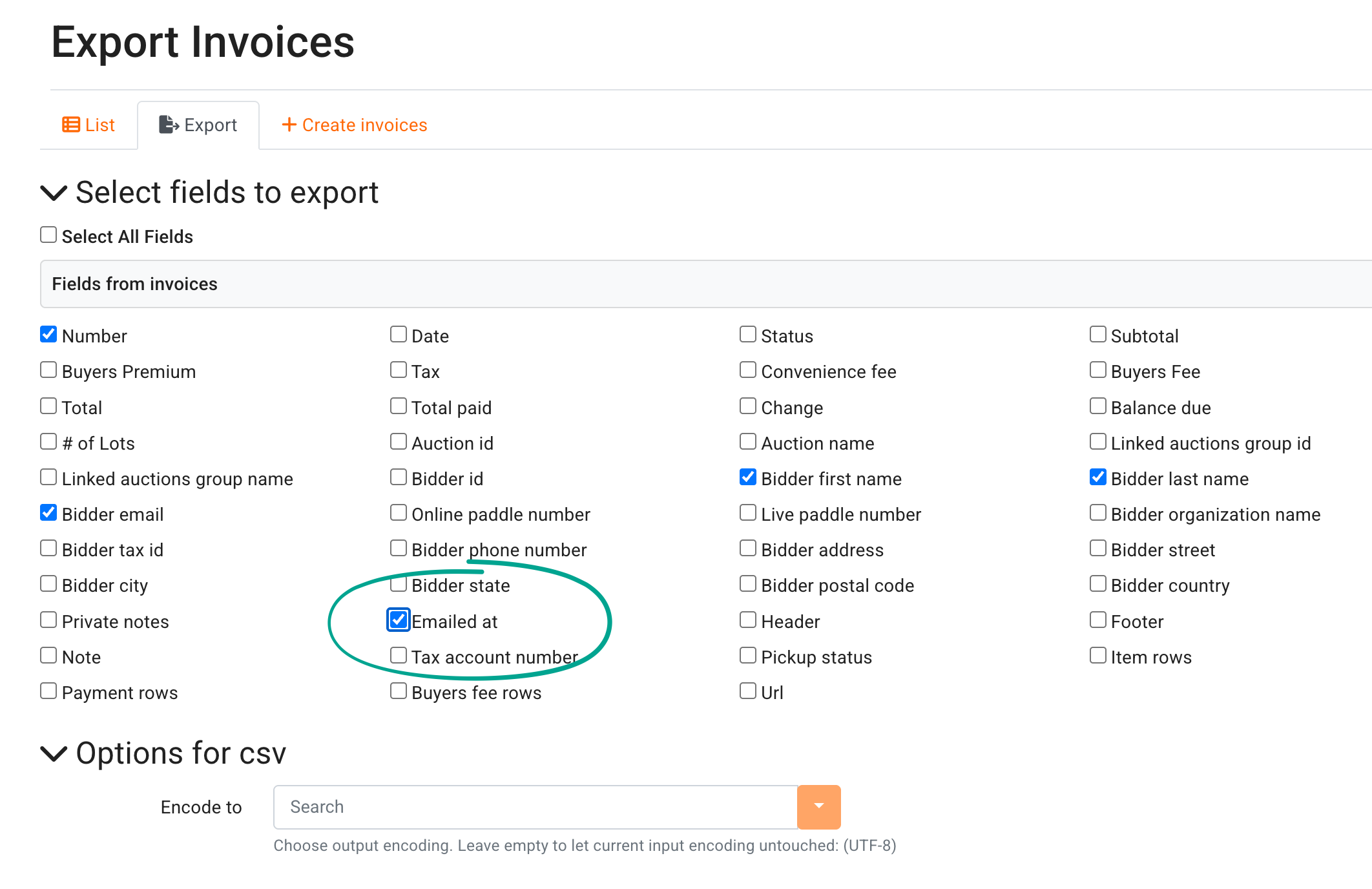
In the next screen, choose to include whatever fields are relevant to you in the report, but be sure to include 'Emailed At' before exporting to .csv:
Note that in both cases, the emailed at timestamp does not confirm delivery - only when the email was sent
.