
Bidder Spending Caps: How to Limit How Much a Bidder Can Spend on a Registration
BidWrangler's bidder spending cap feature lets auction admins set a maximum spend amount on any individual registration. Once a cap is in place, the bidder will be blocked from placing any bid that would push them over their limit.
This is especially useful for real estate auctions where controlling bidder commitment levels is critical.
What Is a Bidder Spending Cap?
A bidder spending cap is a per-registration limit that controls the maximum dollar amount a bidder can spend in an auction. When a cap is set:
Any bid that would exceed the cap is blocked.
Warnings or errors are displayed in the bidding UI when the limit is reached.
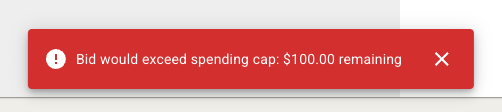
The cap is optional. Registrations without a cap behave as they always have.
Can I Use Bidder Caps Without Manual Approval?
Yes. A spending cap can be set on any registration regardless of your approval workflow. Manual approval is not required.
That said, a manual approval workflow is a natural fit for this feature since you're already reviewing registrations one by one. Setting caps during that process keeps everything in a single step and gives you the most control over individual bidders before your auction goes live.
How to Set a Bidder Spending Cap on a Registration
Navigate to the Registrations screen or Live Registrations screen for your auction.
Locate the bidder and open their registration to edit.
Find the Bidder Cap field and enter the maximum spend amount.
Save the registration. If you are using manual approval, approve the bidder as normal at this step.
Here is a brief demonstration of where to find, add, and edit the Bidder Cap field on an individual registration:
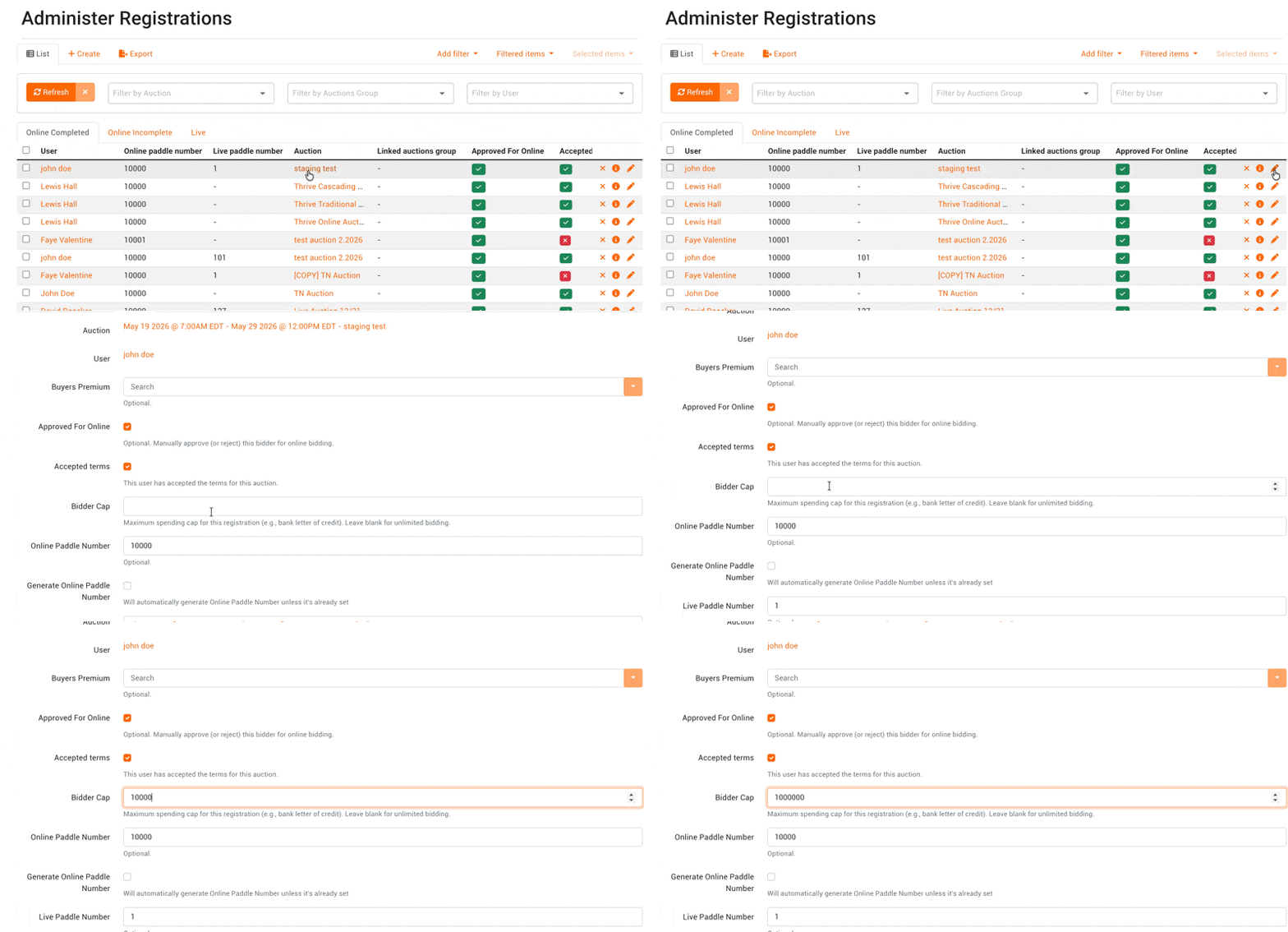
To update a cap after approval, return to that bidder's registration at any time and edit the field.
Frequently Asked Questions
Can different bidders in the same auction have different spending caps? Yes. Caps are set per registration, so each bidder in the same auction can have a different limit.
Where does the Bidder Cap field appear? Where can I set a Bidding Cap? The field is available in the admin Registrations edit screen and Live Registrations screen.
What happens when a bidder reaches their cap? The bidder will see a warning or error in the bidding interface and will be unable to place bids that would exceed their remaining budget.
Does setting a cap affect bidders who don't have one? No. Registrations without a cap set are unaffected and behave as they always have.
Have questions about configuring bidder caps for your auction? Contact the BidWrangler support team at helpdesk@bidwrangler.com.