How to use Parcel Maps with Multi-Par in BidWrangler
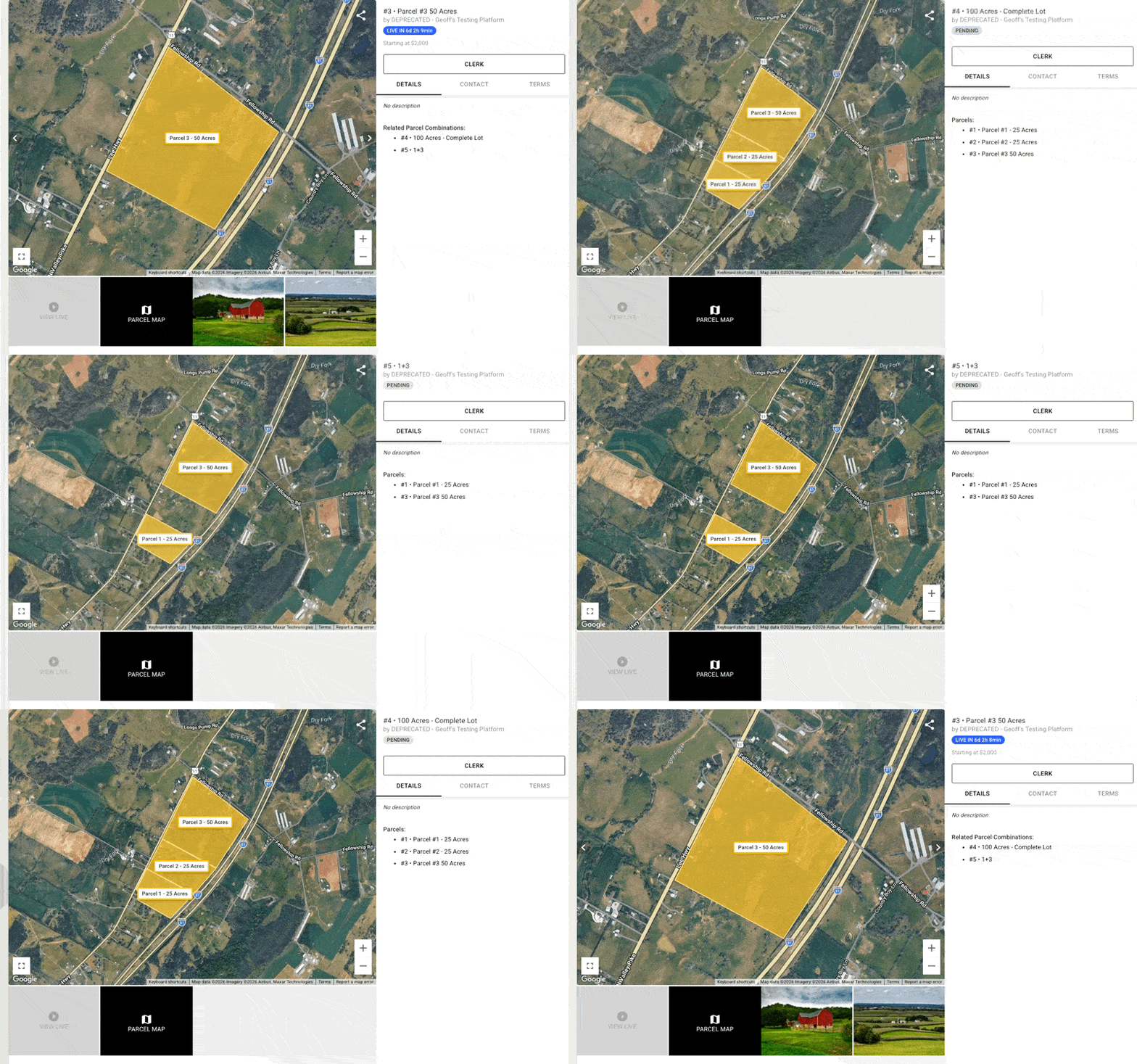
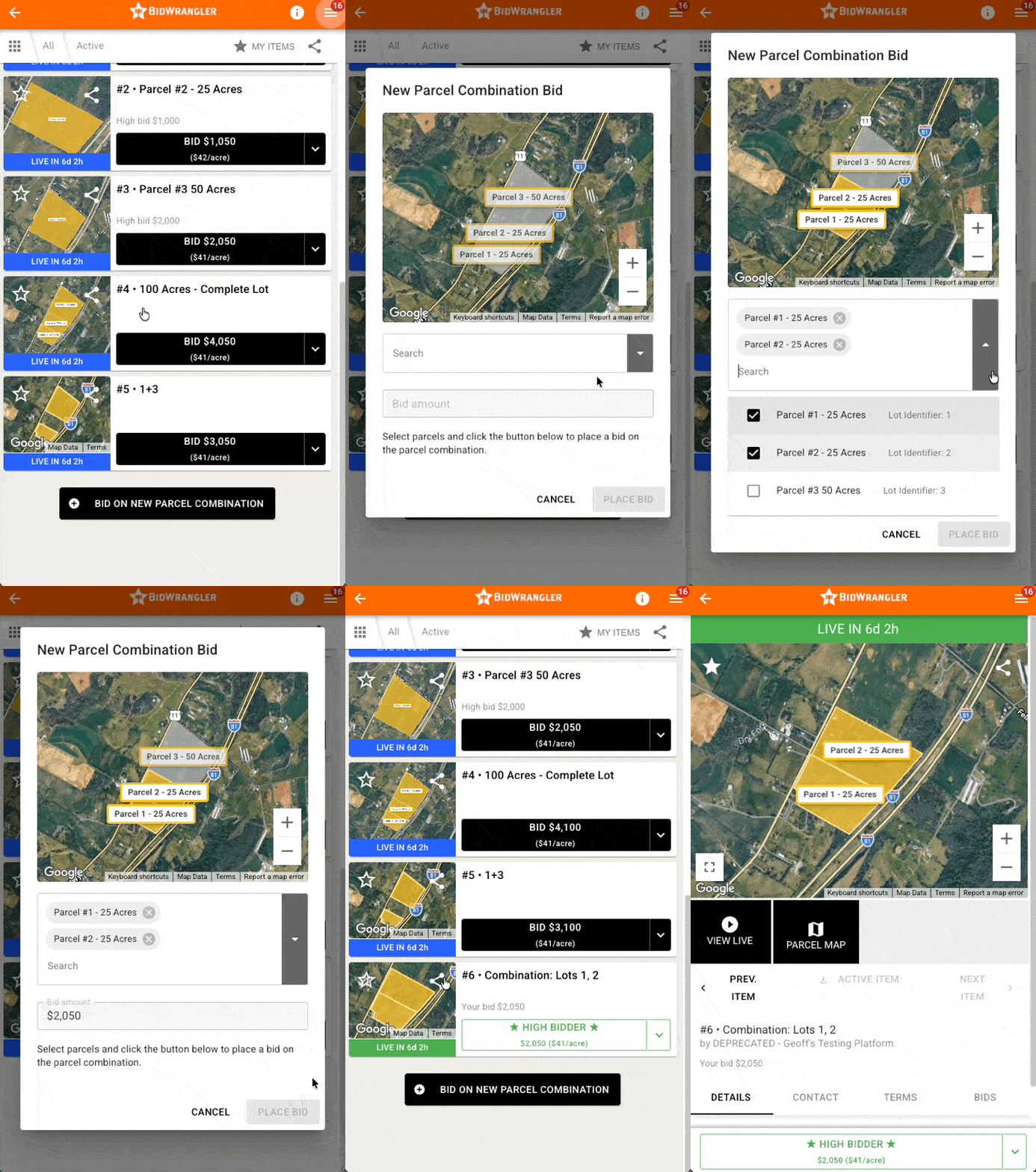
The Parcel Map feature allows you to plot the location of your parcels, and adds clarity for bidders when creating parcel combinations.
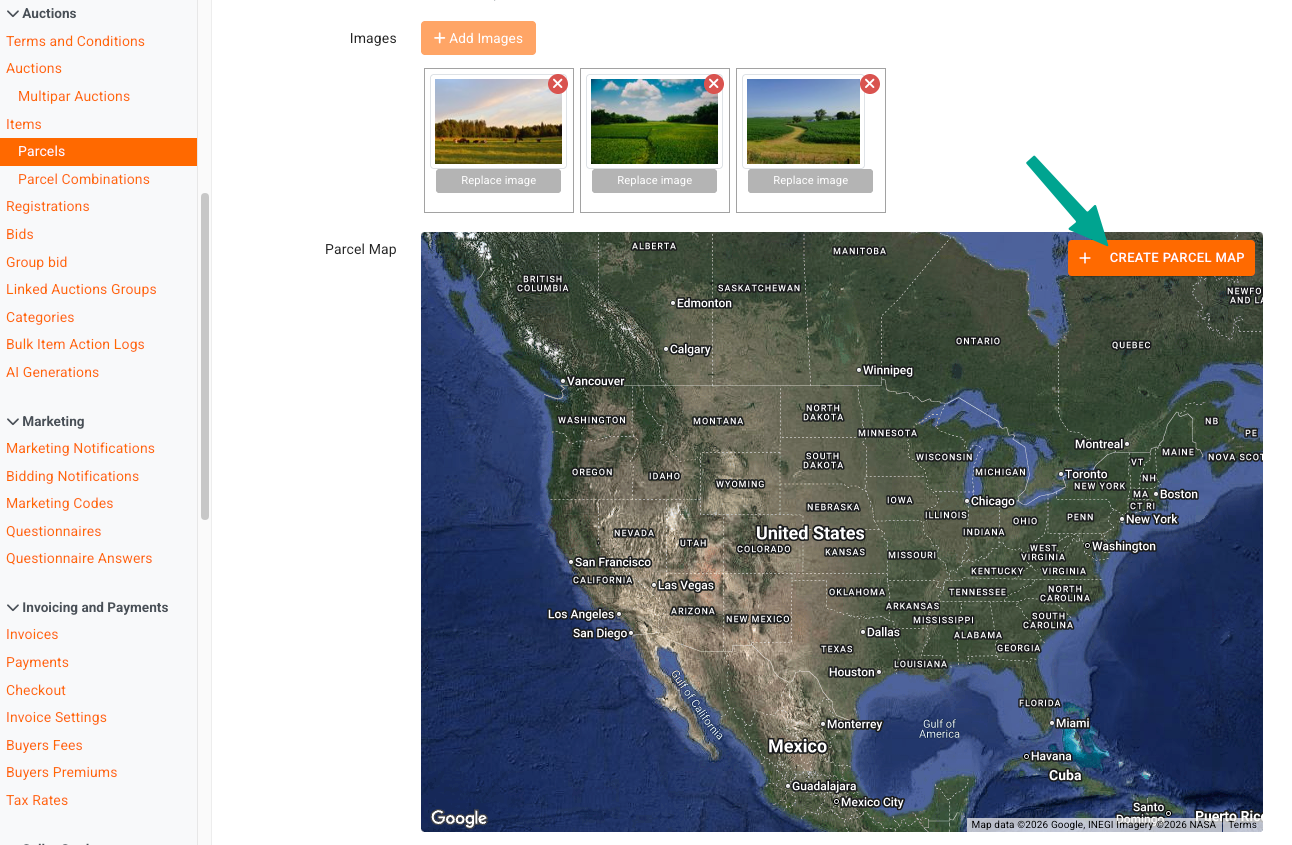
In a multi-par auction, create a parcel, and add images as normal, if desired. Directly under the '+ Add Images' button, you'll see the parcel map feature which integrates with Google Maps.
Click +Create Parcel Map to get started:
In the pop-up interface, you can locate the property location, either by zooming with the +/- buttons or your mouse wheel, or by entering the address/zip code into the search feature at the top.
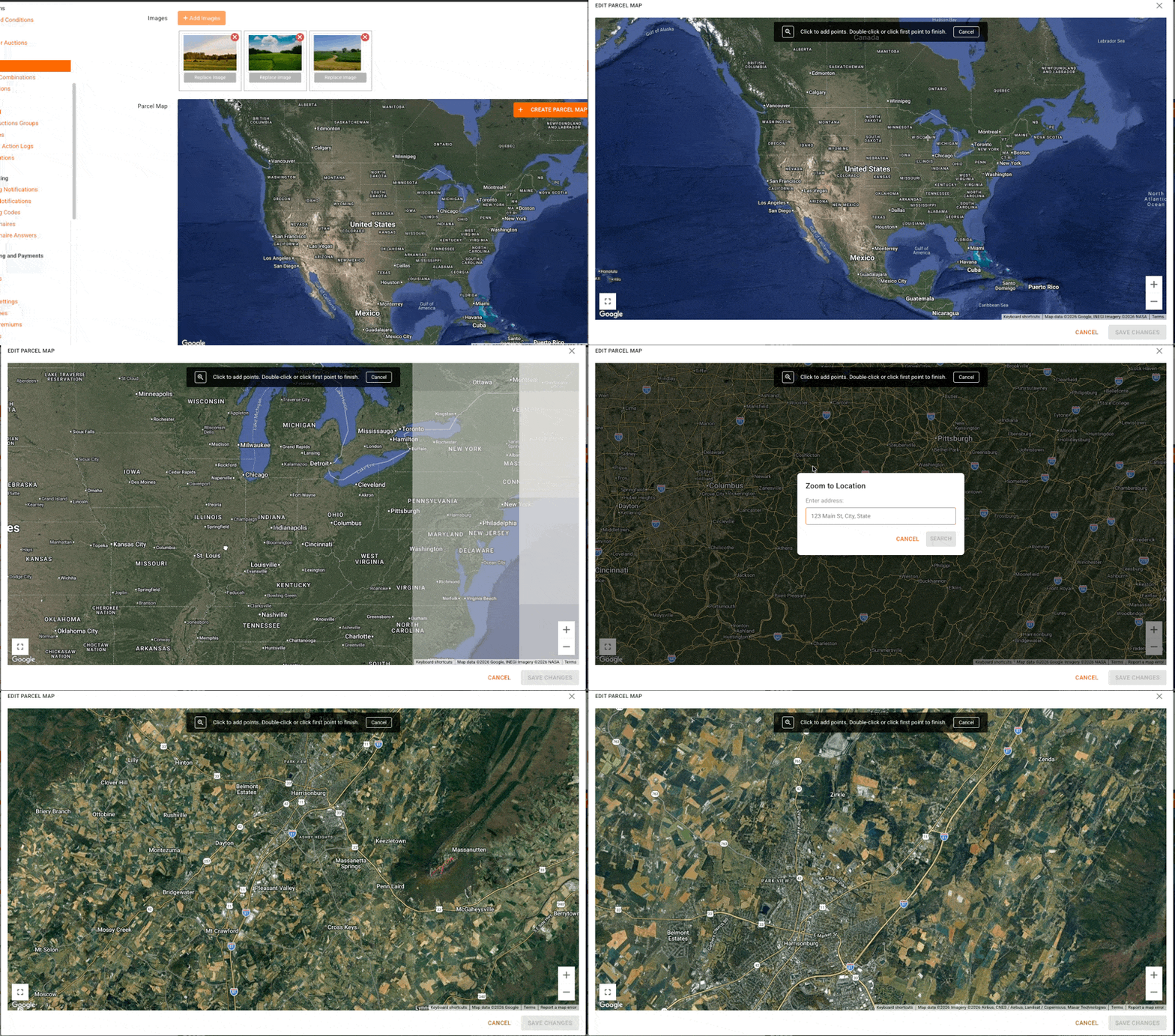
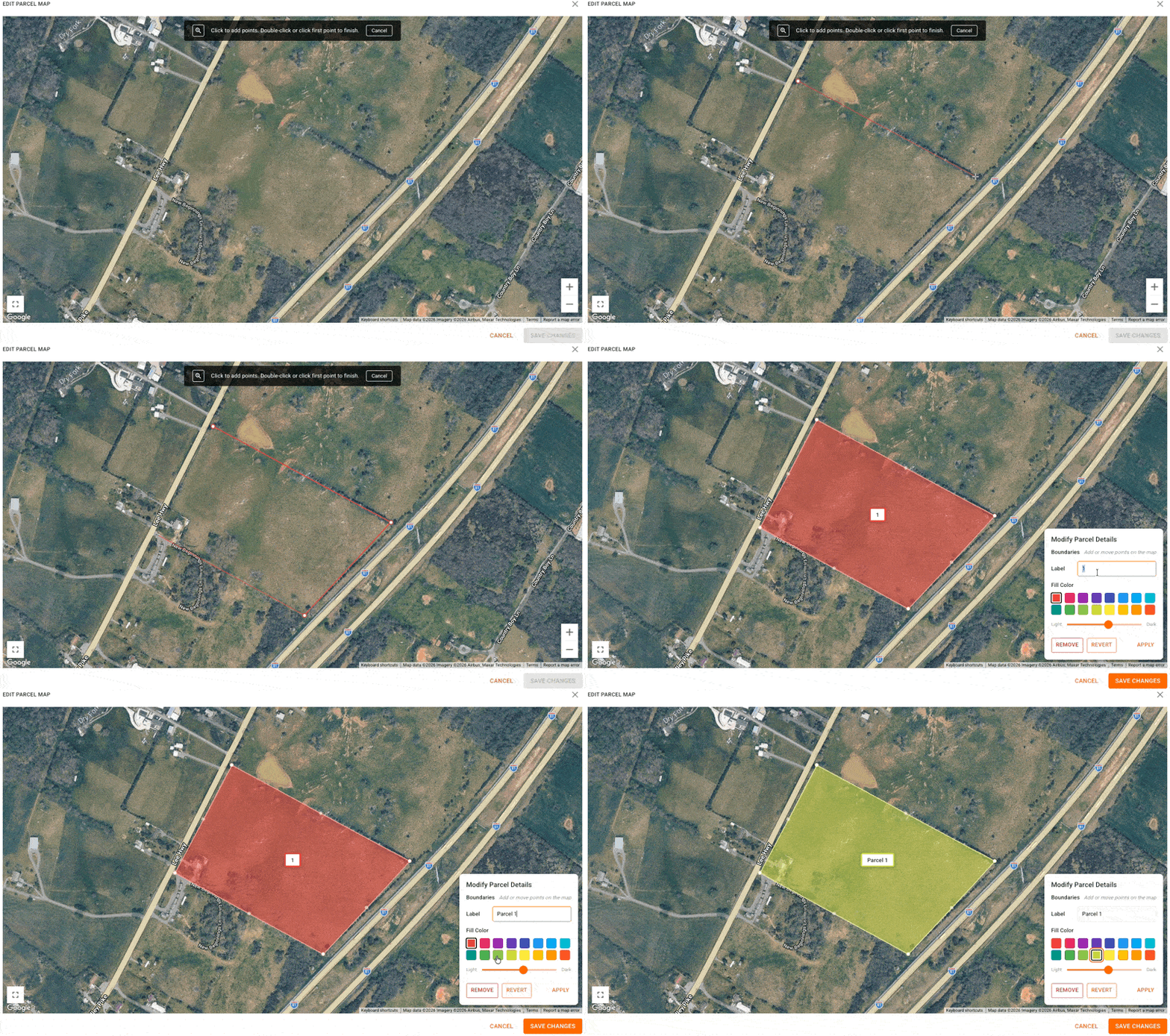
Once you have located the property, use your mouse to plot the property boundaries. You can also create a label and color for the plot.
You can refine the boundaries by dragging the halfway plot points.
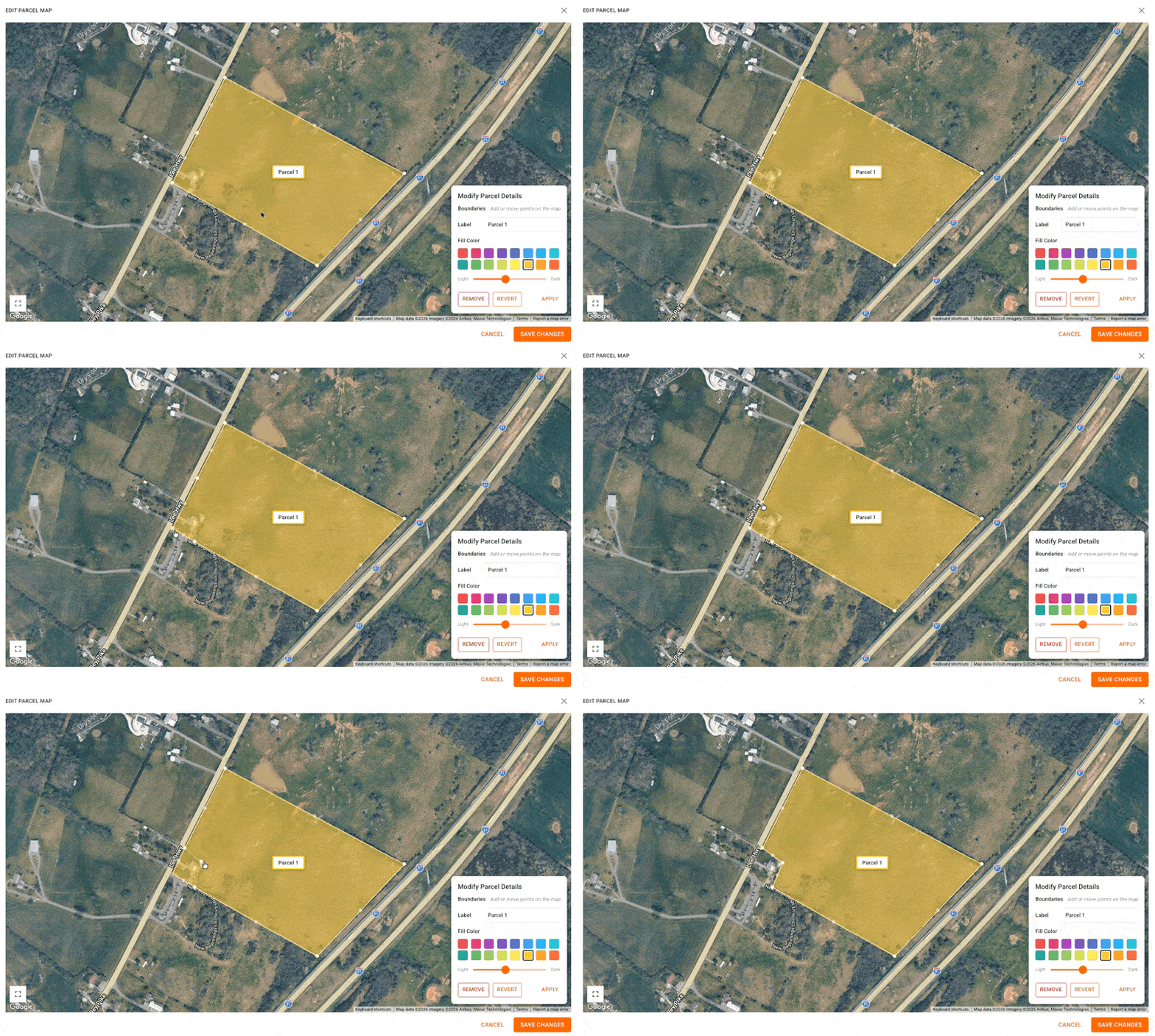
Click Save Changes when you're finished editing.
When you go to add the map for your next parcel, the map will already be saved in the same location.
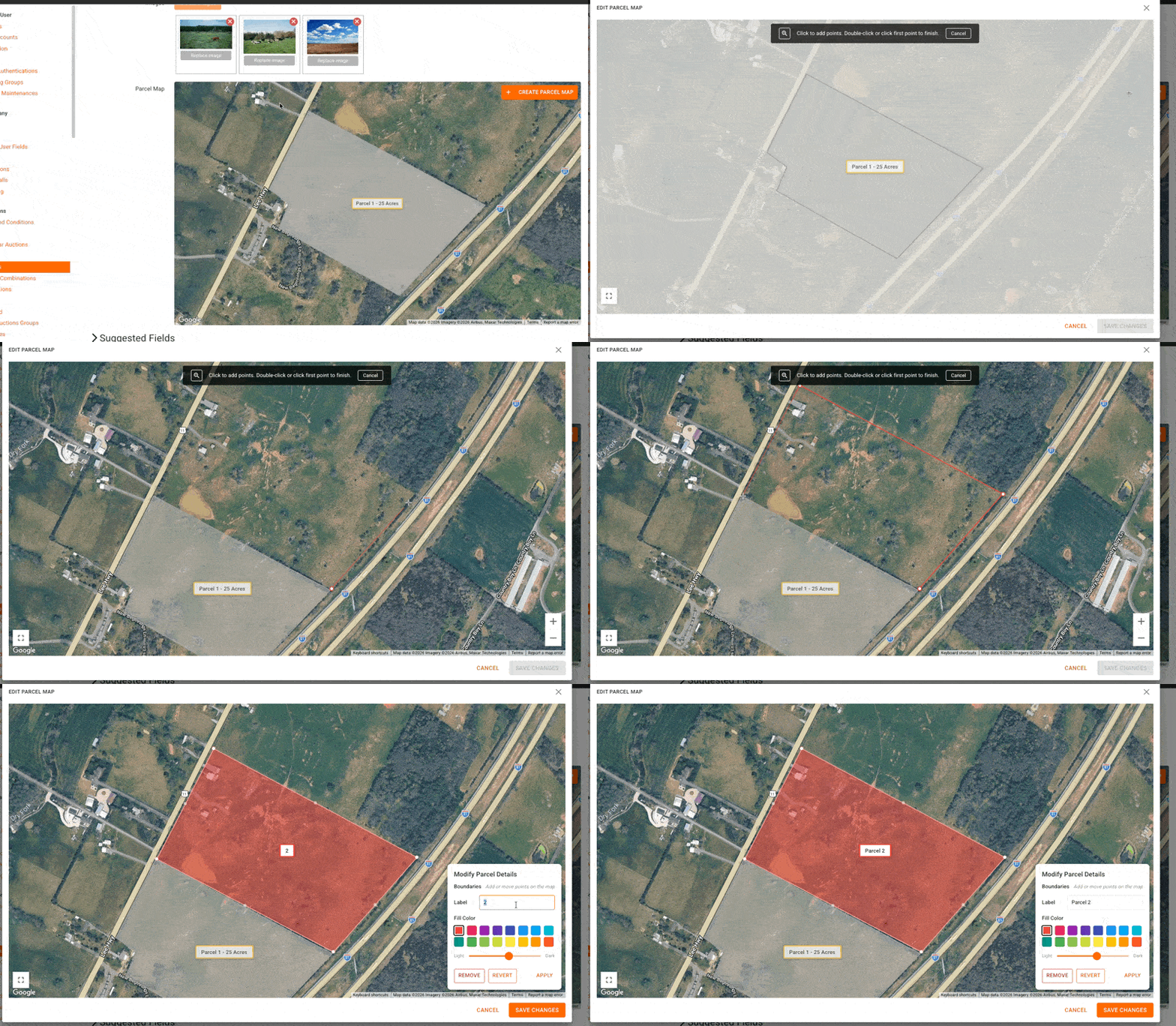
Your existing parcels will show on the maps for your other parcels.
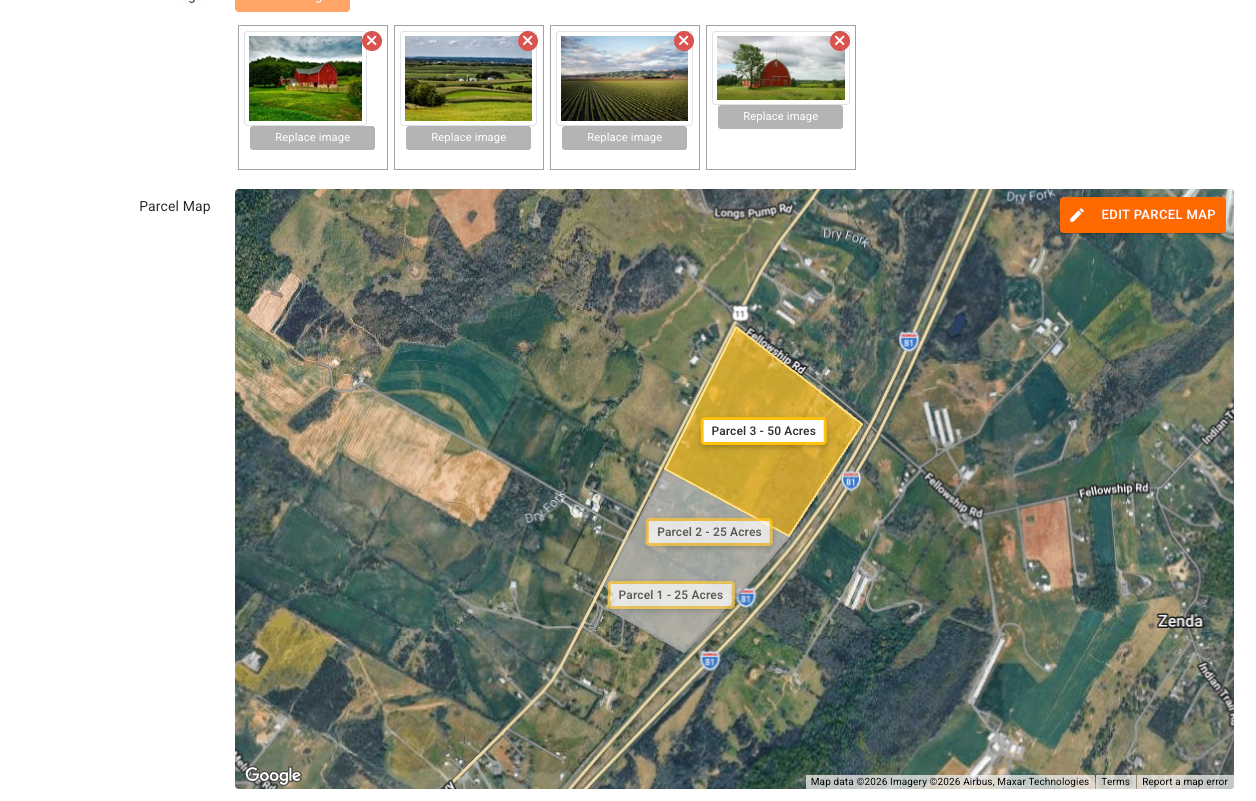
Your parcel combinations will automatically update to include the highlighted plots for the associated parcels. These will also act as the thumbnail for bidder-created combinations.