
How do I add our scheduling or shipping link to invoices?
Using the Pickup Scheduling URL Variable on Invoices
Overview
BidWrangler now supports a Pickup Scheduling URL field at the auction level, along with a corresponding invoice settings variable, allowing you to reuse a single set of Invoice Settings across multiple auctions, even when pickup or shipping links change from sale to sale.
This update removes the need to create auction-specific invoice settings solely to accommodate different scheduling or shipping URLs.
What Problem Does This Solve?
Many auctioneers rely on hyperlinks in invoices or invoice emails for:
Pickup scheduling
Shipping requests
Appointment booking
Post-sale instructions hosted on external tools or forms
Previously, while pickup dates, times, and locations could be handled using variables, URLs could not. Because of this, auctions with different pickup or shipping links often required their own dedicated Invoice Settings.
The new Pickup Scheduling URL field solves this by allowing the link itself to be stored on the auction and dynamically inserted into invoices using a variable.
How the Feature Works
You assign a Pickup Scheduling URL directly to an auction.
You reference that URL on invoices using the variable, Pickup Scheduling URL variable.
The same Invoice Settings can now be reused across auctions, with the correct link automatically populated based on the auction.
The URL does not have to be used strictly for pickup scheduling. It can link to:
Shipping request forms
Third-party scheduling tools
Instruction pages
Any auction-specific workflow page
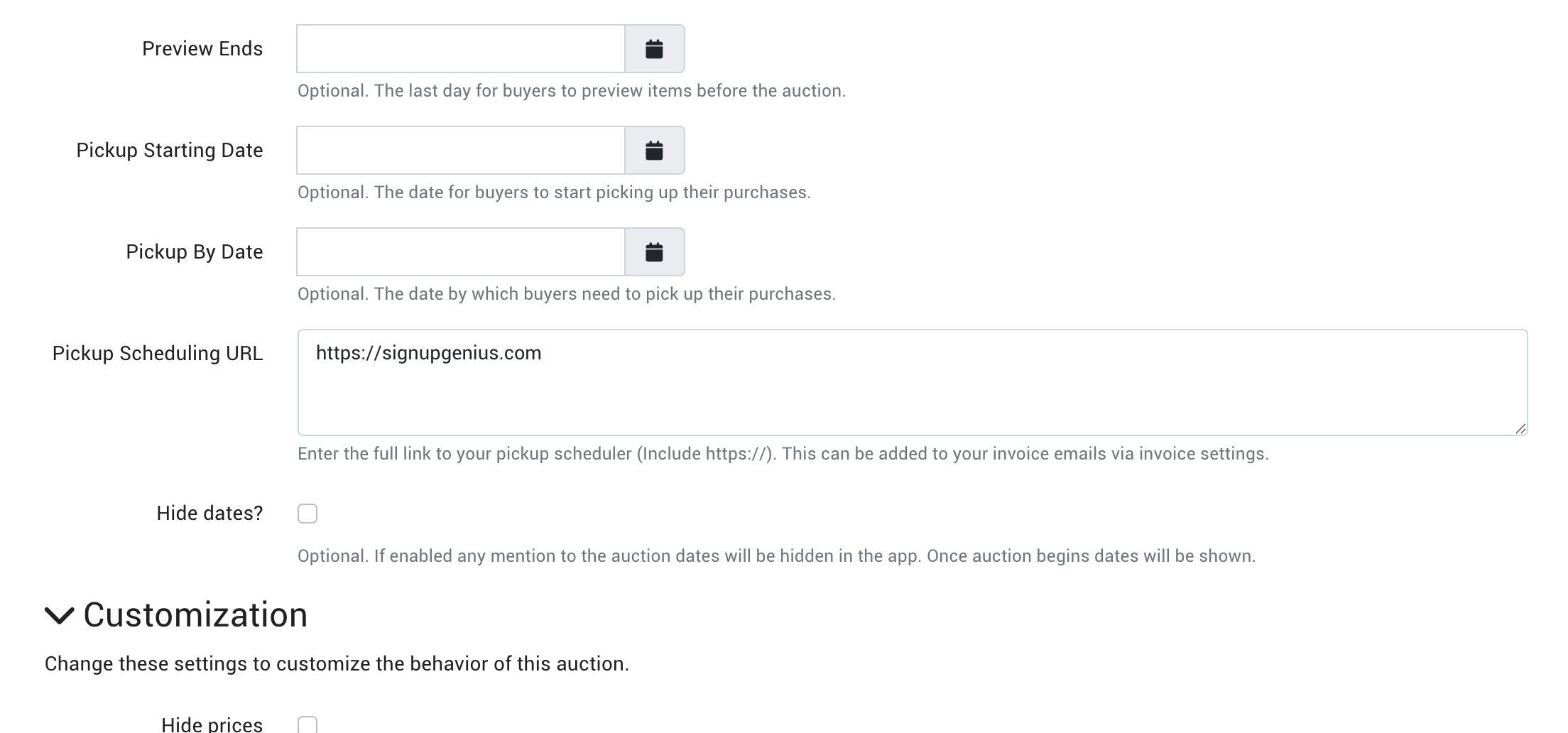
Where to Find the Pickup Scheduling URL Field
Navigate to Auction Settings
Scroll down to the Dates section
Locate the Pickup Scheduling URL field
Enter the appropriate link for that auction including https://
Save your changes
Using the Pickup Scheduling URL on Invoices
Once the URL is set on the auction, you can reference it in your Invoice Settings using the Pickup Scheduling URL variable.
Example Use Case
Before this update
Pickup date and time could be variable-based
Pickup or shipping URL had to be entered/pasted
Result: a separate set of Invoice Settings per auction
After this update
Pickup date, time, location, and URL all come from auction variables
One reusable Invoice Settings template works for all auctions
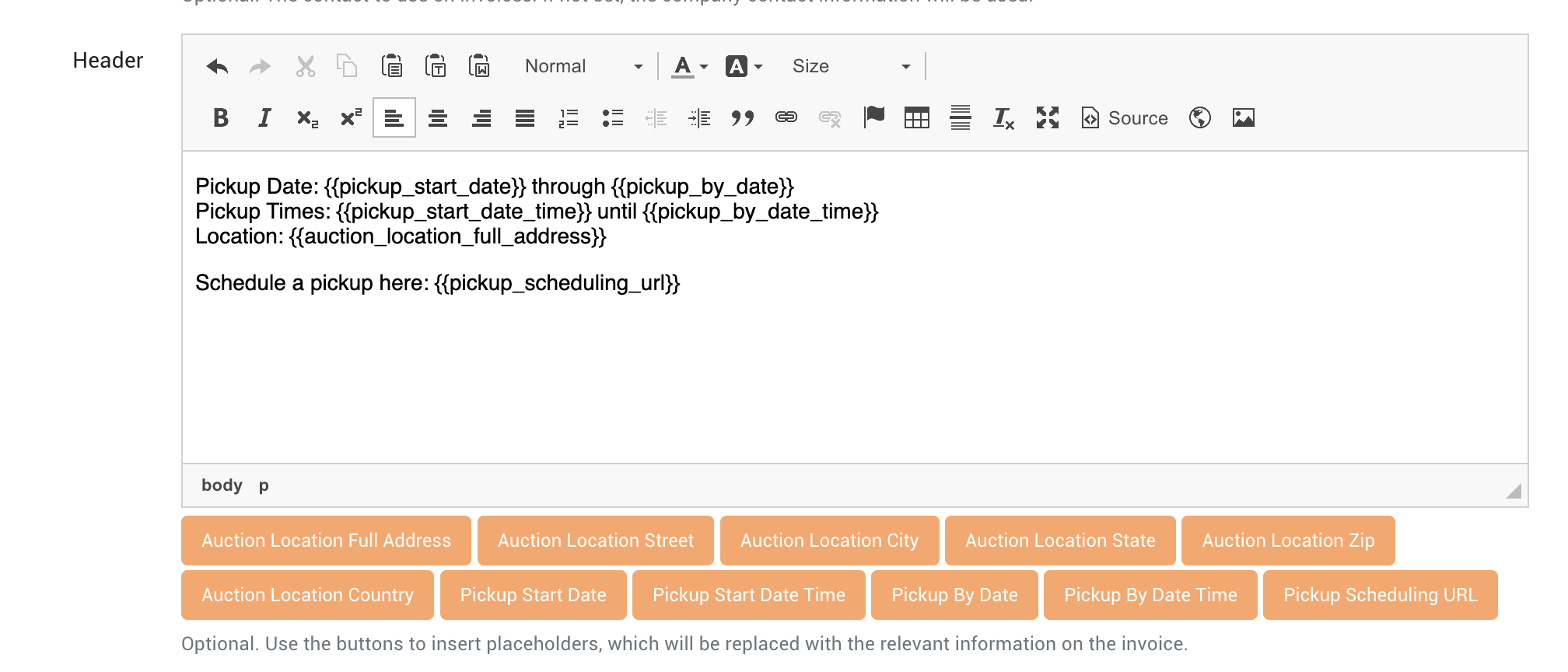
This is especially helpful for customers who display the same invoice/pickup-related information on invoices except for a single hyperlink that changes for each auction, requiring new invoice settings to be created for each sale.
Best Practices
Use this variable alongside existing pickup date, time, and location variables for consistency.
Keep your Invoice Settings generic and reusable.
Update only the auction-level details when preparing a new sale.
If you use multiple types of post-sale links (pickup vs shipping), clearly label the link text in your invoice language.
Important Notes
This is an optional feature only. It is not required to redo what information is displayed on invoices in order to use this feature.
This feature affects invoicing only. It does not change bidder checkout behavior.
The URL is optional. If no URL is entered, the variable will simply display as blank.
You can update the Pickup Scheduling URL at any time before invoicing.
Need Help?
If you’d like assistance updating your Invoice Settings or testing this feature on an upcoming auction, reach out to our support team at helpdesk@bidwrangler.com and we’ll be happy to help.