
Why don't my bidders have invoices?
In this article, we'll demonstrate what it looks like when we clerk to an unregistered bidder both on the online clerk and live clerk screens. We'll show you how to fix this by registering the bidder and re-clerking the item.
Live Clerking Panel
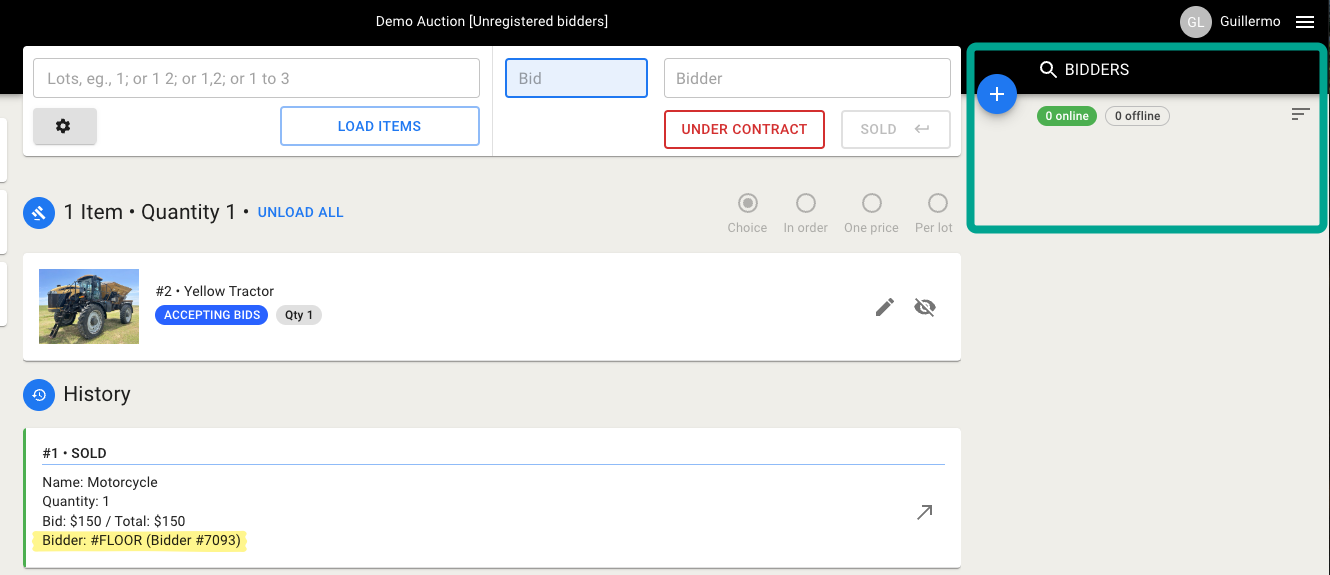
If a bidder hasn’t been registered and their paddle number is entered in the system to sell an item (e.g. #7093), it will be sold to a floor bidder.
Online Clerking Panel
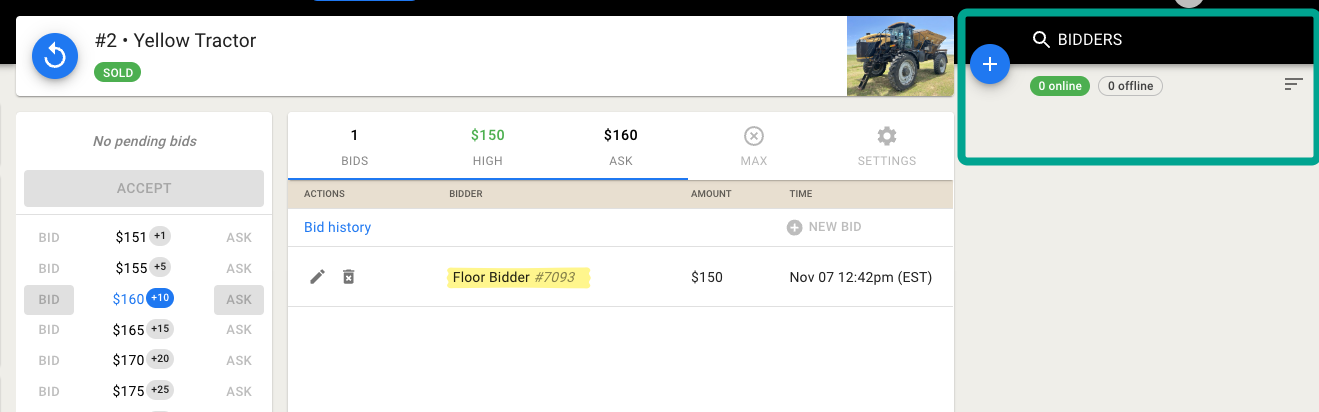
The same applies when we clerk to the paddle number of an unregistered bidder in the online clerking panel.
How do we fix this?
In a live auction, you will need to create a new live registration for the bidder and re-clerk the item.
Creating a live registration
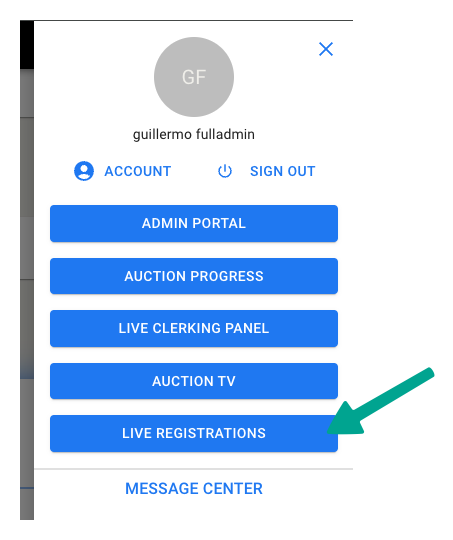
First, navigate to the Live Registrations Panel (located under the hamburger menu). Please note that this option is only available for live auctions.
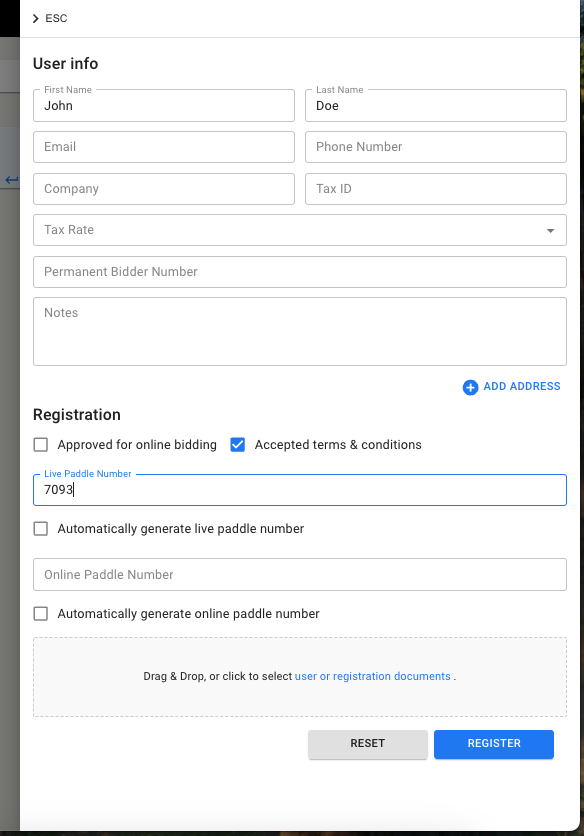
Then click "New Registration" to enter the bidder's information and paddle number.
Re-clerking the item
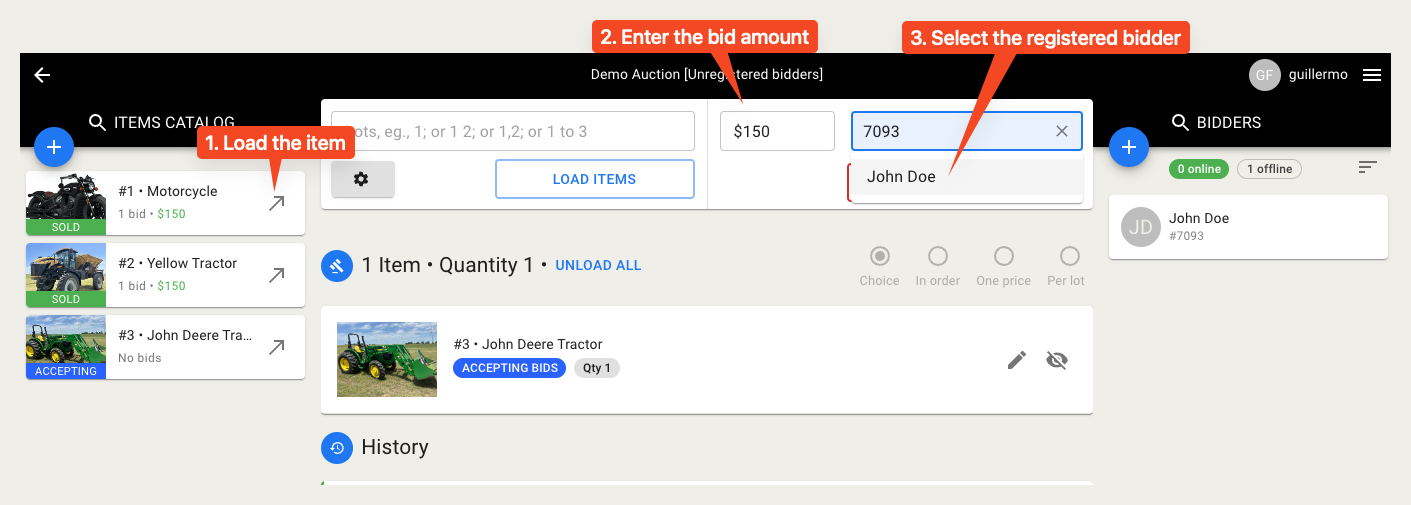
Hit "SOLD".
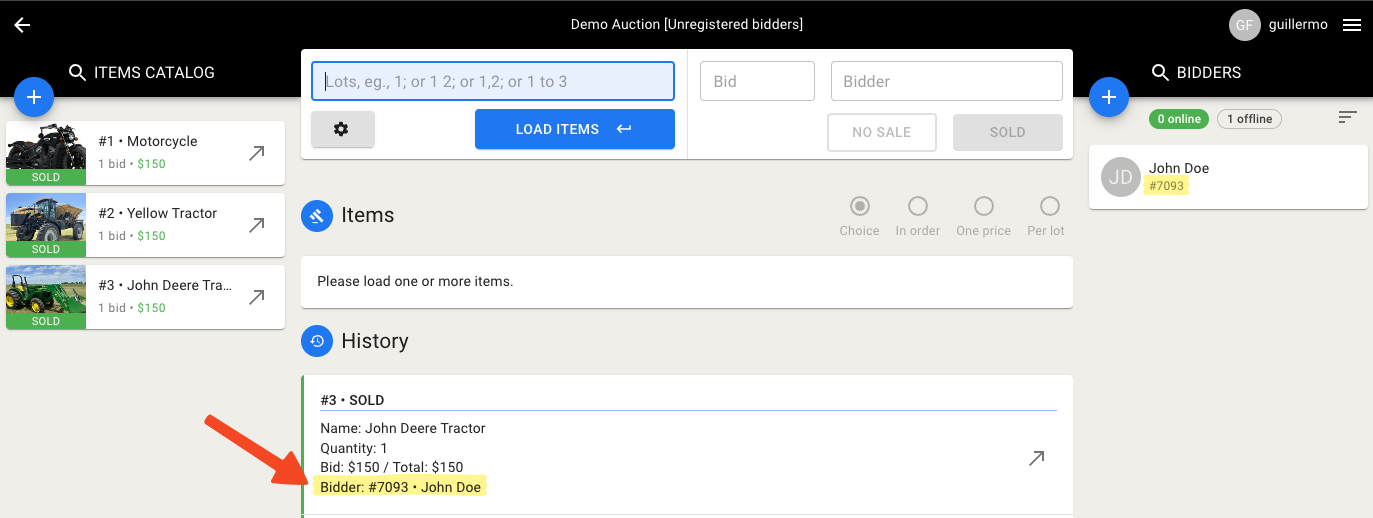
The high bid is now assigned to the registered bidder (e.g., John Doe with paddle #7093), and now we will be able to generate an invoice for this bidder.
Please let us know if you have any questions by emailing us at helpdesk@bidwrangler.com.