
How do I login to my BidWrangler website?
How do I login to my BidWrangler website?
To access the admin portal for your website, type in your website's domain (for example, bidwrangler.com) and add "/admin" to the end of the URL, so it looks more similar to the following: bidwrangler.com/admin.
You may also go to your website's homepage, and if there is nothing else in the URL after ".com", add "/admin" like the GIF below:
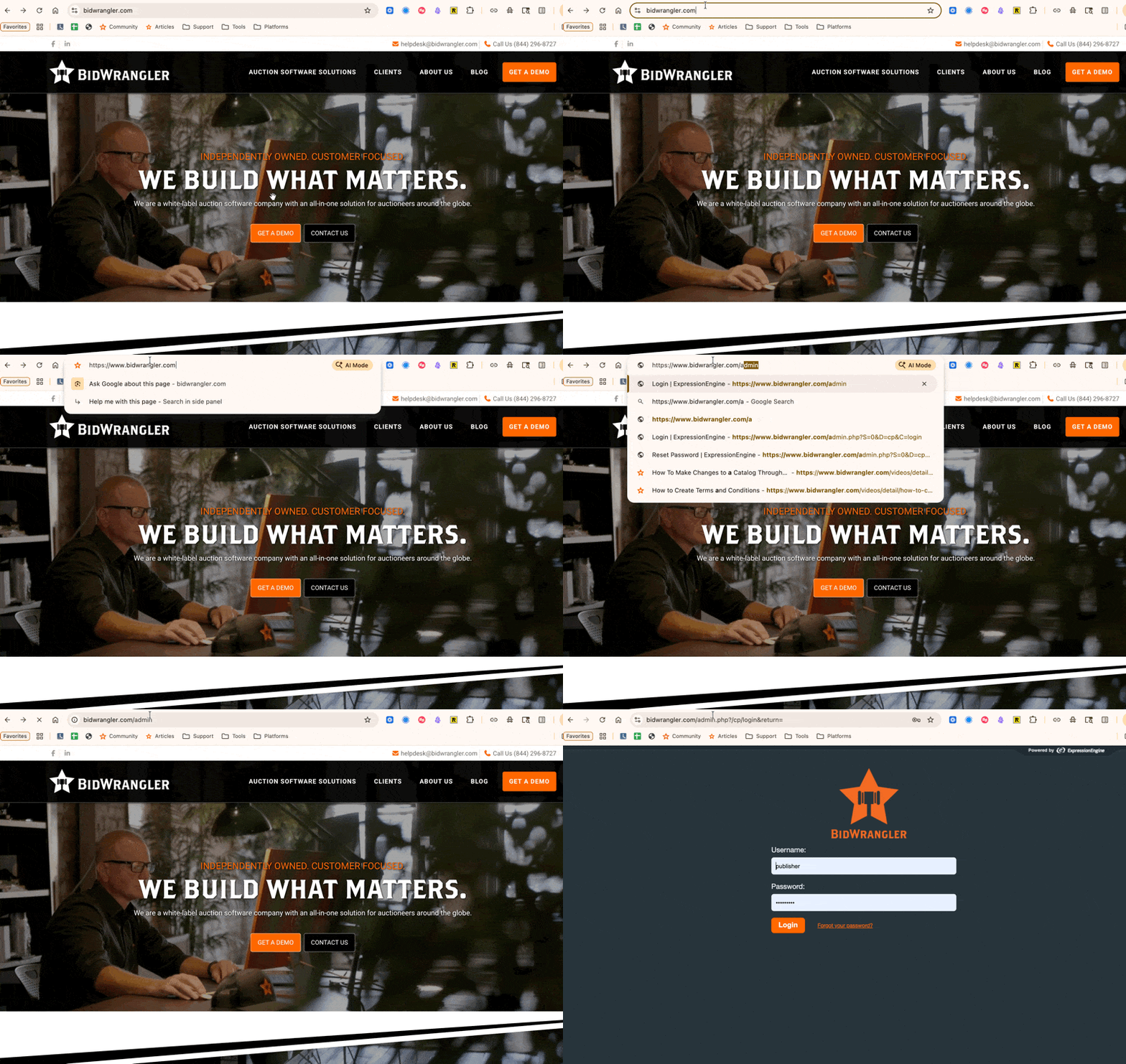
From here, type in your unique username and password.
Click "Login"
Troubleshooting and FAQ
I forgot my password, or my password isn't working.
Forgot your password? Hit the "Forgot your password?" link, then submit the email address associated with your login. Click "submit" and an email will be sent to you with reset instructions.
I'm not receiving a password reset email.
If you've clicked "Forgot your password?" and submitted a reset email, but you aren't receiving a forgotten password or password reset email, here are some troubleshooting steps to try:
First, make sure you've waited a few minutes for the email to send.
Next, be sure to check any spam or filtered email inboxes where the email may have gone to instead.
If you still aren't finding the email, submit one more and make sure the email entered is the email associated with your website login.
Please note that BidWrangler website and bidding platform login credentials are not linked. Traditionally, logins are set up with the same email for both, but this may not always be the case.
Lastly, if the above troubleshooting doesn't work, please reach out to the BidWrangler Customer Success Team at helpdesk@bidwrangler.com.